



If you are similar to me, then the last time you inserted a Blu-ray disc, you might have been greeted with a message saying the disc is from another region. And that is where knowledge of Blu-ray regions becomes very important. In this post, I will explain the Blu-ray region restrictions in detail, their purpose, and how you can find out if a Blu-ray disc is region-free. Also, I will demonstrate how to play Blu-ray discs without region code restrictions by using dependable software players. You will be able to watch movies from any corner of the world on your laptop without worrying about restrictions after finishing reading the article.
Part 1. What is Blu-ray Region Restriction
Blu-ray region restriction is a mechanism implemented by film studios to limit where their Blu-ray discs can be played. The discs are coded for certain regions, for instance, Region A Blu-ray and Region B Blu-ray, which means they will only be compatible with players that are originally from that region. Hence, it happens that some Blu-ray discs are flawlessly playable in one country, whereas they will not function in another.
Of course, this limitation can be irritating for the audience. Area barring permits film companies to control release dates, price policies, and licensing agreements in different countries. Besides, they may utilize it to abide by the local rules and content standard regulations. Nonetheless, for the cinephiles getting movies from different parts of the world, restrictions typically shut them out. Thus, region-free playback becomes quite an attractive option.
Part 2. How to Know if a Blu-ray is Region Free
One of the simplest ways to determine if a Blu-ray disc is region-free is to look at the disc case or packaging. Generally, the publishers indicate the supported regions quite clearly by using letters like A, B, or C. Hence, if the words Blu-ray ABC region or Region Free are written on the cover, the disc can be used on any Blu-ray player of any region without limitations.
One more method to check this is by going through the disc details via online official store listings or Blu-ray databases. There are certain discs that at first glance seem to be region-locked, but in fact, they play across several regions. If you are unsure, the most secure method is to use a region-free Blu-ray player software to check if the disc is really region-free.
Part 3. How to Play Blu-ray without Region Codes
Region locks may restrict your viewing options. However, the appropriate software will allow you to easily watch discs from around the world. Here, we present dependable programs that serve as an all-region Blu-ray player, which means you can easily get around region codes and play your Blu-ray discs on your computer without any limitation.
Method 1. VideoSolo Blu-ray Player (Best & Recommended)
VideoSolo Blu-ray Player is the most dependable tool to play Blu-ray discs without fretting over region codes. It is more stable, plays smoothly, and gives you just the right region, with free support compared to other ways. Therefore, it stands out as the best choice among all the players. It automatically bypasses region codes, so you can watch Region A, B, or C Blu-rays without changing system settings or modifying the disc.
 Features
- Fully supports region-locked and region-free Blu-ray discs
- Plays Blu-ray discs, ISO files, and BDMV folders
- High-quality video playback up to 1080p and 4K
- Advanced audio support (Dolby, DTS, DTS-HD, etc.
- Customizable subtitles and audio tracks
Steps to Play Blu-ray without Region Codes Using VideoSolo Player
Step 1. Download the Blu-ray Player for Windows or macOS. Install it by following the on-screen instructions.
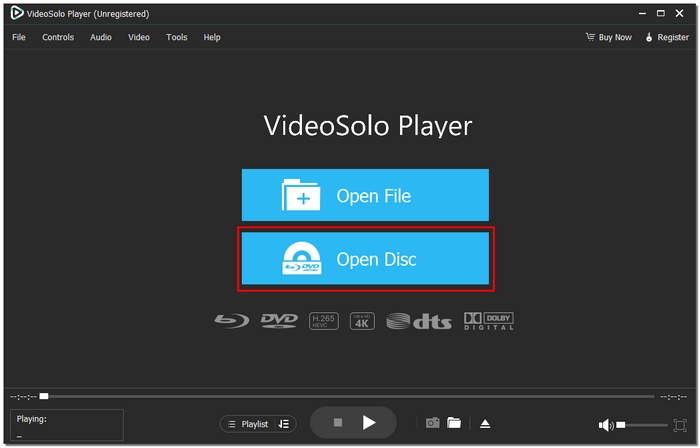
Step 2. Open VideoSolo Blu-ray Player. On the main interface, you will see two options: Open Disc and Open File. Click Open Disc, then select your Blu-ray drive.
Step 3. The disc will be immediately detected and loaded by the software. The Blu-ray will automatically begin playing after it has been loaded. Smooth, continuous playback is ensured by the background removal of region restrictions.
Using Experience
VideoSolo Blu-ray Player is absolutely efficient, simple, and fast if you get it from a secondhand store (or any kind of trading site). It won’t show you any errors related to the region code, the time for each new film to be loaded is very short, and, most importantly, the quality of the picture is very clear and very smooth.
Method 2. Leawo Blu-ray Player
Leawo Blu-ray Player can also be a great choice if you want to play Blu-ray discs from different regions on your computer. It functions as a multi-region Blu-ray player in that it gives users the ability to circumvent region restrictions by using the right settings, which makes it ideal for watching movies on international Blu-ray discs.
Steps to Play Blu-ray without Region Codes Using Leawo
Step 1. Download the software on your Windows/macOS device, then launch the program. Place your Blu-ray disc into an external or internal Blu-ray drive connected to your computer.
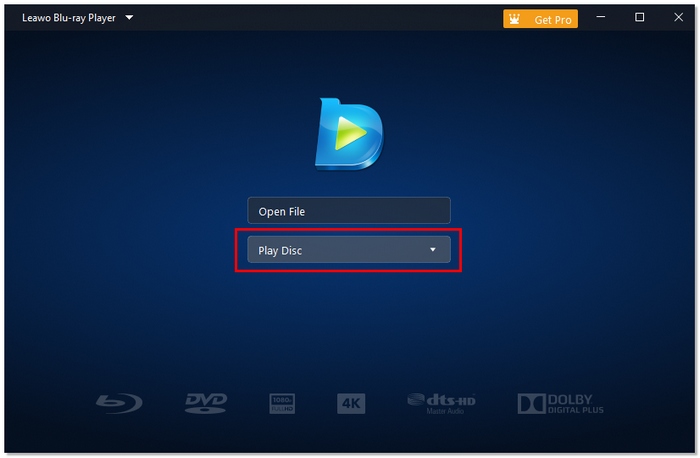
Step 2. Click Play Disc on the main screen. Leawo will scan and load the Blu-ray content.
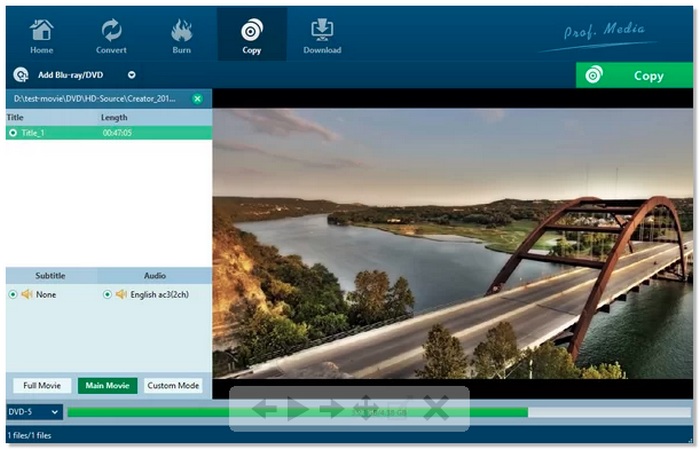
Step 3. If the disc doesn’t start playing by itself, head to the settings menu and check the region-related options, or try playing it again. Once it is loaded, you can get to menus, change audio tracks or subtitles, and navigate through chapters.
Using Experience
Even novice users can play Blu-ray discs with ease thanks to the Leawo Blu-ray Player's user-friendly interface.
Method 3. PlayerFab All-in-One
A versatile option for collectors, PlayerFab All-in-One is a high-end media player that can effortlessly play Blu-ray discs with different region codes.
Steps to Use PlayerFab All-in-One
Step 1. Install PlayerFab All-in-One on your computer after downloading it. After starting the application, put your Blu-ray disc into the drive.
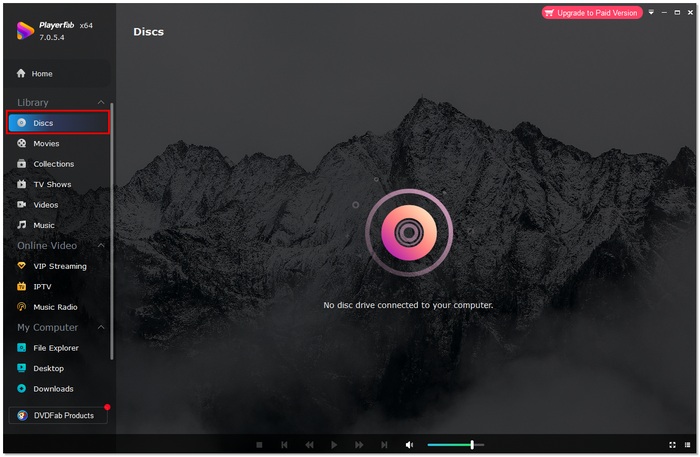
Step 2. By automatically identifying the disk, the software will get beyond region limitations.
Step 3. Select the playback mode and, if necessary, modify the audio or video parameters. To begin viewing your Blu-ray without region restrictions, click Play.
Using Experience
PlayerFab All-in-One delivers a smooth, premium playback experience with minimal setup and stable performance, even when playing high-quality Blu-ray discs.
Part 4. FAQs about Blu-ray Regions
What region Blu-ray is US?
Blu-ray discs that are marked Region A are meant to be played in the U.S., Canada, Mexico, Japan, South Korea, and some parts of Southeast Asia. Any disc that is labeled either Region A or ABC (Region Free) will be compatible with U.S. Blu-ray players without any problems.
Can game consoles like PlayStation or Xbox play region-free Blu-rays?
Yes, but they still follow Blu-ray region rules and cannot bypass region locks on restricted discs.
Are TV series Blu-ray box sets more likely to be region-locked?
Yes. TV series and special editions are more commonly region-locked than standalone movies.
Conclusion
After everything is said and done, my main takeaway is that one should not be limited by Blu-ray region restrictions when it comes to watching their favorite movies. It is pretty straightforward to pick the right solution after you have figured out how region codes function and why they exist, for example, using good playback software or checking a disc’s region before purchasing. Actually, I have discovered that with the suitable gear, even region A Blu-ray discs can be played without any hassle or misunderstanding. Essentially, the objective is very straightforward. Free, confident, and unconcerned about region restrictions, enjoy your Blu-ray collection.
More Reading

