



 Download VideoSolo Player For FREE!
MP4 is one of the most common video formats today, but having the format doesn’t always guarantee smooth playback. Basically, the difference hinges on the MP4 player you have. There are certain players which can very easily handle the high, quality videos, whereas some might not be able to go beyond the limited features or may give you trouble in terms of compatibility. Here we have an article that examines the best MP4 players for Windows, Mac, and online to see which of them really perform well during the routine viewing. Instead of overwhelming you with technical jargon, this will highlight what each player is good at, where they may struggle, and who it’s best for. Later on, you’ll have a clear idea of which MP4 player matches your needs!

Part 1. The Best All-in-one MP4 Player [Music & Video]
If you are looking for a single dependable tool that is capable of managing both music and videos without the need for additional plugins or complex settings, then VideoSolo Video Player is the best overall solution that combines all functions. This item is suitable for individuals who require smooth file execution, clear audio, and the backing of a broad assortment of formats from a single unit. As a specialized player format for MP4 only, VideoSolo is a simple player to the eye and it also sounds great, thus it is perfect for daily media consumption on both Windows and Mac.
Key Features
- Plays MP4 videos smoothly, including HD, 4K, and high-bitrate files
- Supports almost all video and audio formats beyond MP4
- High-quality audio output with Dolby and DTS support
- Subtitle import, sync, and customization
- Clean and beginner-friendly interface
 pros
pros
- Smooth and stable MP4 playback with excellent quality
- Works well for both video and music files
- Easy to use, even for first-time users
- No codec downloads needed
 Cons
Cons
- Full feature access requires the paid version
- Lacks built-in online streaming features
How to Use VideoSolo Video Player
Step 1. Open the software after installation. Hit Open File and choose your MP4 video or audio file.
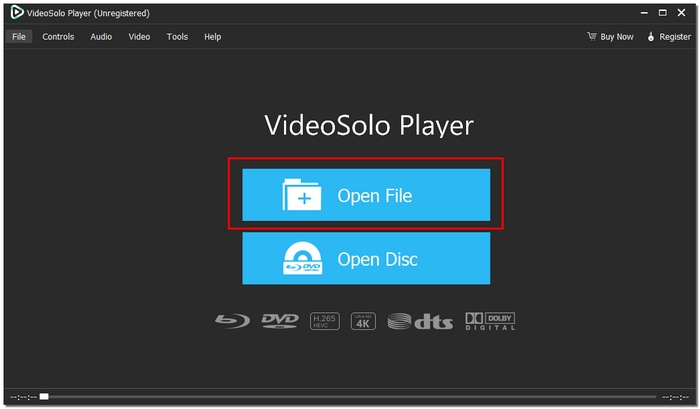
Step 2. Adjust subtitles, audio tracks, or playback settings if needed.

Step 3. Enjoy high-quality playback instantly.
Using Experience
It is comfortable and easy to use the VideoSolo Video Player. In no time, MP4 files are played, the video stays smooth even if it is of very high resolution, and the audio is relatively straightforward and balanced. Just what one would expect from a standard all-in-one player for MP4 format, it gives you an identical and dependable thing to use.
Part 2. MP4 Players for Mac
Mac users frequently want a player that can do more than just simple playback. Here, we review 2 trustworthy choices made for macOS. We have rated each MP4 player Mac in terms of performance, features, and usability to make your decision, making the process fast and effortless.
1. MPV – Best for Lightweight and Minimal Playback
MPV for Mac is a simple MP4 video player built for users who prefer speed and minimal design. It focuses on pure playback performance without unnecessary extras, making it an excellent choice for Mac users who want to play MP4 videos on Mac smoothly and efficiently.
Key Features
- Smooth playback for MP4 and other common formats
- Lightweight and fast performance on macOS
- Hardware acceleration for better video quality
- Supports subtitles and basic playback controls
pros
- Extremely lightweight and fast to launch
- Outstanding MP4 video playback quality
- No advertisements or superfluous features
Cons
- The minimal interface may feel basic to some users
- Limited built-in settings compared to advanced players
Using Experience
MPV feels dependable and quick. MP4 videos play smoothly and load rapidly, making it perfect for Mac users looking for a simple yet powerful media player.
2. Cisdem Video Player – Best for Easy and Free MP4 Playback
Cisdem Video Player for Mac is an easy, to, use media player that ensures smooth local video playback on macOS. The player is equipped with a neat interface and can handle most of the popular formats; thus, it is an excellent option if you want a free MP4 player that functions properly without the need for a complicated setup.
Key Features
- Supports MP4 and many other video formats
- Smooth playback for HD and 4K videos
- Subtitle support with easy import
- Works well with macOS systems
pros
- Free to use for basic MP4 playback
- Stable performance on Mac
- Good subtitle support
Cons
- Limited advanced features
- Occasional prompts for the paid version
Using Experience
Cisdem Video Player is easy to use. MP4 videos play smoothly, and basic controls are easy to access, making it a good option for casual Mac users.
Part 3. MP4 Video Player Windows
Users of Windows require a trustworthy player that will manage MP4 files in a smooth manner and be compatible with different formats. We have compared two best MP4 video player Windows options in this respect, concentrating on the features, playback quality, and user-friendliness.
1. Leawo Blu-ray Player – Best for High-Quality Video and Audio Playback
Leawo Blu-ray Player is a versatile MP3 and MP4 player for Windows that delivers smooth playback for both videos and music. It supports high, resolution videos like Blu-ray and 4K files, thus making it a great choice for a user who demands high, quality media experience on a PC.
Key Features
- Plays MP4, MP3, Blu-ray, DVD, and other common formats
- Supports HD, Full HD, and 4K video playback
- Subtitle support with easy customization
- Adjustable audio settings for better sound quality
pros
- Excellent video and audio quality
- Wide format compatibility
- Smooth playback even for large files
Cons
- Some advanced features require an upgrade.
- Can use more system resources on older PCs
Using Experience
The Leawo Blu-ray Player can handle MP4 and MP3 files with ease. It feels reliable for frequent media use, the playback is nice, and the controls are easy to use.
2. SMPlayer – Best for Lightweight and Customizable Playback
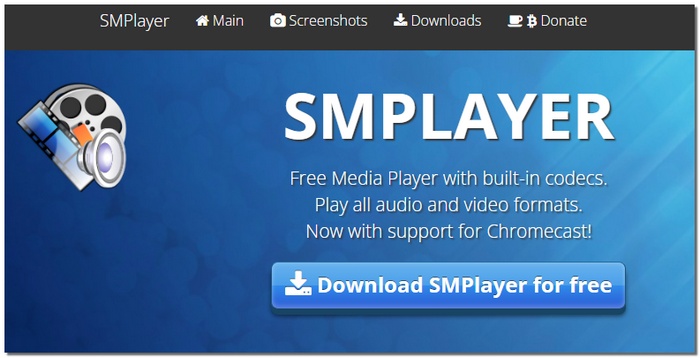
SMPlayer is a no-cost, open-source MP4 video player for Windows that delivers a powerful and portable experience. It fits the needs of users who desire a straightforward player capable of handling various formats and offering customization without a decrease in their PC's performance, thus it is an excellent option if you want to play MP4 files smoothly.
Key Features
- Supports MP4, MP3, AVI, MKV, and many other formats
- Built-in codecs, no extra installation needed
- Subtitle support with syncing and customization
- Adjustable playback speed and video filters
pros
- Quick and lightweight
- Broad compatibility with formats
- Customizable playback parameters
Cons
- The simple interface could seem uninspired.
- Lacks sophisticated visual improvements
Using Experience
SMPlayer is reliable and straightforward. You can quickly load and play MP4 files without any lag, and basic settings like subtitles and playback speed are easy to adjust.
Part 4. MP4 Player Online
Do you need to install software to watch videos? The functionality, usefulness, and convenience of these two MP4 player online choices have been evaluated.
1. Jumpshare.com – Best for Quick and Easy Online Playback
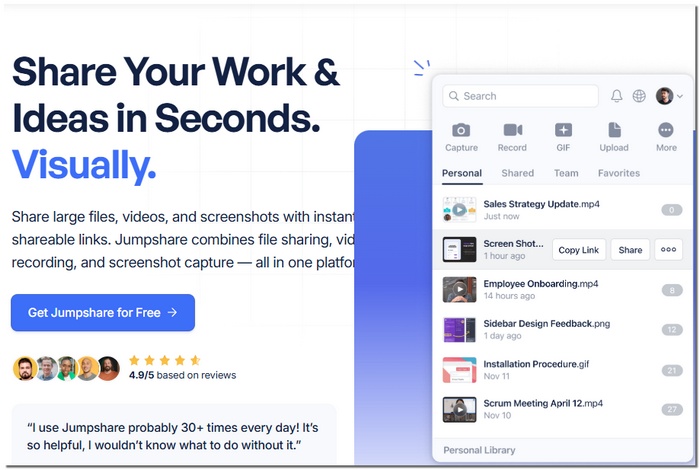
Jumpshare.com is a web-based MP4 player online that allows you to play videos directly in your browser without downloading any software. It’s perfect for users who want fast, hassle-free access to their MP4 files anytime, anywhere.
Key Features
- Play MP4 videos instantly in the browser
- Supports drag-and-drop file uploads
- Basic playback controls (play, pause, volume, fullscreen)
- Integration of cloud storage for convenient access and sharing
pros
- Installation is not required.
- Fast and practical for playing content online
- Operates across several devices
Cons
- Requires an internet connection
- The free version has storage limits
Using Experience
Jumpshare.com is easy to use. Simply upload your MP4 file, and it will start playing right away. It is a dependable choice for fast internet viewing because the controls are easy to use and the playback is fluid.
2. MP4.to – Best for Fast Browser-Based MP4 Playback
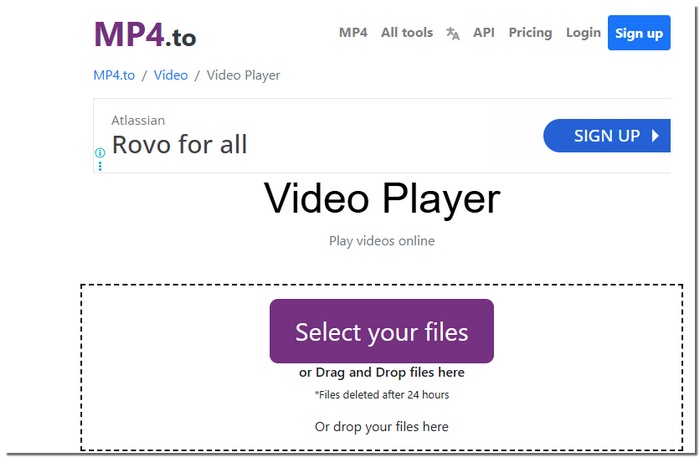
MP4.to is a minimalist online utility that enables you to view MP4 videos straight from your browser. There is no need to install any software, which makes it a handy choice for those who desire fast file access and a simple MP4 player online session.
Key Features
- Instant MP4 playback in the browser
- No registration or installation required
- Works on Windows, Mac, and mobile devices
- Basic playback controls (play, pause, volume, fullscreen)
pros
- No downloads or setup needed
- Fast loading for MP4 files
- Accessible on any device with a browser
Cons
- Limited features compared to desktop players
- Not suitable for large or long videos
Using Experience
MP4.to is easy and rapid. MP4 videos play smoothly and uploading a file just takes a few seconds, making them perfect for quick, simple internet viewing. However, for long videos, you might find that your MP4 video won’t play.
Part 5. Comparison Table of the Top MP4 Players
Here’s a clear comparison of all the MP4 players covered in this guide, based on key features like platform support, resolution capability, format support, filters, and subtitle import.
| MP4 Player | Platform | Max Resolution | Format Support | Filters/Enhancements | Subtitle Import |
|---|---|---|---|---|---|
| VideoSolo Video Player | Windows, Mac | 8K | MP4, AVI, MKV, MOV, MP3, etc. | Yes | Yes |
| MPV for Mac | Mac | 4K+ | MP4, MKV, AVI, etc. | Basic | Yes |
| Cisdem Video Player | Mac | 4K | MP4, MOV, AVI, etc. | Basic | Yes |
| Leawo Blu-ray Player | Windows | 4K UHD | MP4, MP3, Blu-ray, DVD | Yes | Yes |
| SMPlayer | Windows | 1080p+ | MP4, AVI, MKV, etc. | Yes (filters & speed) | Yes |
| Jumpshare.com | Web (Browser) | Up to 1080p* | MP4 | No | Yes |
| MP4.to | Web (Browser) | Up to 1080p* | MP4 | No | Yes |
Conclusion
Choosing the right MP4 player depends on your device and viewing needs. This guide helps you compare desktop and online options so you can easily find a reliable player for MP4 format that offers smooth playback, good features, and a better viewing experience.
More Reading

Play your videos/music in 100+ formats and region-free DVDs/Blu-rays with 4K and Dolby Atmos experiences.

