



 Download VideoSolo Player For FREE!
If you are like me, you will be hard-pressed to find anything more exasperating than putting in a Blu-ray player disc from a different country only to see the dreaded “Region Locked” message. I’ve been in that situation, and it’s the main reason I went into the region-free Blu-ray player software for a laptop case in depth. In this guide, I’m going to share my personal experience with eight of the best options available, highlighting their key features, pros and cons, and performance. Whether you want hassle-free playback of foreign movies or a player that works with any disc, this guide will help you choose the option that fits your needs.
Part 1. Can I Make My Blu-ray Player Region Free
In many cases, you can make your Blu-ray player region-free, but how easy it is depends on the type of player you’re using. Traditional hardware Blu-ray players are usually locked to a specific region, and changing their region settings is often limited, risky, or not officially supported. Some models allow only a few region changes before becoming permanently locked.
However, software-based solutions are much easier to do. Nowadays, a lot of Blu-ray player software can directly unlock the region codes and enable you to watch foreign discs without making any changes to your hardware. This is why software players are often considered the most practical way to achieve a Blu-ray player region code-free experience, especially on laptops.
Part 2. Top 8 Region-Free Blu-ray Players
Now that we’ve answered whether Blu-ray players can be made region-free, it’s time to look at the best options available. In this section, I’ll introduce eight reliable region-free Blu-ray player software choices that can bypass region restrictions and play discs from anywhere. I’ll start with my top recommendation, then walk through other popular players, sharing their key features, pros and cons, and my real-world experience with each.
1. VideoSolo Player – Automatic Region Code Removal
VideoSolo Player is what I would recommend first, and also the best region, free Blu, ray player for laptops. What I think is nice is that it can automatically bypass Blu-ray region codes, so you don’t have to change settings manually in order to play discs from any country. The interface is neat and simple to use, even for beginners, so you can easily enjoy movies locked by region in just a few clicks.
 Features
- Automatic Blu-ray region code removal
- Supports Blu-ray, DVD, ISO files, and folders
- High-quality playback up to 4K resolution
- Multiple audio tracks and subtitle support
- Smooth and stable performance on laptops
 pros
pros
- Plays Blu-ray discs from all regions effortlessly
- No complex setup or extra plugins required
- Consistent playback quality
 Cons
Cons
- The free version has limited playback time
- Full features require a license
Steps to Use VideoSolo Player
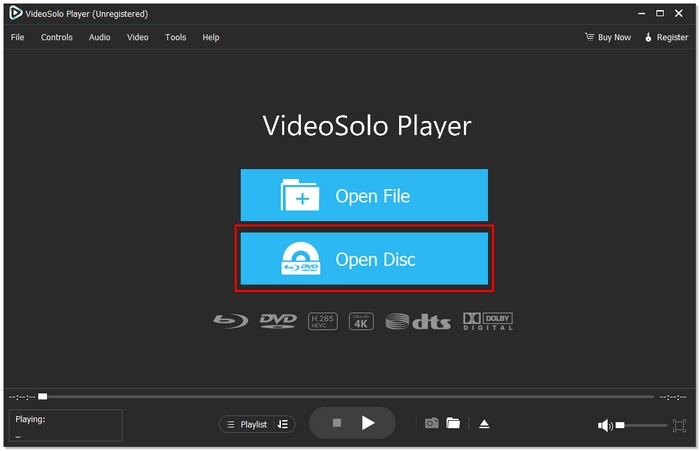
Step 1. Install and launch VideoSolo Player on your laptop and click Open Disc to insert your Blu-ray disc or load a Blu-ray folder/ISO.
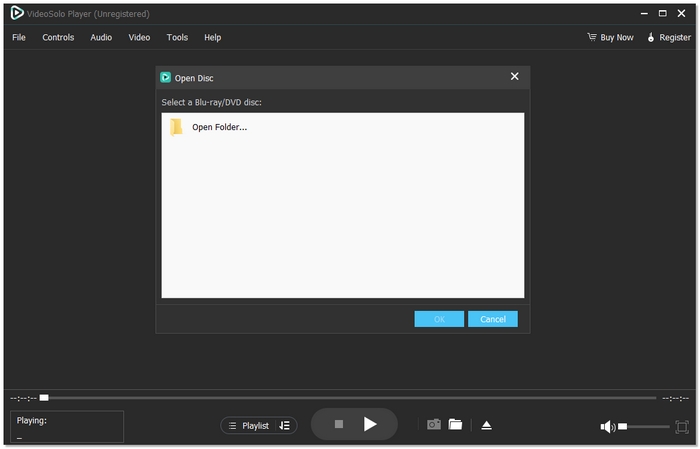
Step 2. Select your Blu-ray folder, then hit OK. The player automatically removes region restrictions.
Step 3. Click play and enjoy your movie. You can adjust your player according to your preference.
Using Experience
VideoSolo Player, in my opinion, is simple to use and very dependable. Discs that are region-locked will play smoothly and straight away without any errors, which is perfect if you just want a very easy way to watch Blu-ray movies from different regions.
2. VLC Media Player – Open-Source Flexibility
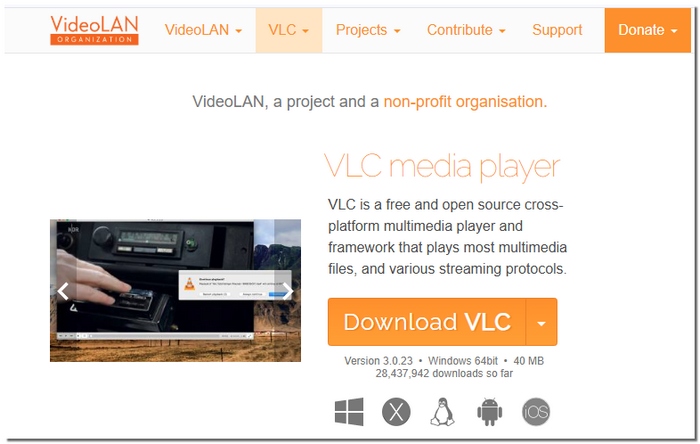
One popular media player is VLC Media Player, which can work as a region-free Blu-ray DVD player with the help of additional files and proper setup. While it isn’t explicitly designed for Blu-ray playback, its open-source nature allows advanced users to bypass region restrictions by manually configuring it.
pros
- Free to use with no licensing cost
- Strong community support and regular updates
- Works well for both disc and digital media playback
- You can also use VLC to repair video.
Cons
- Requires manual setup to remove region limits
- Blu-ray menu support is very limited
Using Experience
Based on my experience, VLC can play region-locked Blu-ray discs, but the setup process takes time. Once configured, playback is stable, though it feels more technical compared to dedicated region-free Blu-ray players.
3. PlayerFab All-in-One – Comprehensive Disc & File Support
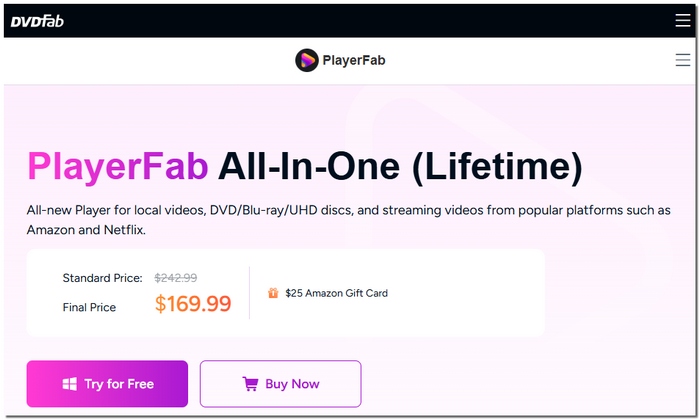
PlayerFab All-in-One is a versatile media player that serves as a region-free 4K Blu-ray player and supports a wide range of disc formats with minimal fuss. It’s designed for users who want an all-in-one solution for Blu-ray, DVD, ISO, and digital files, combining strong compatibility with high-quality playback.
pros
- Broad format support, including Blu-ray, DVD, and digital files
- Precise and smooth 4K playback
- Simple playback controls and media library organization
Cons
- Higher system requirements than some competitors
- Full feature access requires a paid license
Using Experience
In my experience, PlayerFab All-in-One delivers reliable playback and handles region-locked discs without issues once set up. It’s an excellent choice for those who want a multifunctional player that also works well for everyday media.
4. KMPlayer – Detailed Playback Customization
With the right configuration, KMPlayer, a flexible media player, can function as a Blu-ray player 4K region-free solution. It’s known for letting users fine-tune playback settings, which makes it appealing if you enjoy customizing audio, subtitles, and video quality to match your preferences.
pros
- Highly customizable playback options
- Supports a wide array of media formats
- Lightweight and responsive on most laptops
Cons
- The free version's advertisements can be annoying
- Region-free Blu-ray setup isn’t automatic
- Interface feels cluttered for first-time users
Using Experience
In my experience, KMPlayer is a good choice if you want to watch 4K content and have a say in how your media will look and sound. On the other hand, configuring it as a region-free player involves more work, and ads can break your immersion. If you are a user who prefers having control over the playback settings rather than a ready-to-use solution, it is the right one for you.
5. PotPlayer – Lightweight & Efficient Playback
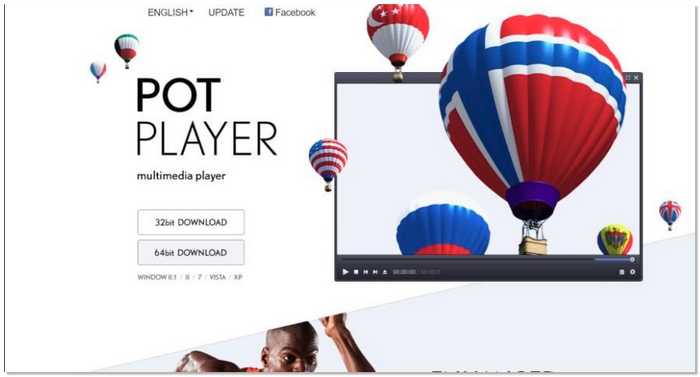
PotPlayer is a powerful yet lightweight media player that can function as a region-free Blu-ray player with minimal configuration. It is perfect for customers who want good performance without stressing their laptops, as it delivers seamless playback while using fewer system resources.
pros
- Fast and efficient performance
- Supports many video and audio formats
- Low system resource usage
Cons
- Blu-ray region removal requires manual setup
- Limited built-in help for Blu-ray features
Using Experience
PotPlayer has been really stable and handles large video files smoothly. When set correctly for the region, free playback is very smooth. It is a good option if you are looking for a fast player that can run efficiently on almost any laptop.
6. GOM Player – User-Friendly Playback Controls
On top of that, GOM Player is a simple media player that has intuitive controls and is very easy to navigate. Although it doesn’t do the region code unlocking automatically, if set up correctly, you can use it for Blu-ray playback. It’s a good choice for people looking for a straightforward but adaptable solution that doesn’t demand a lot of work or complexity.
pros
- Easy to use with clean controls
- Good subtitle and audio track support
- Can handle a variety of video formats
Cons
- Region-free Blu-ray setup isn’t built-in
- Occasional ads in the free version
Using Experience
From my personal experience, I find GOM Player very beginner-friendly. It gives you smooth video playback and easy navigation for basic functions. However, it takes some extra work to unlock the region and free Blu-ray. At the end of the day, it works well for those who want a straightforward UI along with dependable performance.
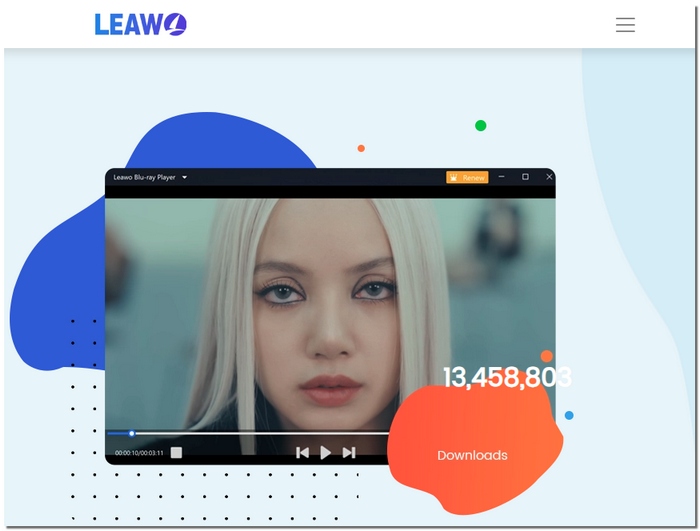
7. Leawo Blu-ray Player – True Blu-ray Menu Navigation
Leawo Blu-ray Player is a disc-centric media player that is carved out specifically for this purpose. The player comes with native support for Blu-ray menus and chapter selections. Although a region removal hack may be necessary, the player runs the disc navigation more intuitively than a lot of other general media players. It is a good option for users wanting a more personal experience with the standalone Blu-ray player’s disc navigation.
pros
- Full Blu-ray menu and chapter support
- Clean, easy-to-navigate interface
- Reliable playback with minimal setup
Cons
- Region-free setup requires extra steps
- Limited advanced customization features
Using Experience
Leawo Blu-ray Player is a good option if you want a playback experience that closely resembles a traditional Blu-ray disc, since it supports menus and the entire disc structure. It works quite well, and it is very user-friendly. However, you might have to change some settings for it to become completely region-free. I would suggest this player to people who want to concentrate on playing the discs and not have a lot of fuss around.
8. PowerDVD – Premium Playback Quality
PowerDVD has an excellent reputation as a media player that can deliver high-quality Blu-ray playback with stunning visuals and audio. Though being a commercial product, its sleek interface and extensive features make it a wonderful choice for users who wish for a premium experience, even when they want to set up region-unlocked, free playback.
pros
- Outstanding audio and video enhancement features
- Even with high-resolution files, smooth playback performance
- Easy-to-use interface with useful controls
Cons
- Region-free setup is not automatic
- Higher system requirements than simpler players
Using Experience
PowerDVD feels like a premium Blu-ray player with sharp visuals and solid performance. It’s very reliable for everyday use, but unlocking region-free playback takes some extra steps, and the paid version is best for users who want a feature-rich, high-quality media experience.
Part 3. A Compression Chart of 8 Blu-ray Laptop Player Software
To make it easier to compare the 8 top region-free Blu-ray player software options, here’s a handy chart summarizing their key features, supported formats, operating systems, maximum resolution, ratings, and system resource consumption. This helps you quickly see which player fits your laptop and viewing needs.
| Blu-ray Player Software | Supported Formats | OS | Rating | Max Resolution | System Consumption |
|---|---|---|---|---|---|
| VideoSolo Player | Blu-ray, DVD, ISO, MP4, MKV, AVI | Windows, macOS | 5/5 | Up to 4K | Low |
| VLC Media Player | Blu-ray*, MP4, MKV, AVI, FLV | Windows, macOS, Linux | 4/5 | Up to 4K | Very Low |
| PlayerFab All-in-One | Blu-ray, DVD, ISO, MP4, MKV | Windows | 4/5 | Up to 4K | Medium |
| KMPlayer | Blu-ray*, MP4, AVI, MKV, WMV | Windows, macOS | 3/5 | Up to 4K | Low-Medium |
| PotPlayer | Blu-ray*, MP4, MKV, AVI, FLV | Windows | 4/5 | Up to 4K | Low |
| GOM Player | Blu-ray*, MP4, MKV, AVI | Windows | 3/5 | Up to 1080p | Low |
| Leawo Blu-ray Player | Blu-ray, DVD, ISO, MP4, MKV | Windows, macOS | 4/5 | Up to 4K | Medium |
| PowerDVD | Blu-ray, DVD, ISO, MP4, MKV | Windows | 4/5 | Up to 4K | High |
*Blu-ray playback may require additional setup or configuration.
Conclusion
The most important point after looking into these software choices should be that with proper tooling, it is far easier than ever to watch any region Blu-ray discs. If you prefer a Blu-ray player region code-free experience, then programs such as VideoSolo, PlayerFab, and Leawo can effortlessly help you to get around region limitations without changing your device. Each player is equipped with different features, advantages, and capabilities, so which one you get depends on whether you are looking for a simple interface, sophisticated controls, or a very high-quality picture. With a good player, you will be able to sit comfortably and watch foreign films on your laptop anytime without any problems or interruptions.
More Reading

Play your videos/music in 100+ formats and region-free DVDs/Blu-rays with 4K and Dolby Atmos experiences.

