



 Download VideoSolo Player For FREE!
Personally, I have always been a movie enthusiast, and I love to watch them in the highest quality possible. A 4K Blu-ray player is one such device that completely changed the game for me. In this post, I aim to reveal the best software applications and external drives that I have personally tested. I will provide you with all the details for each of the options, including features, pros and cons, and overall performance based on usage. Whether you want to watch Blu-rays on your laptop or just want a dedicated external drive, this article will point to the right device for crystal clear images and perfectly smooth playback every time.

Part 1. 6 Best 4K Blu-ray Player [Apps]
If you watch any movies in beautiful 4K resolution on your laptop, the first thing you need to do is get the correct program. Here I am going to mention six of the best 4K Blu-ray player apps that I’ve checked out. I’ll tell you what features they have, their advantages and disadvantages, and also what it’s like to use them in real life.
1. VideoSolo Player – Best for Smooth & Region-Free Playback
VideoSolo Player is my top choice for a 4K UHD Blu-ray player for laptops. It is perfect for users of all levels who seek a hassle-free viewing experience because of its stability, usability, and real 4K playback quality.
 Features
- Supports Blu-ray discs, ISO files, and BDMV folders
- Plays 4K UHD and 1080p Blu-ray videos smoothly
- Offers high-quality audio with Dolby and DTS support
- Allows customizable subtitles and audio track selection
- Simple, beginner-friendly interface with fast loading times
 pros
pros
- Bypasses region restrictions automatically
- Playback with little lag or stuttering
- Both Windows and macOS are compatible
- Full-screen mode and snapshots are supported
 Cons
Cons
- Some advanced features require a paid license
- Lacks built-in media library organization
Steps to Use VideoSolo Player
Step 1. Get VideoSolo Player and install it on your laptop. Place your disc in the laptop’s Blu-ray drive.
Step 2. Open VideoSolo Player, then click Open Disc.
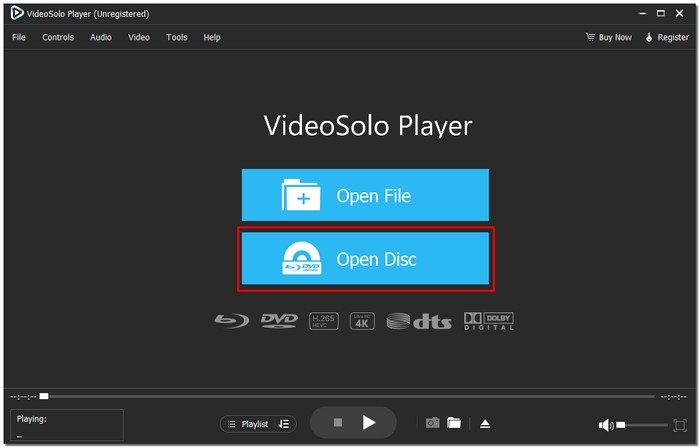
Step 3. Choose your Blu-ray drive from the list, and our software will automatically detect the disc.
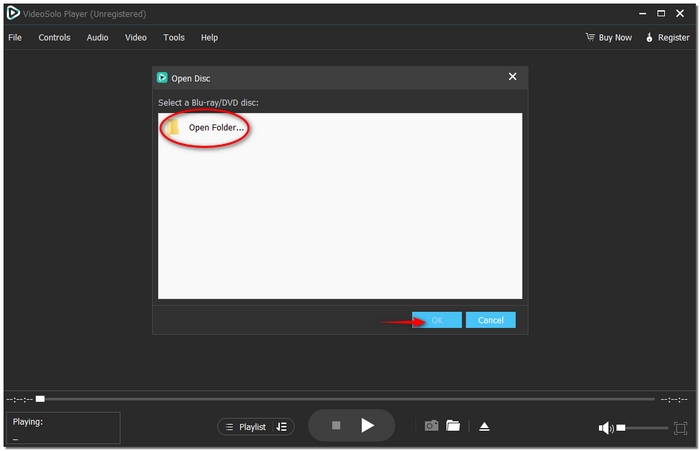
Step 4. Click Play to watch your movie in full 4K UHD.
Using Experience
VideoSolo Player works smoothly with 4K, and you won’t have any interruptions during playback, even if the discs are region-locked. The program is fast, intuitive, and reliable. I would choose it if I wanted a 4K UHD Blu-ray player that is effective every time without complicated setup.
2. Leawo Blu-ray Player – Best for Free 4K Playback with Menus
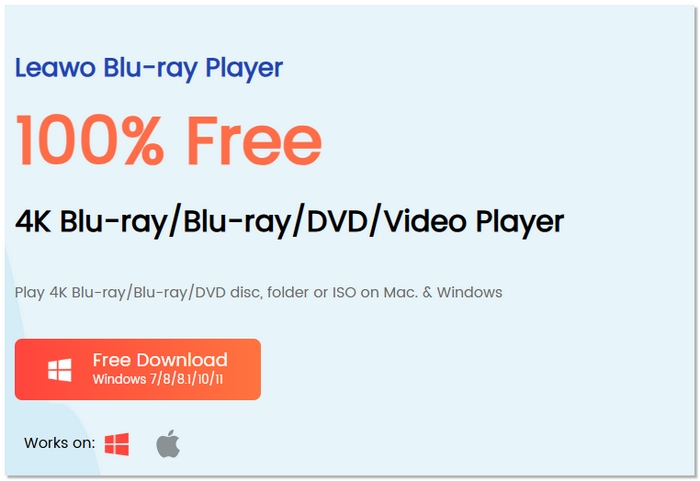
Leawo Blu-ray Player is a solid choice if you’re looking for a region-free 4K Blu-ray player that you can use without paying upfront. It’s designed to handle Blu-ray discs, folders, and ISO files while keeping the original disc menus, which is great for users who prefer a classic Blu-ray experience on their laptop.
pros
- Free version supports Blu-ray and 4K video playback
- Keeps original Blu-ray menus and chapter navigation
- Works well with external Blu-ray drives
Cons
- The free version may display occasional ads
- Playback controls are less customizable
Using Experience
Setting up the Leawo Blu-ray Player is a straightforward process, and it functions well for casual viewing purposes. After inserting the disc, the playback is almost instant, and navigating through menus resembles what you have seen before. It is not the most lightweight player on the market, but if you are looking for a region-free 4K Blu-ray player and are not ready to spend money immediately, this is a reliable choice.
3. PowerDVD 23 – Best for Premium Video & Audio Quality
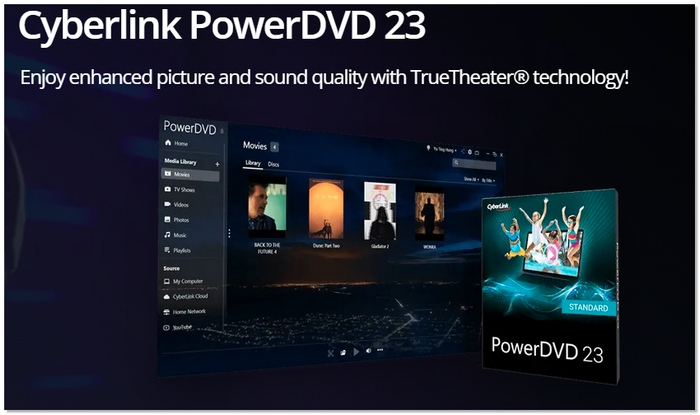
PowerDVD 23 is considered one of the best 4K Blu-ray players due to its cutting-edge video and audio enhancement features. It caters to those who desire the maximum picture clarity, HDR compatibility, and sound effects to be deeply engaging when playing 4K Blu-ray discs on their computers.
pros
- Exceptional upscaling and color enhancement technology
- Strong support for HDR10 and Dolby Vision
- Excellent audio quality with surround sound support
Cons
- Uses more system resources than basic players
- Occasional feature overload for casual users
Using Experience
PowerDVD 23 delivers beautiful visuals and crisp sound that make movies feel like a home theater experience. It’s a bit heavier on your laptop’s performance, but if you want premium quality and advanced settings, this player stands out as a reliable choice among top-rated 4K Blu-ray player options.
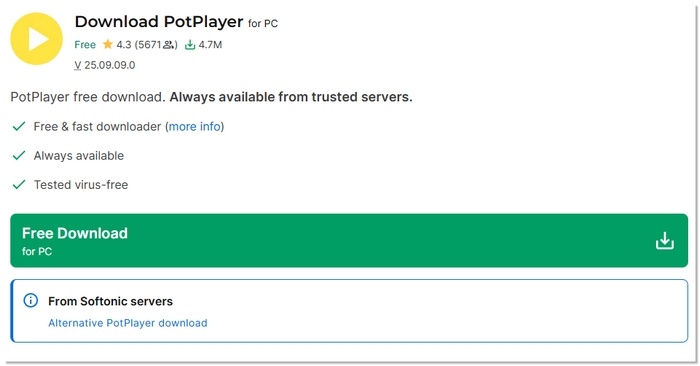
4. PotPlayer – Best for Lightweight Performance & Customization
PotPlayer is a flexible media player with smooth playback and a lot of customization options to choose from. If you need to know whether a Blu-ray player plays 4K on laptops with low-end processors, then it is a good pick. It is not only capable of handling tasks but also versatile to various video formats, while it ensures stable 4K Blu-ray performance when properly configured.
pros
- Highly adjustable playback settings for video and audio
- Efficient performance with low CPU usage
- Frequent updates with new codec support
Cons
- Blu-ray menus aren’t fully supported
- Occasional compatibility issues with some disc types
Using Experience
In my experience, PotPlayer runs 4K Blu-ray content smoothly even on mid-range laptops. The customization options give you control over how the video looks and sounds, though it takes a little time to explore all the settings. If you’re asking, can a Blu-ray player play 4K on your laptop without heavy software? PotPlayer is a capable and efficient option.
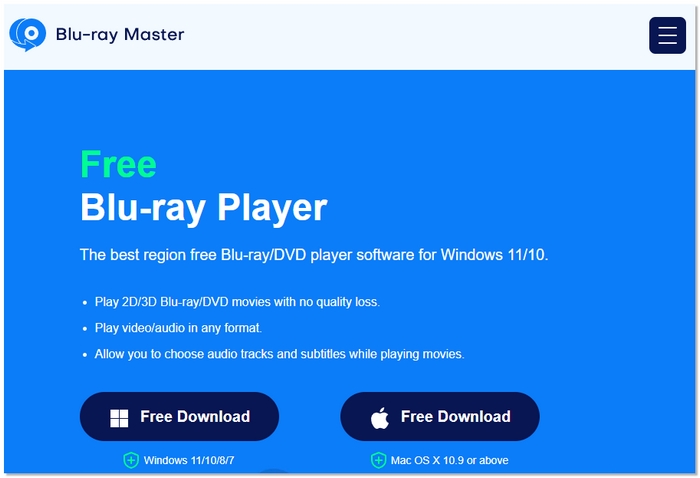
5. Free Blu-ray Player – Best for Budget-Friendly 4K Playback
If you are not willing to spend on a 4K Blu-ray player PC software for your computer, you can simply use the Free Blu-ray Player tool, which offers the feature of watching HD movies without having to shell out for premium software. It is a fine way for beginners to get to 4K Blu-ray playback functionality without worrying about advanced features.
pros
- It is a free video player without licensing fees
- Simple interface that’s easy for beginners
- Plays common 4K video formats alongside Blu-ray content
Cons
- Limited support for advanced audio formats like Dolby Atmos
- Fewer customization and enhancement options
Using Experience
In my experience, this free software does a good job with basic 4K Blu-ray playback on Windows PCs. It handles standard 4K discs without much lag, and the interface is very easy to navigate. If you just want a no-cost way to play your 4K Blu-ray movies on your laptop, this 4K Blu-ray player PC software is a reliable entry-level choice.
6. GOM Player – Best for User-Friendly Playback Controls
GOM Player is a solid option if you want the best 4K Blu-ray player software that combines simplicity with innovative playback features. It’s designed to be easy to use right out of the box while still offering proper functionality for everyday Blu-ray viewing.

pros
- Intuitive and straightforward interface
- Built-in support for various subtitle formats
- Good compatibility with popular video and audio codecs
Cons
- Region-free Blu-ray setup requires extra configuration
- The free version’s advertisements can be annoying
Using Experience
For me, it’s super easy and casual to use GOM Player on a laptop for playing 4K content. With a neat, nice, and simple interface, the app is so beginner-friendly that newbies won’t feel lost at all. Even so, setting up and using Blu-ray discs involves a little more work. When done, it runs perfectly and hence can be considered the best 4K Blu-ray player software for the casual viewer.
Part 2. A Compression Chart of 6 Blu-ray Laptop Player Software
To make your decision easier, I’ve summarized the key differences between the six Blu-ray player software options in a simple comparison chart so you can quickly see which player best matches your laptop’s capabilities and your viewing needs.
| Blu-ray Player Software | Supported Formats | OS | Rating (10) | Max Resolution | System Consumption |
|---|---|---|---|---|---|
| VideoSolo Player | Blu-ray Disc, ISO, BDMV, MP4, MKV, AVI | Windows, macOS | 9.8 | 4K UHD | Low |
| Leawo Blu-ray Player | Blu-ray Disc, ISO, MP4, MKV, FLV | Windows, macOS | 8.7 | 4K UHD | Medium |
| PowerDVD 23 | Blu-ray Disc, ISO, MP4, MKV, MOV | Windows | 9.2 | 4K UHD | High |
| PotPlayer | Blu-ray (limited), MP4, MKV, AVI | Windows | 8.5 | 4K UHD | Low |
| Free Blu-ray Player | Blu-ray Disc, ISO, MP4, MKV | Windows | 8.1 | 4K UHD | Medium |
| GOM Player | Blu-ray (limited), MP4, AVI, MKV | Windows | 7.9 | 4K UHD | Medium |
Part 3. 4 Best 4K Blu-ray Player [External Drive]
This section highlights four top external and standalone options often praised in 4K Blu-ray player reviews. These devices are ideal if you want reliable hardware playback, better disc compatibility, and premium 4K performance beyond software players.
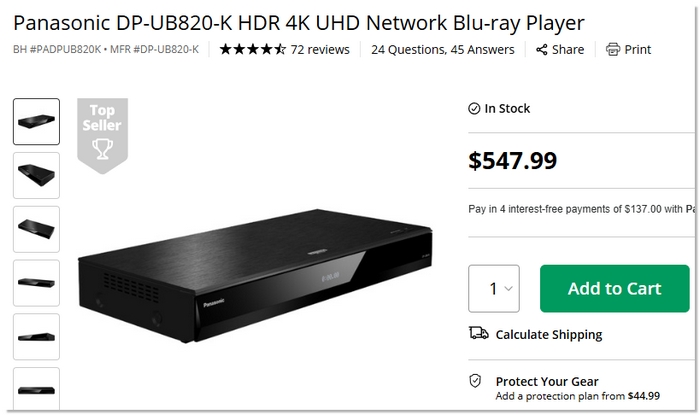
1. Panasonic DP-UB820 – Best for HDR Performance & Audio Quality
The Panasonic DP-UB820 is a premium external 4K UHD Blu-ray player software-ready device that’s highly praised in 4K Blu-ray player reviews for its excellent HDR handling and immersive audio support. It’s ideal for users who want cinematic picture quality and robust playback features from a dedicated hardware unit.
pros
- Outstanding HDR10+ and Dolby Vision support
- High-quality audio decoding (Dolby Atmos/DTS-X)
- Stable disc loading and minimal skips
Cons
- Greater footprint compared to extremely thin players
- Despite having sophisticated functionality, the remote control seems simple
Using Experience
The Panasonic DP-UB820 is easy to set up and delivers consistently sharp visuals with rich colors and intense audio. Playback is smooth and reliable, making it an excellent choice for enjoying 4K Blu-ray movies without hassle.
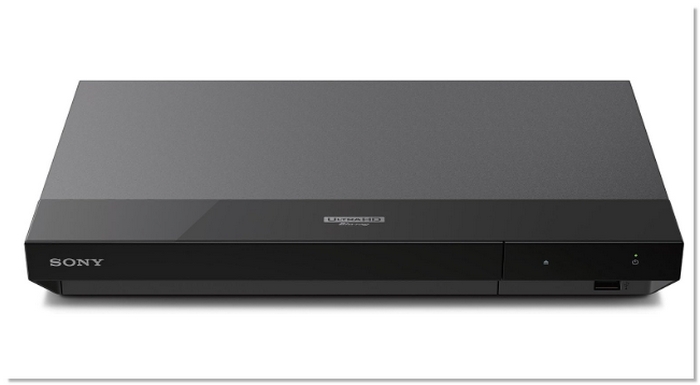
2. Sony UBP-X700 – Best for Value and Format Support
The Sony UBP-X700 is a balanced 4K Blu-ray player that offers a good mix of performance, features, and price. It is among the most suggested picks in the market. Its wide format compatibility and smooth playback have been commended. If you watch movies or stream, you will get great results.
pros
- Broad format support, including SACD and Hi-Res Audio
- Compact and attractive design
- Smooth 4K UHD playback with good upscaling
Cons
- Has less sophisticated audio decoding than high-end variants.
- Periodic lags when changing menus or inputs
Using Experience
The Sony UBP-X700 is simple to set up and use, with consistently smooth 4K playback and strong format support. It’s a great choice if you want a dependable 4K Blu-ray player that works well straight out of the box.
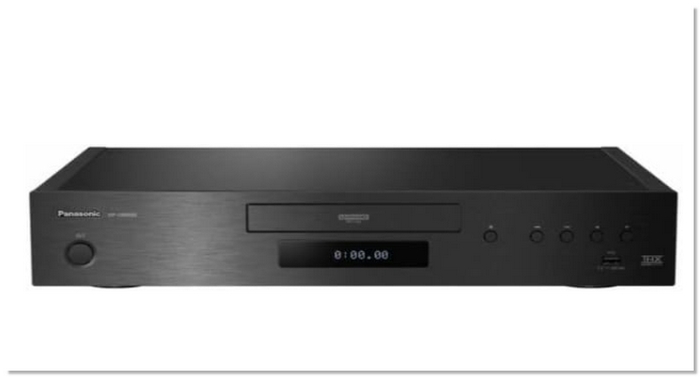
3. Panasonic DP-UB9000 – Best for Ultimate Picture & Build Quality
The DP, UB9000 from Panasonic is a high-end 4K Blu-ray player that is highly praised in user reviews for its outstanding video processing capabilities, excellent build quality, and support for a wide range of high-dynamic range formats. This unit is all about providing you with top-notch performance and extensive calibration features, thus ensuring a playback experience among the best in class.
pros
- Best-in-class HDR performance with both Dolby Vision and HDR10+
- Exceptional upscaling and noise reduction features
- Robust audio support, including high-resolution formats
Cons
- Significantly more expensive than other players
- Larger and heavier than most external units
Using Experience
From my experience, the Panasonic DP-UB9000 is a great piece of equipment with very impressive picture depth, great colors, and very reliable playback performance. Its top-tier audio and video calibration features turn every film into a spectacle, although the initial setup and the first-time navigation of the menu require quite some exploration. If you are a connoisseur who wants the best 4K Blu-ray experience, then this product is one of the best choices.
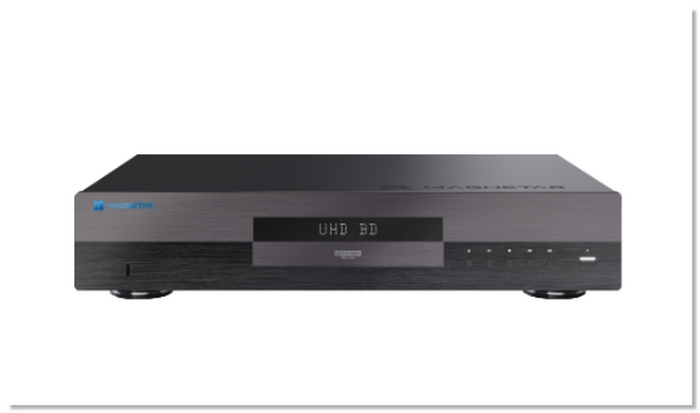
4. Magnetar UDP800 – Best for Performance and Reliability
The Magnetar UDP800 is a standout 4K Blu-ray player designed for users who value dependable performance without unnecessary complexity. It’s often featured in 4K Blu-ray player discussions for delivering consistent playback quality and broad format support in a solid, no-nonsense package.
pros
- Strong support for a wide range of disc formats
- Reliable and fast disc loading
- Good value for performance
Cons
- Compared to premium models, the audio upgrades are not as sophisticated
- Fewer features than smart players in streaming apps
Using Experience
In my experience, 4K Blu-ray discs are handled smoothly and consistently by the Magnetar UDP800. Playback is consistent with a few interruptions, and menus are immediately simple to use. It’s a great choice if you want a 4K Blu-ray player that just works consistently without extra effort.
Conclusion
The right choice depends on how you watch movies. Software players offer convenience, while hardware players deliver the best quality. This guide helps you choose the best 4K Blu-ray player that fits your setup and viewing needs.
More Reading

Play your videos/music in 100+ formats and region-free DVDs/Blu-rays with 4K and Dolby Atmos experiences.

