



 Download VideoSolo Player For FREE!
The best Blu-ray player will definitely elevate your movie-watching experience to a new level, providing clearer pictures, smoother playback, and a more realistic home theater atmosphere. It's crucial to pick a software player that fits your viewing preferences because there are many options available today, each with unique benefits and drawbacks in terms of compatibility, performance, and usability. In this manual, we will introduce you to the top choices, highlight their distinctive features, and provide a detailed comparison chart to help you decide which Blu-ray player is really worth your time.

- Top 1. VideoSolo Player – Delivers the Best All-Around Viewing Experience
- Top 2. VLC Media Player – Trusted and Versatile for Everyday Playback
- Top 3. Leawo Blu-ray Player – Smooth HD and Blu-ray Viewing Made Simple
- Top 4. Cyberlink PowerDVD 23 – Premium Playback With Cinema-Level Quality
- Top 5. GOM Player – Flexible Player With Wide Format Support
- Top 6. 5KPlayer – Sharp UHD Playback With Strong Streaming Features
- Top 7. PotPlayer – Feature-Packed Choice for Power Users
- Comprehensive Comparison of the Top Blu-ray Players
Top 1. VideoSolo Player - Delivers the Best All-Around Viewing Experience
VideoSolo Player is the best 4K Blu-ray player, offering both incredible consistency and sharpness. It doesn't stutter throughout, whether you're watching a 4K file or a full HD movie. For beginners and movie buffs who just want to relax and enjoy themselves, the design is simple to use, the directions are intuitive, and there is no need for extra codecs or complex settings.
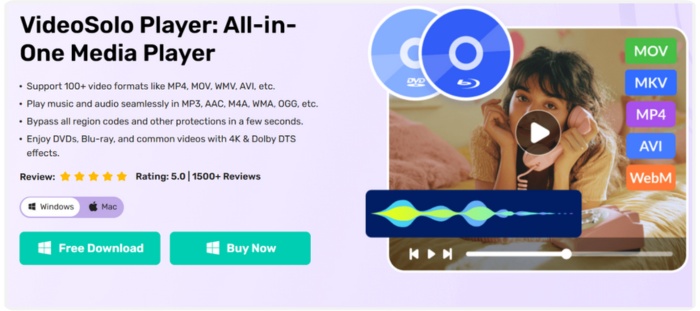
Supported OS: Windows & macOS
Rating: ★★★★★ (5/5 for performance, clarity, and ease of use)
Key Features
• Effortlessly plays ISO files, Blu-ray discs, and folders
• All popular video formats are supported, including 4K and HD.
• Simple, contemporary, and user-friendly interface
• Integrated audio decoding for a theatrical sound
• Reliable hardware acceleration for fluid, quick playback
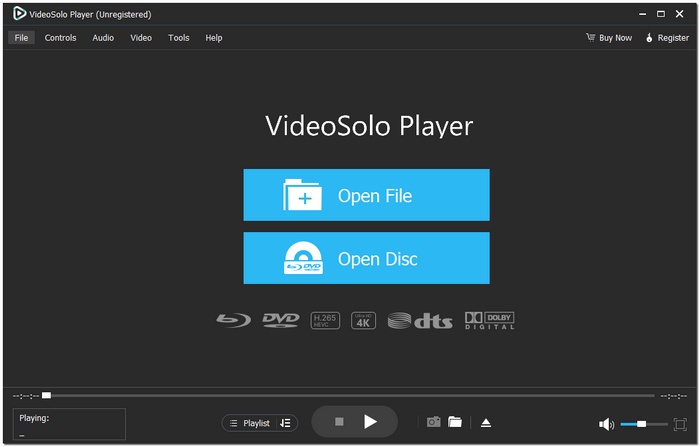
Step 1. Install VideoSolo Player on your computer after downloading it.
Step 2. Pick the audio or video you wish to play by clicking Open File.
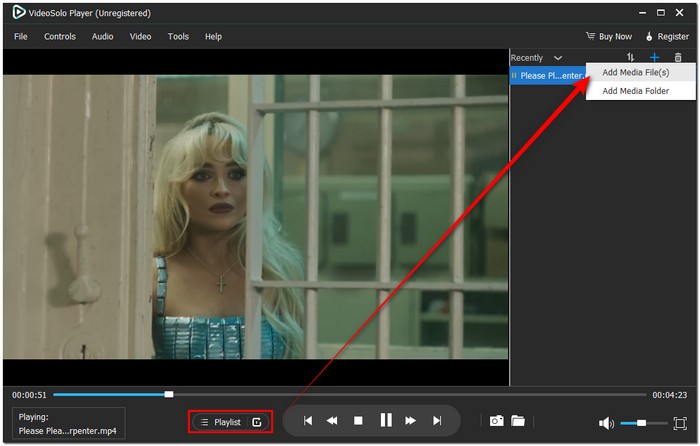
Step 3. To play every video you want and then enjoy the experience, you can also add more files to the Playlist.
 pros
pros
- Outstanding video quality
- No complex setup
- Strong but lightweight
- Excellent for both infrequent and frequent users
 Cons
Cons
- The free version has several restrictions
- Initial Blu-ray disc decryption requires the internet
Using Experience
VideoSolo has a sleek, fluid feel. Compared to other players I've tested, watching movies here feels really more fluid and cinematic. The experience is more immersive overall, details appear sharper, and colors are vibrant. This player easily takes the top spot if you're looking for the best player for Blu-ray that delivers high-quality video without requiring a complex setup.
Top 2. VLC Media Player - Trusted and Versatile for Everyday Playback
VLC Media Player is very small, very reliable, and can easily play almost all video formats. A Blu-ray media player software free for heavy users, it can play every content from downloaded movies to Blu-ray discs with minimal configuration. You can also use it to use VLC to stream media files on diverse platforms.
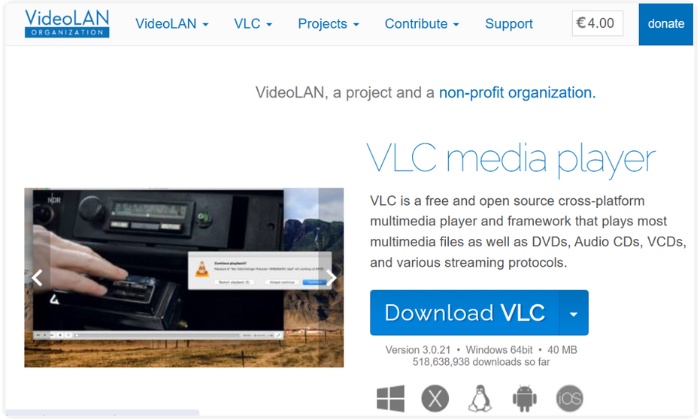
Supported OS: Windows, macOS, Linux, Android, iOS
Rating: ★★★★☆ (4.5/5)
pros
- Free and open-source
- Nearly every audio and video format is supported
- Runs on many operating systems
Cons
- Basic, old-fashioned interface
- Some Blu-ray discs may need additional settings
Using Experience
Blu-ray player software such as VLC is straightforward and reliable; basically, you open your file, press play, and it works. The video runs without any hiccups, the user can easily make audio and video adjustments. But the second time I used it, I surprisingly found that my VLC player had no sound, and I had to restart it to make the video playback smooth.
Top 3. Leawo Blu-ray Player - Smooth HD and Blu-ray Viewing Made Simple
If you want to watch your movies in a smooth and trouble-free way, then Leawo Blu-ray Player is a good option. This software can be considered either the best Blu-ray player or the most reliable Blu-ray player software, as it can process not only standard Blu-ray discs but also high-definition and even 4K content.
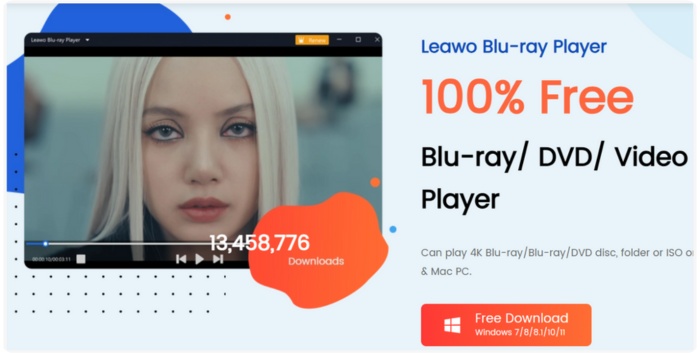
Supported OS: Windows, macOS
Rating: ★★★★☆ (4.5/5 for usability and performance)
pros
- Enables playback of Blu-ray disc, DVD, and ISO files, as well as common video formats
- Compatible with HD, 4K, and high-quality audio
- Allow subtitle and audio track selection
Cons
- The free version offers only a few advanced features
- Does not have all the additional media management features that come with a premium player
Using Experience
Leawo Blu-ray Player provides a pretty seamless watching experience most of the time, with nice and bright visuals and handy ways to change subtitles or audio tracks. It is a good fit for relaxed movie sessions and simple enough for new users to find their way around. But, as far as a refined product is concerned, Leawo's interface and general performance might sound a little bit underdeveloped. It's a good free choice, but those who crave for extra features, a neat interface and playback stability at almost 100% of the time might go for VideoSolo instead.
Top 4. CyberLink PowerDVD 23 - Premium Playback With Cinema-Level Quality
CyberLink PowerDVD 23 would be an excellent choice if that is what you were looking for, a luxurious movie-watching experience that resembles that of a theater but in the comfort of your own home. It is mainly known for breathtaking visuals and strong playback features, so it is among the first to be reckoned with when choosing the best 4K Blu-ray player or a versatile Blu-ray player software that supports everything from Blu-ray discs to ultra-high-definition content.
pros
- Blu-ray, 4K, HDR10, and Hi-Res audio are supported
- Provide cutting-edge features like TrueTheater improvements
- Able to broadcast media to smart TVs and other gadgets
Cons
- ●A paid version is necessary for premium features
- Only compatible with Windows and macOS
Using Experience
It's like entering a movie theater at home when using PowerDVD 23. The music feels immersive, the colors are vivid, and the playback is wonderfully seamless. It's easy to switch between CDs, menus, or formats. This player offers a high-end viewing experience if you're looking for the greatest Blu-ray player that combines excellent performance with user-friendly features.
Top 5. GOM Player - Flexible Player With Wide Format Support
GOM Player is a versatile option that’s perfect if you want a player that handles almost any video file with ease. Known for its wide-format support and user-friendly features. So, if someone were to ask me what is the best Blu-ray player software or which software is the most reliable, I would definitely tell them GOM Player is their answer. The first-rate video experience is totally ensured with GOM Player, no matter it is a local movie playing from a computer or a Blu-ray disc content you are browsing.
Supported OS: Windows, macOS, Android, iOS
Rating: ★★★★☆ (Great for flexibility and format support)
pros
- Customizable interface with handy playback controls
- Subtitle finder and sync tools built in
- Lightweight and easy to install
Cons
- Ads are included in the free version
- A premium upgrade is necessary for some advanced features
Using Experience
Using GOM Player feels intuitive and hassle-free. Playback is smooth, switching between formats is seamless, and the subtitle tools are a nice bonus for foreign films or series. For anyone wanting the best player for Blu-ray that’s flexible and capable without being complicated, GOM Player is definitely worth checking out.
Top 6. 5KPlayer - Sharp UHD Playback With Strong Streaming Features
5KPlayer is an excellent choice if you want a player that can deliver sharp 4K video playback while also offering a variety of streaming features. In fact, it can be powered by an external disc or through an online video source. Hence, it can very well be crowned the best 4K Blu-ray player or a software solution for the technology-savvy-but-flexibility-loving users closet. Its clean interface keeps things simple, while still packing in features for more advanced users.
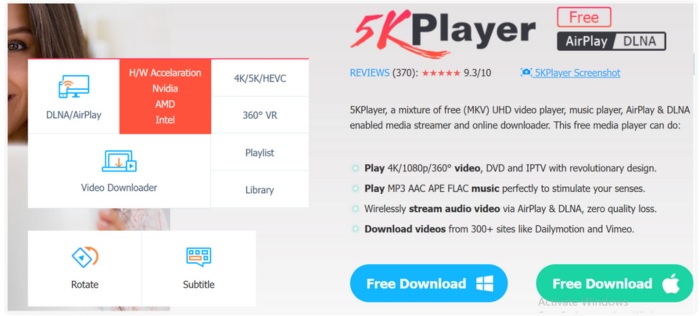
Supported OS: Windows, macOS
Rating: ★★★★☆ (Excellent for UHD playback and streaming)
pros
- Supports 4K, HD, and standard Blu-ray playback
- Built-in AirPlay and DLNA streaming
- Can play ISO files and DVD/Blu-ray discs
Cons
- Additional setup may be necessary for some advanced streaming features
- For power users, the interface may seem a little simplistic
Using Experience
5KPlayer is easy to use. You can easily stream content, load discs, and ISO files. Sharp video quality, crystal-clear audio, and effective streaming features for cross-device media sharing are all present. If you want the best player for Blu-ray that’s reliable and versatile, 5KPlayer definitely hits the mark.
Top 7. PotPlayer - Feature-Packed Choice for Power Users
PotPlayer is perfect for those who love to tweak their viewing experience. Packed with advanced options, it’s great for anyone hunting for the best Blu-ray player or a powerful Blu-ray player software that can handle virtually anything you throw at it. From high-definition Blu-rays to 3D videos, PotPlayer gives you tons of control over playback, performance, and display settings.

Supported OS: Windows
Rating: ★★★★☆ (Great for advanced features and customization)
pros
- Supports many different formats, such as Blu-ray, DVD, and 3D
- Highly customizable interface and playback settings
- Subtitle and audio options are very flexible
Cons
- Only available for Windows
- Beginners may feel overwhelmed by the abundance of options
Using Experience
PotPlayer is a dream for power users. The playback is smooth, even for high-resolution Blu-ray discs, and the level of customization is impressive. If you enjoy fine-tuning every detail of your movie experience, this is the best player for Blu-ray that gives you full control without compromising quality.
Comprehensive Comparison of the Top Blu-ray Players
| Player | Supported Formats | OS | Rating | Max Resolution | Ease of Use | Blu-ray Support |
|---|---|---|---|---|---|---|
| VideoSolo Player | Blu-ray, DVD, ISO, MP4, MKV, AVI, etc. | Windows, macOS | ★★★★★ | 4K UHD | Very easy | Yes |
| VLC Media Player | MP4, MKV, AVI, Blu-ray (limited), DVD, etc. | Windows, macOS, Linux, Android, iOS | ★★★★☆ | 4K UHD | Easy | Limited (requires setup) |
| Leawo Blu-ray Player | Blu-ray, DVD, ISO, MP4, MKV, AVI, etc. | Windows, macOS | ★★★★☆ | 4K UHD | Easy | Yes |
| CyberLink PowerDVD 23 | Blu-ray, DVD, ISO, 4K, HDR10, MP4, MKV, AVI, etc. | Windows, macOS | ★★★★☆+ | 4K UHD + HDR | Very easy | Yes |
| GOM Player | MP4, MKV, AVI, FLV, Blu-ray (limited), etc. | Windows, macOS, Android, iOS | ★★★★☆ | 4K UHD | Easy | Limited |
| 5KPlayer | Blu-ray, DVD, ISO, MP4, MKV, AVI, streaming protocols | Windows, macOS | ★★★★☆ | 4K UHD | Easy | Yes |
| PotPlayer | Blu-ray, DVD, ISO, MP4, MKV, AVI, 3D videos, etc. | Windows | ★★★★☆+ | 4K UHD + 3D | Moderate (power-user friendly) | Yes |
Conclusion
After looking at the top Blu-ray players, it is clear that each one has strengths i.e. VLC for its versatility and being open-source, PotPlayer for its highly customizable features, and CyberLink PowerDVD 23 for its quality at a real-theater level. VideoSolo Player is a perfect choice if you want a smooth, stable, and in general, a nice way of watching. Its simple-to-use interface, wide range of supported formats, and excellent playback quality make it great for both casual movie nights and professional home theater setups. If you're looking for the best 4K Blu-ray player, VideoSolo Player offers crisp images, flawless operation, and the ease of use that makes watching movies a real pleasure.
More Reading

Play your videos/music in 100+ formats and region-free DVDs/Blu-rays with 4K and Dolby Atmos experiences.

