



 Download VideoSolo Player For FREE!
Being someone who prefers to watch movies in the most exquisite quality possible, I quite well understand how irritating it is when your laptop just won’t play Blu-ray disks without glitches. That’s actually why I’ve tried out a bunch of stuff to figure out the best Blu-ray player for a laptop, both from the software and hardware points of view. In this article, I will disclose, among other things, the feature highlights, advantages, disadvantages, user-friendliness, and performance in real-world situations of the different players through the lens of my own encounters with each player. Basically, I am here to guide you towards a reliable and effective product that not only offers you smooth Blu-ray playing but also lifts up your movie-watching experience to a new level.
Part 1. 7 Best Blu-ray Players for Laptops [Software]
Before delving into the software, let’s briefly answer the question: Can a laptop play Blu-ray discs without lag and compatibility issues? You bet, but the software you choose will make a big difference. Here, I will introduce you to the seven best Blu-ray player software for laptops. I'm going to outline their primary features, advantages, and disadvantages, and tell you about my experience with each one so that you’ll know which one provides the best performance, the most intuitive interface, and the overall best movie-watching experience.
1.VideoSolo Player – Smooth 4K & Blu-ray Playback
For me, VideoSolo Player is the best Blu-ray DVD player for laptop. This program provides flawless and high-quality video and audio performance not only from DVDs but also from local BD discs. So it is a proper tool for those people who want to watch movies at home in a theatre-like atmosphere right from their laptop.
 Features
- Supports Blu-ray, DVD, and 4K videos
- Full HD and 4K resolution playback
- Superior audio with support for DTS and Dolby
- User-friendly interface
- Multiple audio track options and subtitles
 pros
pros
- Lag-free, fluid playback
- Almost all video formats are supported.
- Consistent performance on all laptops
 Cons
Cons
- The free version has limited features
- Some advanced options require a license
Steps to Use VideoSolo Player
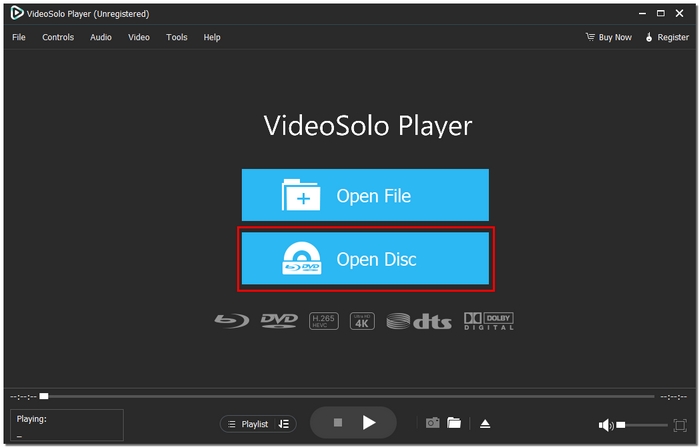
Step 1. Install and launch VideoSolo Player on your laptop. Insert your Blu-ray or DVD disc, or open a video file by clicking the Open Disc.
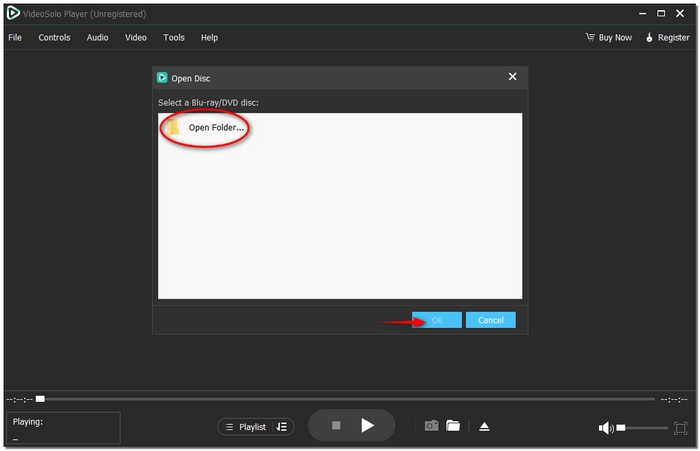
Step 2. A pop-up window will appear. You can select the Blu-ray file here, and after that, click OK to confirm.
Step 3. Play, stop, and change audio and subtitle settings using the control panel. Take pleasure in instantaneous, fluid, high-quality playback.
Using Experience
I tried VideoSolo Player a lot, and it has always been consistent. The film is very rhythmic without a single frame drop, the image loading in the menu is almost instantaneous, and the reproduction quality of sound and image is impressive. The well-thought-out interface is almost self-explanatory. You hardly have to spend time learning the software, even if it is your first experience of playing Blu-ray discs. If a Blu-ray DVD player for the laptop is what you are looking for, then here is my number one choice.
2.VLC Media Player – Wide Format Compatibility
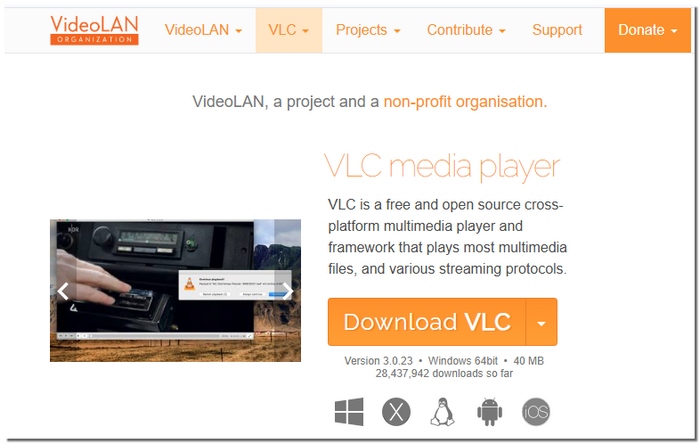
VLC Media Player is a familiar choice for laptop users who want a simple and flexible media player. Although it’s not built specifically for Blu-ray, it can still work as a free Blu-ray player for laptop with some extra setup. Its most significant advantage is its ability to handle almost any media format without relying on additional codecs.
pros
- Plays almost every type of music and video
- No advertisements or unstated restrictions
- Even on older laptops, it functions flawlessly
Cons
- There is incomplete support for Blu-ray menus
- Lacks sophisticated playback improvements
Using Experience
VLC works well for general media playback, but Blu-ray performance can feel limited and its support for video codec is limited compared with paid players like VideoSolo, causing VLC Media Player has no sound. It’s best suited for users who want a free option and don’t mind manually adjusting settings.
3.Leawo Blu-ray Player – Built-In Blu-ray Menu Support
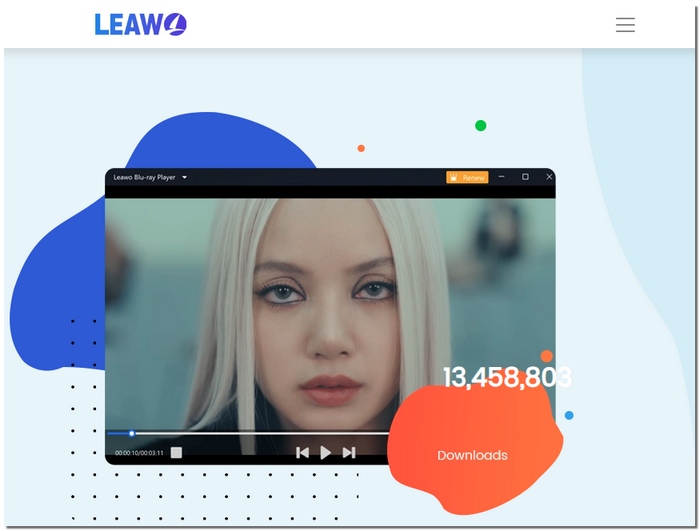
Leawo Blu-ray Player is designed for users who want a more Blu-ray-focused viewing experience on their laptops. It supports high-quality playback and can function as a 4K Blu-ray player for laptop, making it suitable for watching movies with full disc navigation and on-screen controls.
pros
- Supports Blu-ray menus and chapters
- Clear video output with stable playback
- Simple layout that’s easy to navigate
Cons
- Promotional prompts are displayed in the free version
- Fewer choices for customization
Using Experience
Leawo performs well for basic Blu-ray viewing and menu navigation. Playback is smooth, but the limited settings and occasional pop-ups may interrupt longer movie sessions.
4.PlayerFab All-in-One – All-in-One Media & Disc Playback
PlayerFab All-in-One is a feature-rich solution designed for users who want more than just basic Blu-ray playback. As a Blu-ray laptop player software, it combines disc support with advanced media management, making it suitable for users who prefer an all-in-one entertainment setup.

pros
- Supports Blu-ray, DVD, and digital media in one platform
- Organized library view for easy content access
- Regular updates for improved compatibility
Cons
- Higher system requirements
- Full features require a paid license
Using Experience
From my experience, PlayerFab works smoothly once set up correctly, especially for users who enjoy managing their media collection. It seems more appropriate for power users than for those seeking a basic Blu-ray player, nevertheless.
5.PowerDVD – Premium-Quality Video & Audio Enhancement
PowerDVD is known for delivering a polished and immersive movie-watching experience on laptops. While it offers a free trial, it is often considered a free Blu-ray player software for laptops option for users who want to test premium playback features before upgrading.
pros
- Advanced video and audio enhancement features
- Clean and modern interface
- Strong performance for high-resolution playback
Cons
- Subscriptions may be expensive
- Requires a laptop with a respectable amount of power
Using Experience
PowerDVD gives a smooth and cinematic experience, especially for Blu-ray movies. Nonetheless, the free access is quite limited, so it's more for those users who can upgrade the software for long-term use.
6.KMPlayer – Advanced Playback Customization
KMPlayer is a versatile media player that focuses on giving users more control over their viewing experience. While it’s not dedicated solely to Blu-ray, it can still handle disc and high-resolution video playback on laptops with proper configuration.
pros
- Highly customizable playback settings
- Supports a wide range of video codecs
- Offers detailed control over subtitles and audio
Cons
- The free version has advertisements
- Support for Blu-ray is not its primary goal
Using Experience
In my experience, KMPlayer is strong but not suitable for novices. Although complicated menus and advertisements can be distracting when watching a movie, the experience works well for those who enjoy adjusting settings.
7.Corel WinDVD – Hardware-Optimized Blu-ray Playback
Corel WinDVD is a classic media player explicitly built for disc playback on laptops and PCs. It focuses on delivering stable Blu-ray and DVD performance by optimising playback based on your system’s hardware.
pros
- Explicitly designed for disc-based media
- Smooth playback with minimal frame drops
- Reliable performance on supported systems
Cons
- Restricted compatibility with more recent video formats
- Requires a license in order to use all features
Using Experience
Although it lacks contemporary capabilities, Corel WinDVD runs well for Blu-ray playing in my experience. Users who value reliability over sophisticated customisation will find it most appropriate.
Part 2. A Compression Chart of 7 Blu-ray Laptop Player Software
To assist you in easily judging these Blu-ray laptop player software choices by yourself, I have compiled their main differences in the table below. This table focuses on supported formats, operating systems, playback resolution, overall rating, and system consumption, so you can at a glance identify the player that most fittingly meets your laptop’s capability and your viewing requirements.
| Blu-ray Player Software | Supported Formats | OS | Rating | Max Resolution | System Consumption |
|---|---|---|---|---|---|
| VideoSolo Player | Blu-ray, DVD, MP4, MKV, AVI, MOV | Windows, macOS | 5/5 | Up to 4K | Low |
| VLC Media Player | Blu-ray*, MP4, MKV, AVI, FLV | Windows, macOS, Linux | 4.5/5 | Up to 4K | Very Low |
| Leawo Blu-ray Player | Blu-ray, DVD, MP4, MKV, MOV | Windows, macOS | 4.5/5 | Up to 4K | Medium |
| PlayerFab All-in-One | Blu-ray, DVD, ISO, Digital Media | Windows | 4.5/5 | Up to 4K | High |
| PowerDVD | Blu-ray, DVD, MP4, MKV, ISO | Windows | 4.5/5 | Up to 4K | High |
| KMPlayer | Blu-ray*, MP4, AVI, MKV, WMV | Windows, macOS | 3.8/5 | Up to 4K | Medium |
| Corel WinDVD | Blu-ray, DVD, MPEG, AVI | Windows | 3.8/5 | Up to 1080p | Low |
Part 3. 3 Best Blu-ray Players for Laptop [Hardware]
After deliberating on the best software selections available, why don’t we also look at the top Blu-ray players for laptop hardware that can be paired with your device for playing physical discs? These external drives are ideal solutions if your laptop does not have a built-in Blu-ray drive. They offer reliable performance and portability. Here are three extremely praised external Blu-ray drives, presenting their main features and the estimated prices.
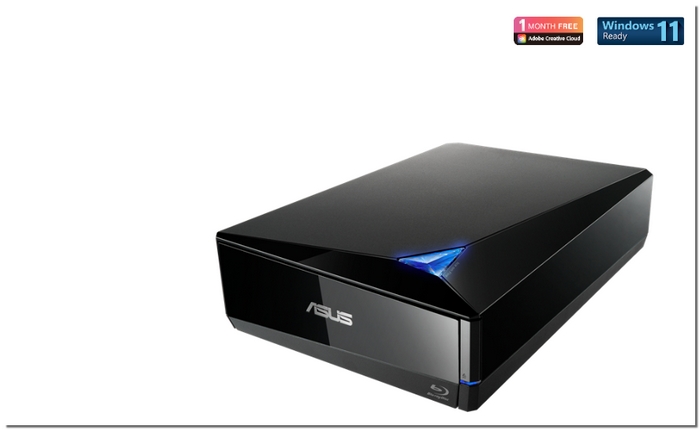
1.ASUS BW-16D1X-U Blu-ray Drive – Ultra-Fast Disc Reading Speeds
The ASUS BW-16D1X-U Blu-ray Drive is an excellent external drive if you want dependable, high-speed Blu-ray playback and disc burning on your laptop. It is among the best Blu-ray player for laptop hardware solutions because of its powerful performance, especially for customers who need fast access to movies, backups, or data discs without compromising dependability.
Price
This external Blu-ray drive normally costs about $129- $149 USD (the price may vary depending on the retailer and the region). Although it is fast and well built, it is still priced competitively against other high-performance external drives.
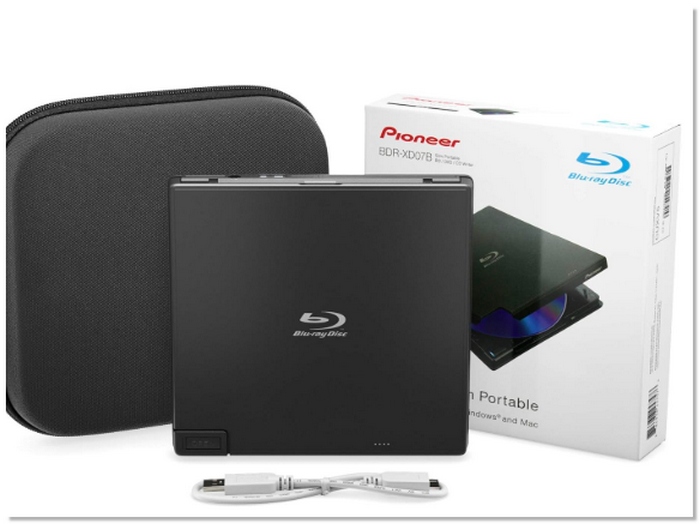
2.Pioneer BDR-XD07B – Ultra-Compact & Portable Design
The Pioneer BDR, XD07B gets noticed majorly for its super slim and lightweight design. It is, perhaps, the most portable Blu-ray player for laptop hardware. If you are a frequent traveller or just need a drive that can be tucked into your bag without adding extra bulk, then this model will serve you well for reliable Blu-ray playback and disc reading in a small package.
Price
This external Blu-ray drive typically costs $159–$179 USD (prices vary by retailer and current promotions) and offers a good balance of performance and portability for everyday use.
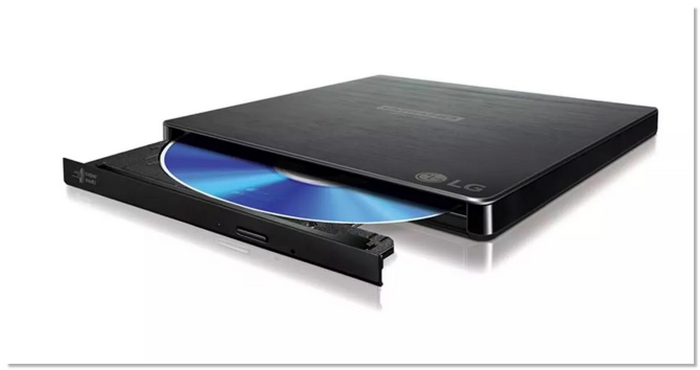
3.LG BP60NB10 Portable Ultra Slim Blu‑ray Drive – Ultra-Slim & UHD-Ready Design
The LG BP60NB10 Ultra Slim Blu-ray Drive is a sleek, portable external Blu-ray player for laptop hardware option that delivers solid disc playback and writing capabilities without adding bulk to your setup. Because of its thin profile, it is portable with your laptop bag, and you may enjoy movies and data discs wherever you go because it supports a choice of disc formats, such as Blu-ray, DVD, and CD. Features like silent play and jamless play help keep playback smooth and quiet on most systems.
Price
Depending on the seller, bundle, and area, the LG BP60NB10 often costs between $119.99 and $288 USD. You can locate the greatest offer by looking at current listings, as prices often vary.
Conclusion
This article reviews various Blu-ray DVD players for laptop to help you make the right choice. It compares both software and hardware alternatives. The article addresses different situations, such as simple digital playback at home or the requirement of an external drive for physical discs. It is a handy guide that allows you to easily pick a solution that is compatible with your laptop and viewing preferences.
More Reading

Play your videos/music in 100+ formats and region-free DVDs/Blu-rays with 4K and Dolby Atmos experiences.

