



 Download VideoSolo Player For FREE!
Whenever I plan to watch movies or play music on my computer, the very first thing I do is to seek a free media player that can easily accommodate almost any format without a complicated setup. During the course of my experience, I have tried different players, and I have come to the conclusion that not all of them perform equally well. The positive aspect is that there are numerous excellent choices nowadays. No matter if you are on Windows, Mac, or Linux, you can undoubtedly get a free media player that meets your requirements without spending a fortune on software. The trouble, however, is identifying the right one since every player has its own pros and cons. In this article, I am going to introduce you to nine of the best free media player tools that you can get today. That way, before you finish reading, you will be able to choose the media player that suits your device and entertainment needs perfectly.

- Top 1. VideoSolo Player – Best for High-Quality Playback
- Top 2. VLC – Best for Wide Format Support
- Top 3. PowerDVD – Best for Premium Home Theater Experience
- Top 4. KMplayer – Best for Customizable Playback Settings
- Top 5. Kodi – Best for Media Center Setup
- Top 6. Zoom Player – Best for Lightweight and Efficient Playback
- Top 7. PotPlayer – Best for Advanced Customization
- Top 8. Leawo Blu-ray Player – Best for Blu-ray Playback
- Top 9. SMplayer – Best for Lightweight and Portable Playback
- Comparison Chart of 9 Free Media Players
Top 1. VideoSolo Player – Best for High-Quality Playback
VideoSolo Player is a strong yet simple media player that is made for users who desire to watch videos smoothly and in high quality. It is compatible with a wide range of formats, such as Blu-ray, DVD, and HD videos, which makes it a trustworthy option for viewing films on your PC. In case you are looking for a no-fuss smart tool with great playback performance, this best free media player is a fine choice to mull over.
 Features
- Supports Blu-ray discs, DVDs, and common video formats
- Smooth playback for HD and 4K videos
- High-quality audio with Dolby and DTS support
- Customizable subtitles and audio tracks
- Snapshot feature to capture scenes from videos
 pros
pros
- Easy for beginners to use
- Clean and modern interface
- Stable playback even for large video files
 Cons
Cons
- Some advanced features may require a paid version
- Not as lightweight as basic media players
Step 1. Download and install VideoSolo Player on your Windows or Mac computer. Once the installation is complete, run the program.
Step 2. If you want to play a video, click Open File. If you want to play a CD/DVD/Blu-ray, click Open Disc.
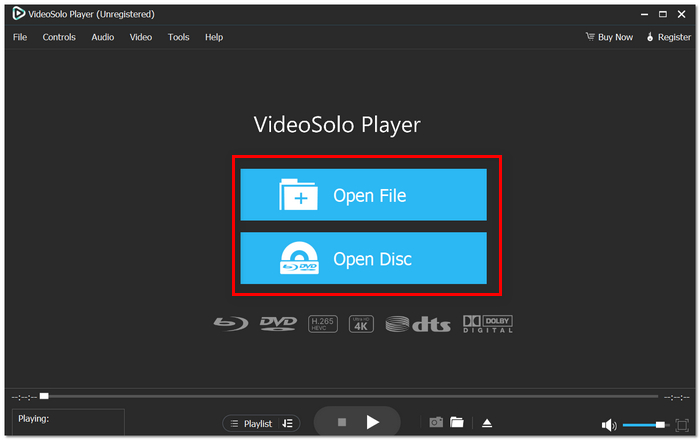
Step 3. Choose the video or disc from your computer. It will automatically play and take advantage of the playback controls for playing, pausing, volume adjusting, or subtitle changing.
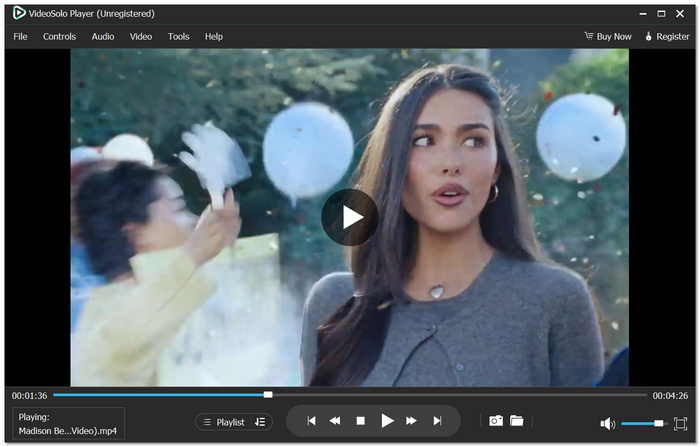
Using Experience
From my personal experience, VideoSolo Player functions without a hitch and provides super clear video quality, even with high-resolution movies. The interface is pretty straightforward, which is why I can easily open my videos and watch them without any kind of setup.
Top 2. VLC – Best for Wide Format Support
VLC has become a global favorite media player for many people. It is widely preferred due to its ability to play virtually any video or audio format without the need for additional codecs. Plus, this free VLC media player is open source and compatible with various operating systems such as Windows, Mac, and Linux, which increases its versatility for different users.
pros
- Plays uncommon or older media formats that many players cannot open
- Supports streaming network content and online media
- Offers advanced playback controls and customization
Cons
- The interface design looks outdated compared with modern players
- Some advanced settings can be confusing for beginners
Using Experience
In my experience, VLC does a great job steadily working while playing various types of files, including those that most other players are unable to handle. I just launch the file, and it starts playing right away without any additional configuration, which makes it pretty handy for regular usage.
Top 3. PowerDVD – Best for Premium Home Theater Experience
PowerDVD is a popular media player for Windows developed to provide a great home theater experience on Windows PCs. It is compatible with advanced video tech like 4K and Blu-ray, which makes it an excellent option for those who want to enjoy movies as if they were in a cinema but at their PC. While it has its paid features, the company also provides a basic one that functions as a media player software free for normal viewing purposes.
pros
- Advanced audio technologies for immersive sound
- Smart media library to organize movies and videos
- Supports casting and streaming to other devices
Cons
- Higher system requirements compared to lightweight players
- The free version has limited advanced functions
Using Experience
In my experience, PowerDVD has been able to handle high-definition movies smoothly. The video quality is really detailed, and the sound becomes quite immersive, in particular, when watching Blu-ray. The interface is also quite up-to-date and user-friendly.
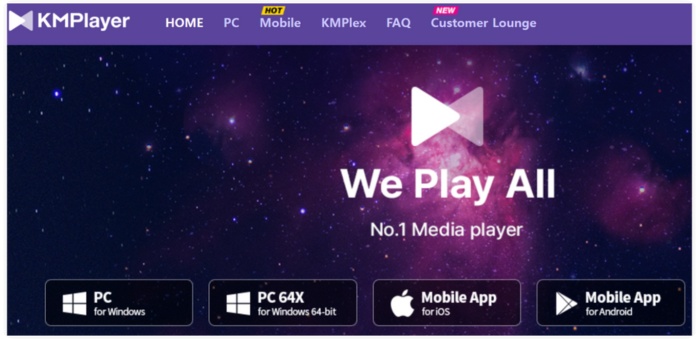
Top 4. KMplayer – Best for Customizable Playback Settings
KMPlayer is a very customizable media player through which users can personalize their experience in numerous ways. It can play almost all types of video and audio formats and provides the facility for users to fine-tune playback settings according to their preferences. If you are a fan of experimenting with video settings, subtitles, or playback options, this free movie media player is loaded with plenty of features to get you started.
pros
- Highly customizable playback and video settings
- Built-in codec support for many file formats
- Supports 3D, VR, and high-resolution video playback
Cons
- The interface can feel cluttered due to many features
- Occasional ads in the free version
Using Experience
The first thing I noticed when I tried KMPlayer was how many playback controls it had. It gave me the opportunity to add subtitles to video and change video settings basically with my eyes closed, which is very handy if you are working with a variety of different media files.
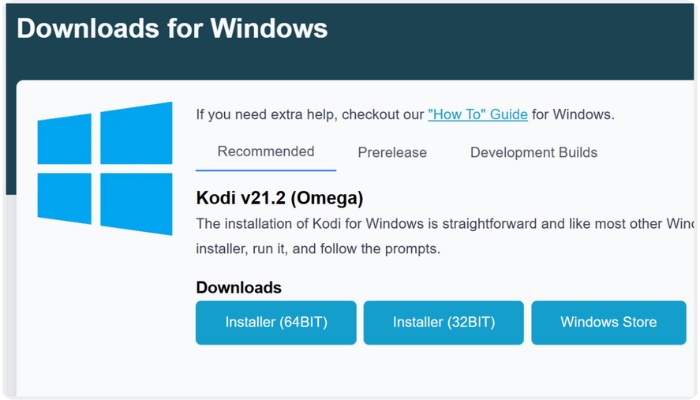
Top 5. Kodi – Best for Media Center Setup
Kodi is not only a typical media player. It serves as a complete media center for you to organize movies, music, TV shows, and even stream content from various sources. Due to its flexibility and extensive range of add-ons, many users regard it as the ultimate powerful free movie media player to create a home entertainment system.
pros
- Powerful media center features for organizing large libraries
- Supports many add-ons for streaming and customization
- Supports remote control and home theater setups
Cons
- Initial setup can take time for new users
- Requires add-ons to unlock many features
Using Experience
When I used Kodi, one of the things I liked was how it neatly arranged my movies and shows in a library along with posters and descriptions. After setting it all up, it was more like using a home theater system than just an ordinary media player.
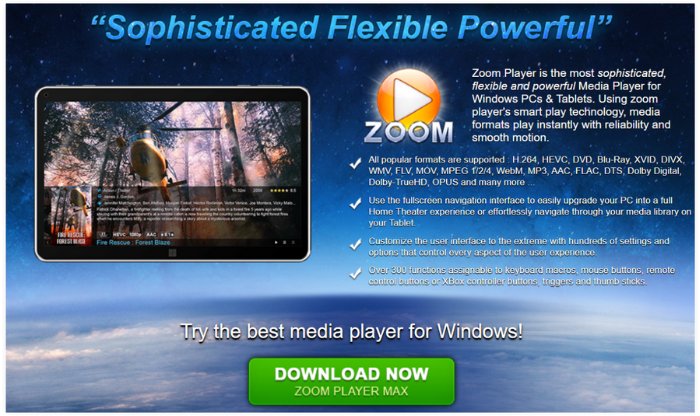
Top 6. Zoom Player – Best for Lightweight and Efficient Playback
Zoom Player is a very light media player purposely made for smooth, quick video playback on Windows platforms. Its primary target is performance, so it will be an excellent choice for users who want a fast, stable player but with no extra features. As one of the best free media player software, Zoom Player is suitable for casual viewers as well as those who only want the essentials.
pros
- Lightweight and fast, uses minimal system resources
- Customizable keyboard shortcuts and playback settings
- Reliable for both local files and streaming content
Cons
- Limited advanced features in the free version
- Lacks some of the high-end playback enhancements of premium players
Using Experience
Zoom Player was very responsive and smooth in my experience, even on older PCs. It quickly loads videos, plays them smoothly without lag, and since it does not bombard you with extra features, it can be considered a very good basic media player software for those who just want simplicity and reliability.
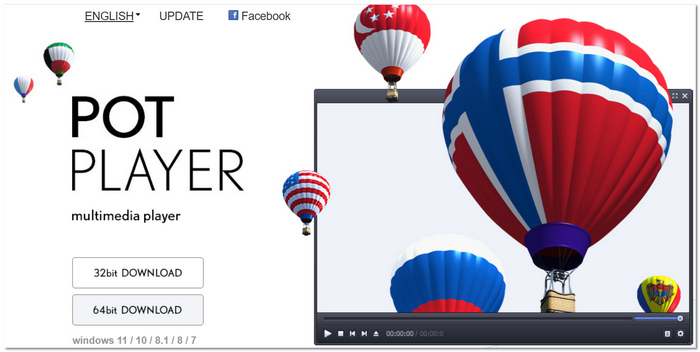
Top 7. PotPlayer – Best for Advanced Customization
PotPlayer is a versatile media player for Windows, packed with features and giving users video and audio playback customization capabilities at an advanced level. It supports nearly all media formats, and users have the run-of-the-mill control options available for enhancing the video output, subtitles, and audio, among others. In other aspects, it makes the users happy, being a top choice free Windows media player, who likes to get more in control.
pros
- Customizable interface and sophisticated playback controls
- Hardware acceleration for fluid HD and 4K streaming
- Tools for modifying and synchronizing subtitles
Cons
- Without a guide, some settings could be unclear
- Occasionally, small issues with specific media files
Using Experience
I liked working with PotPlayer, first of all, because it supported all my video formats without requiring me to download additional codecs. The video was playing seamlessly, and the customization options enabled me to fine-tune sound and picture for every file, it turned out to be an efficient free Windows media player.
Top 8. Leawo Blu-ray Player – Best for Blu-ray Playback
Leawo Blu-ray Player is a really good player with special attention to offering a crystal clear Blu-ray and DVD playback experience. Besides Blu-rays and DVDs, it is also able to play various video and audio file formats, which can be a great advantage when you are deciding on the best free media player for Windows 11 that is capable of dealing with both physical discs and digital files.
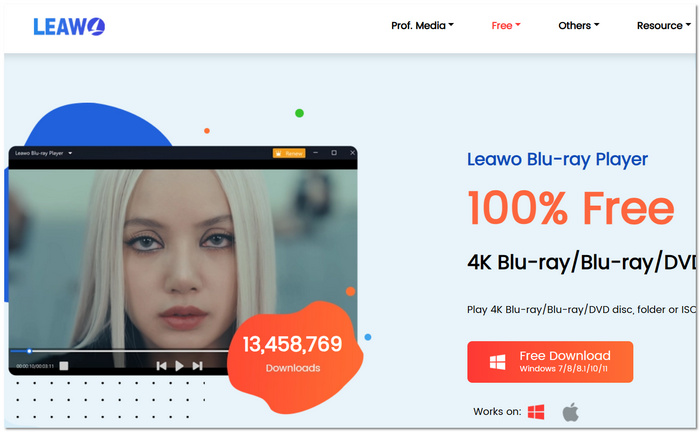
pros
- Complete compatibility with ISO, DVD, and Blu-ray files
- Integrated playlist support and virtual remote
- Multiple audio tracks and subtitles are supported
Cons
- A premium upgrade is necessary for several advanced features
- Delays that occasionally occur when loading huge Blu-ray discs
Using Experience
I thought Leawo Blu-ray Player was a great tool for playing Blu-ray movies on my Windows desktop. The video quality was good, and I really liked the fact that you could change the audio and subtitles. If you are on Windows 11, this is the best free media player for Windows 11 that you can rely on.
Top 9. SMplayer – Best for Lightweight and Portable Playback
SMPlayer is a very light and simple media player that runs on Windows and Linux. It can handle many different types of videos and audio files without needing extra codecs. So if you want a free media player that is easy to use, quick, and dependable, SMPlayer should be on your list.
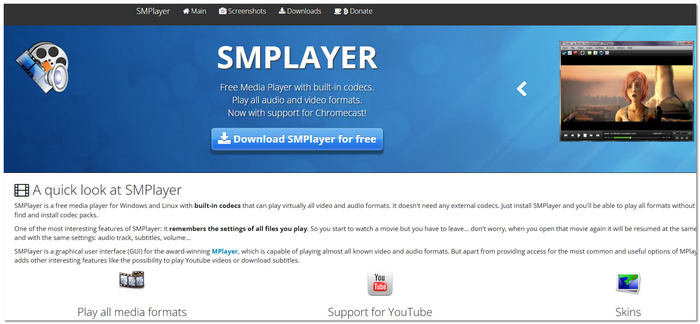
pros
- It is lightweight, portable, and compatible with low-end systems
- Inbuilt codecs for nearly every type of media
- Continue playing where you left off
Cons
- The interface is rudimentary and outdated
- Fewer sophisticated features than those of larger media players
Using Experience
I liked how SMPlayer runs smoothly even if I open large video files in it. It was very easy to choose the point where I stopped watching, and the built-in codecs allowed me to skip downloading another player, which is why I consider it a reliable free media player for everyday use.
Comparison Chart of 9 Free Media Players
| Media Player | Formats Supported | OS | Rating | Max Resolution | System Consumption | Ease of Use | Best For |
|---|---|---|---|---|---|---|---|
| VideoSolo Player | MP4, MKV, AVI, MOV, Blu-ray, DVD, ISO | Windows, Mac | ⭐⭐⭐⭐⭐ | 4K / 8K | Medium | Very Easy | High-quality Blu-ray and HD movie playback |
| VLC Media Player | Almost all video/audio formats | Windows, Mac, Linux | ⭐⭐⭐⭐☆ | 4K | Low | Easy | Playing almost any file format without extra codecs |
| PowerDVD | Blu-ray, DVD, MP4, MKV, AVI, HDR videos | Windows | ⭐⭐⭐⭐☆ | 4K UHD / HDR | High | Very Easy | Home theater and Blu-ray playback |
| KMPlayer | MP4, MKV, AVI, FLV, 3D, VR videos | Windows | ⭐⭐⭐⭐☆ | 8K | Medium | Moderate | Advanced playback customization |
| Kodi | MP4, MKV, AVI, streaming via add-ons | Windows, Mac, Linux | ⭐⭐⭐⭐☆ | 4K | Medium | Moderate | Media center and large media libraries |
| Zoom Player | AVI, MP4, MKV, MPEG, common formats | Windows | ⭐⭐⭐⭐☆ | 4K | Low | Easy | Lightweight and efficient playback |
| PotPlayer | MP4, MKV, AVI, DVD, 3D, VR videos | Windows | ⭐⭐⭐⭐☆ | 8K | Low | Moderate | Advanced customization and performance |
| Leawo Blu-ray Player | Blu-ray, DVD, ISO, MP4, MKV, MOV | Windows, Mac | ⭐⭐⭐⭐☆ | 4K | Medium | Easy | Blu-ray and disc playback |
| SMPlayer | Most formats with built-in codecs | Windows, Linux | ⭐⭐⭐⭐☆ | 1080p / 2K | Low | Easy | Lightweight everyday media playback |
Conclusion
Choosing the best free media player depends on your needs. Some players focus on simple and lightweight playback, while others offer advanced features like Blu-ray support or media library management. The tools in this list show that you can enjoy smooth, high-quality video playback without paying for expensive software. By selecting the one that matches your preferences, you can easily find the best free media player for your everyday viewing experience.
More Reading
Play your videos/music in 100+ formats and region-free DVDs/Blu-rays with 4K and Dolby Atmos experiences.

