



 Download VideoSolo Player For FREE!
I have to admit, at one point, I believed that smartphones had totally done away with the necessity of having a portable media player. However, as I delved deeper into music, movies, and high-quality playback, it became clear to me that dedicated media players still have some charm that a phone alone can't fully replicate. A portable media player is capable of providing an audio and visual playback experience that might be quite a leap when comparing a phone to a high- end media player. Here in this post, I am going to take you through a comprehensive guide on portable media players, right from getting to the root of what exactly a portable media player is to exploring the best hardware devices and powerful software options that are readily available today, hence you can make an informed selection of the right one that fits your requirements.
Part 1. What is a Portable Media Player
A portable media player (PMP) is a small electronic device that is capable of storing, organizing, and playing digital media such as music, videos, podcasts, and even audiobooks without requiring a constant internet connection. While smartphones are multitasking with calls, notifications, and apps at the same time, a portable media player is a device that is purely designed for entertainment and playback of media. Simply, it is a focused device delivering audio or video with better quality in a way free of distractions.
What Can a Portable Media Player Do?
Most modern portable media players can:
- • Play high-quality audio formats like MP3, FLAC, WAV, and AAC
- • Support high-resolution audio (Hi-Res Audio)
- • Store large media libraries via internal storage or microSD cards
- • Play HD or even 4K video (on selected models)
- • Connect via Bluetooth or wired headphones
- • Offer long battery life compared to smartphones
Part 2. 5 Best Portable Media Players [Hardware]
Before we get started with the list, let me first say this. When it comes to selecting the right media player portable device, it really boils down to what you value most. Is it ultra-high fidelity audio? A sleek and light music partner for daily use? Or maybe just an inexpensive treamer for casual enjoyment? Here are five different hardware portable media players that have good performance quality, nice design, and great overall user experience.
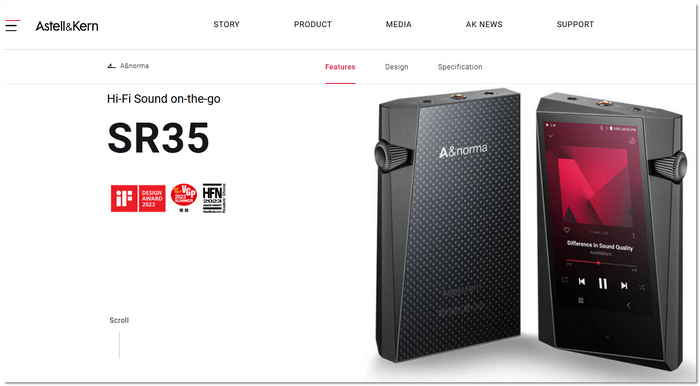
1. Astell & Kern A&Norma SR35 – Best for Audiophiles
If sound means a lot to you, then the Astell & Kern A&Norma SR35 is a digital media player that will surprise and impress you instantly. Actually, I've tried it, and the high quality of the sound and its depth give you the impression that the music that you already know perfectly is totally new to your ears. You can easily take it anywhere with you, and at the same time, it boasts a power that is unquestionable for even the most demanding audiophiles.
 pros
pros
- Incredible sound quality with a detailed, balanced audio signature
- Supports high-resolution audio formats (FLAC, DSD, WAV)
- Long battery life for extended listening sessions
 Cons
Cons
- Quite expensive compared to other portable players
- Limited storage unless you expand via microSD
Using Experience
This is ideal, in my opinion, if you're looking for a portable digital media player that puts audio quality first.
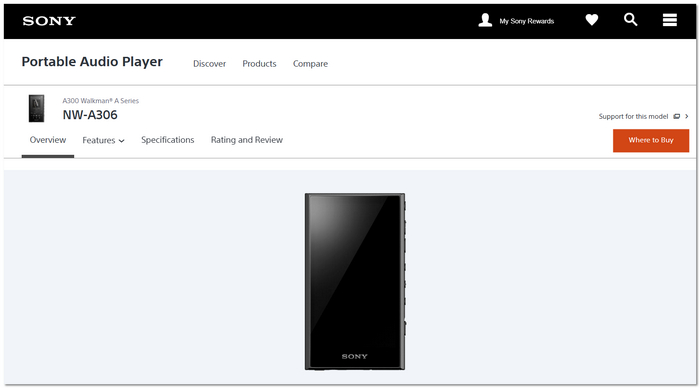
2. Sony NW-A306 – Best for Everyday Use
Whenever I am in the need of a trustworthy and easy to use device that does not overcomplicate things, the Sony NW-A306 is my first choice. As the best portable digital media player, it is an ideal compromise of quality, portability, and user-friendliness. Basically, I use it when I am traveling or just relaxing at home.
pros
- Excellent sound quality with clear mids and highs
- Compact and lightweight, easy to carry
- Supports multiple audio formats, including high-resolution files
Cons
- Battery life is decent but shorter than that of high-end audiophile players
- Storage may feel limited without a microSD card
Using Experience
In my experience, the Sony NW-A306 is the best portable digital media player for everyday use.
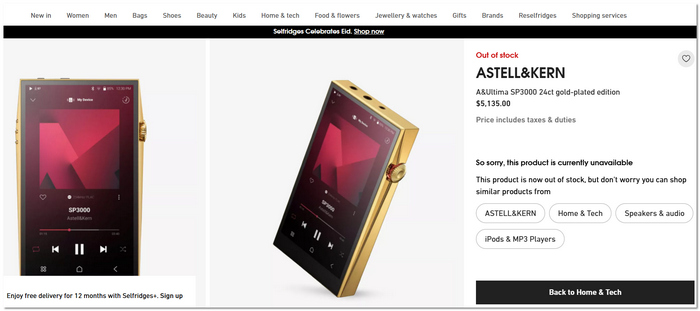
3. Astell & Kern A&Ultima SP3000 – Best for Premium Sound
If you want extremely good performance, the Astell & Kern A&Ultima SP3000 is a portable media player that definitely gets noticed. I’ve tried it, and the fullness and the layers of the sound are so high that every piece of music could be a concert. It is really one for the luxury, top-notch sound quality, and no compromises.
pros
- Exceptional audio performance with dual DACs for ultra-clear sound
- Supports almost every audio format, including MQA and DSD
- Large, high-resolution touchscreen for easy control
Cons
- Very expensive, not ideal for casual users
- Quite heavy and less pocket-friendly
Using Experience
In my opinion, the SP3000 is a portable media player for dedicated music lovers who demand the highest quality sound possible.
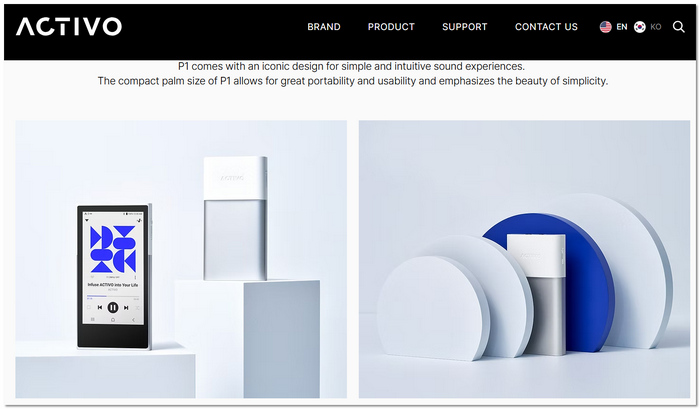
4. Activo P1 – Best for Balanced Performance
The Activo P1 is a portable media player that manages an excellent balance between top-notch sound and daily practicality. Upon my initial use, I found the audio to be so clean and detailed that I was seriously impressed, particularly given its price point. The product is sufficiently adaptable for both casual music lovers and audiophiles.
pros
- Clear, dynamic sound with good bass response
- Lightweight and comfortable to hold
- Supports major audio formats and high-resolution files
Cons
- UI can feel a little slow at times
- Not as feature-rich as premium models
Using Experience
In my opinion, the Activo P1 is a portable media player that offers great value without significantly compromising sound quality.
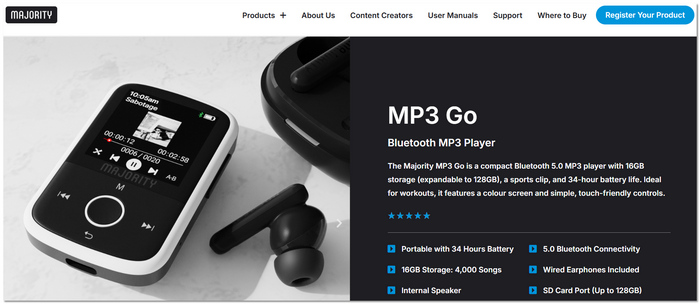
5. Majority MP3 Player – Best for Budget Buyers
If simplicity and low price are the major considerations for you, then the Majority MP3 Player would be a portable media player that doesn't overcomplicate things. When I used it, I liked the fact that it was so simple to get running, and operate; there are no complex settings, simply put your tunes on and press play. In case you don't require sophisticated features and only want dependable music playback, it's perfect.
pros
- Simple controls, easy navigation
- Lightweight and highly portable
- Expandable storage via microSD
Cons
- Basic sound quality compared to premium players
- Small screen with minimal display features
Using Experience
In my opinion, this portable media player is ideal for children, students, or anyone looking for a low-cost, hassle-free music player.
Part 3. 5 Top Media Players [Software]
It is a fact that many people are not comfortable with using a drug device. In some cases, good software is enough. Whether you are using your laptop to watch movies or you want more playback features than a portable DVD media player, suitable media player software can significantly enhance your pleasure of watching and listening. Here is a list of five great media player programs with tons of features that you can use right now.
1. VideoSolo Player – Best for High-Quality Blu-ray & DVD Playback
Are you looking for a powerful alternative to a portable media player that Windows/Mac users can count on? Then VideoSolo Player is definitely one of the most exceptional pieces of software that I have tested. It has been engineered to play Blu-ray, DVD, and digital video at the highest quality, so if you love movies, you can totally get the feel of a cinema by enjoying your favorite films on your PC.
 Features
- Supports Blu-ray discs, DVDs, ISO files, and common video formats
- Delivers HD and 4K video playback
- Dolby and DTS audio support
- Customizable playback controls (subtitles, audio tracks, screen size)
- Smooth navigation with a simple interface
pros
- Excellent video and audio quality
- Supports physical discs and digital files]
- Stable playback with minimal lag
Cons
- Full features require a paid version
- Not open-source
Step 1. First of all, click the Download button on your local computer.
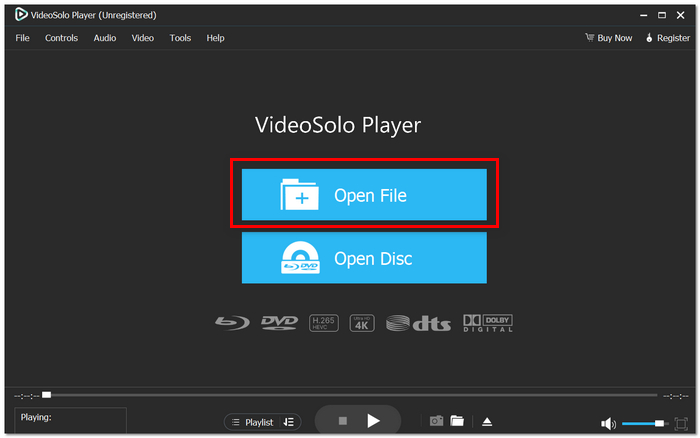
Step 2. Put in your Blu-ray/DVD disc or click on Open File to get a video.
Step 3. If you want, select your compatible subtitles or audio track. Hit Play and have a good time with your media.
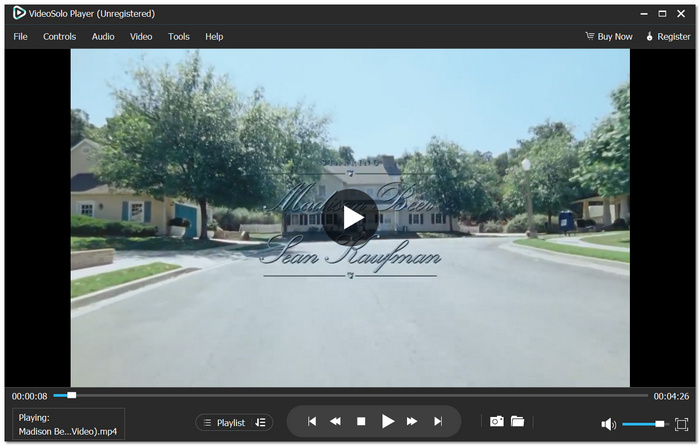
From my experience, the VideoSolo Player is a smooth and dependable software. The images are very clear, the program opens very quickly, and as a rule, I don't have any issues with crashes. If you opt for software that outperforms basic Windows setups of a portable media player, then this certainly is a good option for watching your favorite movies in high quality.
2. MPlayer – Best for Lightweight & Advanced Control
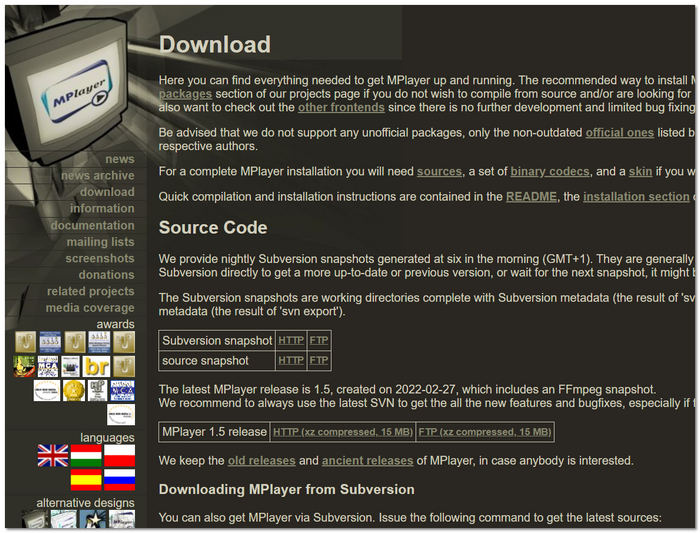
MPlayer is a versatile, open-source media player that is widely recognized for its flexibility and efficiency. If you are a fan of lightweight applications but at the same time highly customizable ones, then this is the tool that offers you a lot of control over playback without using many system resources.
pros
- Extremely lightweight and runs smoothly on older PCs
- Highly customizable via command-line options
- Strong subtitle rendering and synchronization control
Cons
- The interface feels outdated compared to modern players
- Not beginner-friendly due to command-line usage
Using Experience
In my personal experience, MPlayer would be the right choice if you enjoy playing with the settings and don't mind a somewhat technical interface. It is a stable and efficient player, especially on low-spec systems. However, it is really geared more towards advanced users rather than casual viewers.
3. KMPlayer – Best for Customization & Format Support
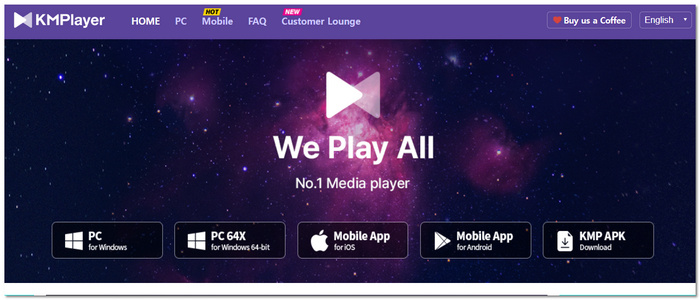
KMPlayer is a versatile and powerful media player packed with features. One of its biggest strengths is the ability to work with an extremely wide range of different media formats. For users who like to personalize playback by tweaking settings to suit their own preferences, this software will give you a very generous amount of control, and yet in no way will it be too complicated.
pros
- Supports a vast range of video and audio formats
- Built-in codec system reduces compatibility issues
- Advanced playback controls (speed control, screen capture, audio tuning)
Cons
- Contains ads in the free version
- Can feel slightly heavy on lower-end systems
Using Experience
In my opinion, KMPlayer is a sleek and powerful media player. What attracted me most is that it has great playback customization options, but the ads can be quite a nuisance at times. If you want a player that offers both flexibility and extensive format support, this would be a good option.
4. SMPlayer – Best for Remembering Playback Settings
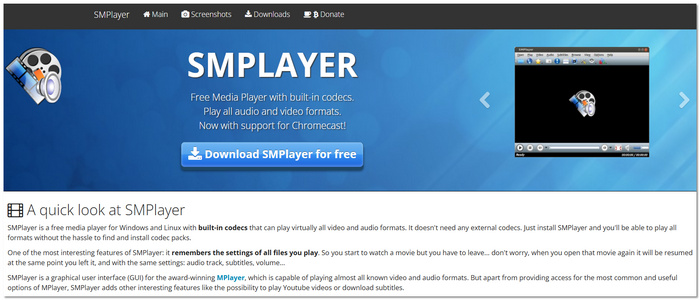
SMPlayer is an open source free media player that has its main features in convenience and smart playback memory. On the foundation of MPlayer, it has been given a friendlier user interface, which makes it more accessible for regular users.
pros
- Automatically remembers playback position and settings
- Built-in YouTube streaming support
- Cross-platform support (Windows and Linux)
Cons
- Not as visually polished as premium players
- Occasional minor bugs with certain codecs
Using Experience
From my experience, SMPlayer is very handy, especially for long movies or series. I like that it remembers where I left off, so it saves me a lot of time. It may not be the most attractive one, but it's dependable and very functional for everyday use.
5. VLC – Best for All-in-One Free Playback
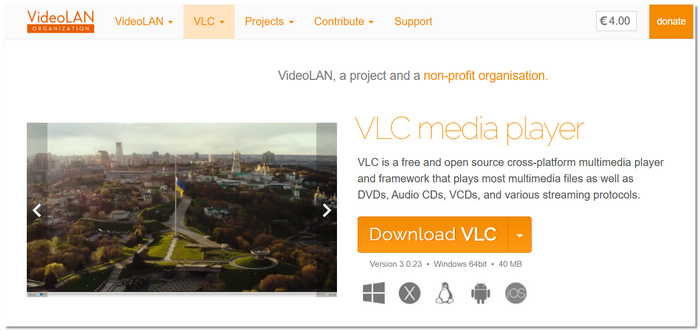
VLC is a globally recognized and highly trusted media player that satisfies millions of users' needs. When you think of a dependable, free program that can handle almost any file, this is likely the first app you think of. Besides, it's offered as a VLC media player portable version, which adds more convenience for those who wish to use it anytime, anywhere, without the need for installation.
pros
- Plays almost all audio and video formats
- No ads or spyware
- Supports streaming, screen recording, and subtitle customization
Cons
- Interface looks basic compared to modern players
- Occasional playback glitches with rare file types
Using Experience
In my opinion, VLC is the most versatile and safest choice based on my experience. It's straightforward, reliable, and almost never refuses to open a file. If you have it installed in the usual way or are using it as a portable VLC media player, it will definitely come in handy for daily media playbacks. However, its audio codec support is not as compatible as VideoSolo, so you might find your VLC player has no sound while playing video.
Conclusion
Which media player portable to choose is up to your needs, if you are into top-end hardware for excellent sound or powerful software for versatile playback. Standalone media players still provide better concentration, use, and media quality than smartphones. Having gone through this guide, you ought to be more certain about which option suits your way of life the most.
More Reading
Play your videos/music in 100+ formats and region-free DVDs/Blu-rays with 4K and Dolby Atmos experiences.

