



 Download VideoSolo Player For FREE!
It should be easy, comfortable, and fun to watch videos on your Android phone or tablet, and the problem shouldn't be the overload of apps from which you have to select just one. Having the correct player is all that matters. The VLC media player for Android is widely recognized as one of the most adaptable and nearly all format of a video file are supported by it. But for today, we’ll break down how to choose the best Android video player, review top apps, and even explore online options and all-in-one desktop solutions. After reading this, you’ll know exactly which player fits your viewing style and needs.
Part 1. How to Choose a Suitable Android Video Player
Your choice of Android video player can greatly impact the smoothness and enjoyment of your viewing experience. With so many apps offering different features, here are a few simple points to guide you:
1.Format Compatibility
Choose a player that can handle different audio and video formats. This saves you the hassle of converting files just to watch them.
2. Smooth Playback & Performance
Find an app that can play HD and 4K videos smoothly, without any lag. A good video player should be able to open and play files without stuttering quickly.
3. Subtitle & Audio Options
If you are watching foreign movies or videos and have separate subtitle files, the player should support multiple subtitle formats and let you adjust timing, color, and size.
4.Easy-to-Use Interface
It is very much like a clean, simple interface that makes a big difference, especially if you watch videos quite frequently. The control should be easy to find without having to tap too much.
5. Extra Features That Fit Your Needs
If you are a certain kind of user, then background playing, gesture controls, hardware acceleration, and playback speed control can be nice additions to your preferences.
6. Ad-Free or Minimal Ads
Usually, free apps come with ads, but select one that keeps them to a minimum so that you are not interrupted too much during your viewing time.
With these points in mind, you’ll have a much easier time choosing an Android video player that actually suits your viewing habits.
Part 2. Top Choices for Android Video Player
There are countless apps available on the Play Store, making it quite challenging to select a reliable Android system video player. Every app is different and has varying strengths. Some are excellent at supporting a wide range of file formats, others are perfect for seamless playback, and a few focus on advanced tools for viewing. We help you understand which Android video players you can trust by listing their features, advantages, and disadvantages, and providing the most honest impressions. Thus, you can instantly figure out which one fits your typical video-watching routine.
Top 1. VLC Media Player – Best for Wide Format Support
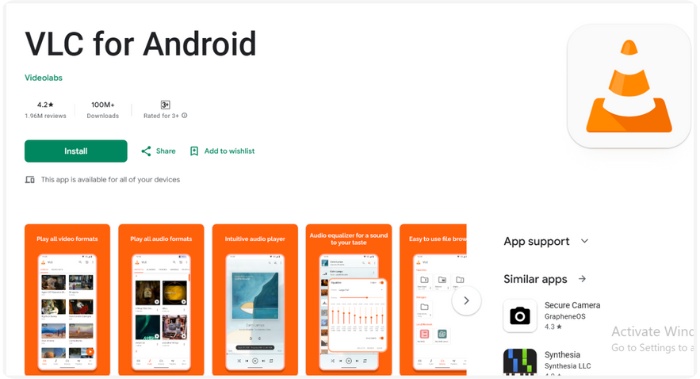
For a long time, VLC has been one of the most reliable names in the field of media playback, and its Android version is equally dependable. It is a minimalist yet efficient video player software for Android that can handle virtually any file you throw at it, thereby making it a preferred selection of users who are looking for a smooth performance without any trouble.
Features
• Plays nearly all video and audio formats without extra codecs
• A simple, light interface that functions well on the majority of devices
• allows for network streaming, multiple audio tracks, subtitles, and trim video in VLC.
• Playback speed, brightness, and volume can all be adjusted with gestures.
• Free, open-source, and ad-free
 pros
pros
- Excellent at handling rare or heavy video formats
- Strong performance even on older Android phones
- No ads at all, despite being fully free
 Cons
Cons
- Some users reported that their video has no sound in VLC
- Beginners may find some advanced options confusing
Using Experience
VLC feels stable and dependable from the start. Videos load quickly, playback stays smooth, and high-resolution files play without trouble. It's not the most aesthetically pleasing app, but its usefulness makes it perfect for anyone looking for a dependable player that consistently works with all file types.
Top 2. MX Player – Best for Smooth Playback & Customization
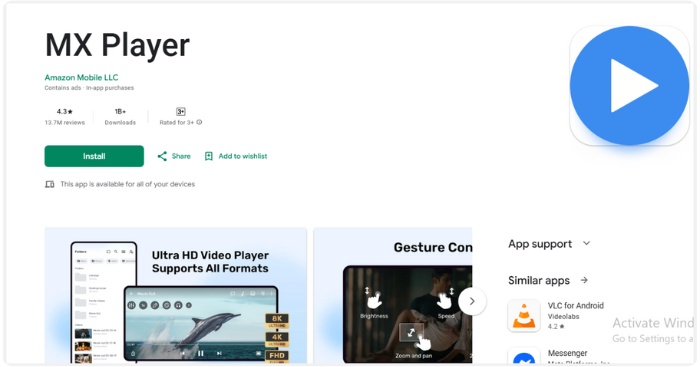
MX Player is one of the most popular video player software for Android, known for its smooth performance and flexible playback controls. It’s great for users who want a mix of simplicity and advanced options without feeling too technical.
pros
- Very smooth playback, even for large or high-resolution videos
- Highly customizable subtitle and playback settings
- Clean and modern interface
Cons
- The free version has advertisements.
- Add-ons or permissions are needed for some advanced features
Using Experience
MX Player is fast and responsive, with natural gestures and handy subtitle tools. Ads can be distracting, but overall, it’s a reliable daily video player software for android with excellent playback control.
Top 3. XPlayer – Best for High-Quality Playback & Privacy Protection
XPlayer is an impressive and simple-to-use video player Android app that is frequently praised for its ability to support various file formats and its flawless operation. Essentially, it’s a perfect tool for those who only need a basic player, yet it can play HD or even 4K videos without any problems.
pros
- Clean and user-friendly interface
- Handles high-resolution videos effortlessly
- Strong privacy tools (hidden folder + encryption)
- Excellent subtitle compatibility
Cons
- There are ads in the free version.
- Some premium features require payment
Using Experience
XPlayer is a reliable video player Android that loads videos quickly, plays 4K files smoothly, and offers gesture controls and subtitle syncing. Its private folder adds an extra layer of video privacy, setting it apart from other players.
Part 3. Top Android Video Players Online
If you have not planned to install any app, then you may also consider web-based players that can be used directly in your browser. These online tools are useful when you do not wish to download anything or when you are trying different playback setups. If you're looking for the best Android video player for light or short use, these online platforms are an excellent place to start.
Top 1. ExoPlayer – Best for Stable Streaming & Performance
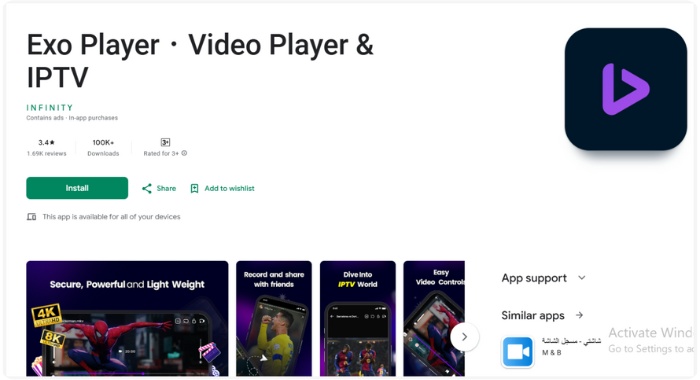
Created by Google, ExoPlayer is a powerful online/media framework that many Android apps use for smooth streaming and adaptive playback.
Features
• Supports DASH, HLS, SmoothStreaming
• Adaptive bitrate playback
• Excellent buffer management
pros
- Highly stable and updated regularly
- Optimized specifically for Android
Cons
- More developer-oriented
- Requires configuration for custom use
Using Experience
ExoPlayer delivers fast, reliable streaming even on slower networks. Many popular apps rely on it because of its stability and responsiveness.
Top 2. Video.js – Best for Browser-Based Playback & Customization
Video.js is an open-source HTML5 player that runs in your browser with no installation needed. As a free video player for Android, it supports many formats, runs smoothly on mobile, and offers customizable themes and plugins for both casual users and developers.
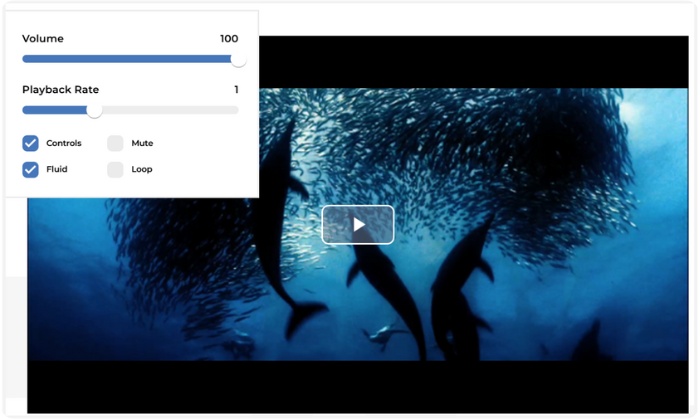
pros
- No app needed, and it plays instantly
- Very customizable
- Lightweight and responsive
Cons
- Performance depends on your browser
- Limited offline support
Using Experience
Clean, fluid, and perfect for fast mobile playback, Video.js is Ideal. Because of its adaptability, it is well-liked by developers and creators.
Top 3. Flowplayer – Best for Fast HD Streaming & Clean UI
Flowplayer is a lightweight, browser-based free video player for Android that offers smooth HD streaming, adaptive playback, and a sleek interface, perfect for fast, professional-quality video without extra apps.
pros
- Very fast loading
- Great streaming quality
- Minimalist and polished UI
Cons
- Some features are premium-only
- Not as customizable as open-source players
Using Experience
Smooth operation and clear HD playback are features of Flowplayer. It's great for people who want a simple, quick, and hassle-free online video experience.
Part 4. Extension: The Best All-in-one Video Player on Windows & Mac
VideoSolo Player – Best Overall Video Playback Experience
Supported OS: Windows, Mac
Rating: 4.8/5
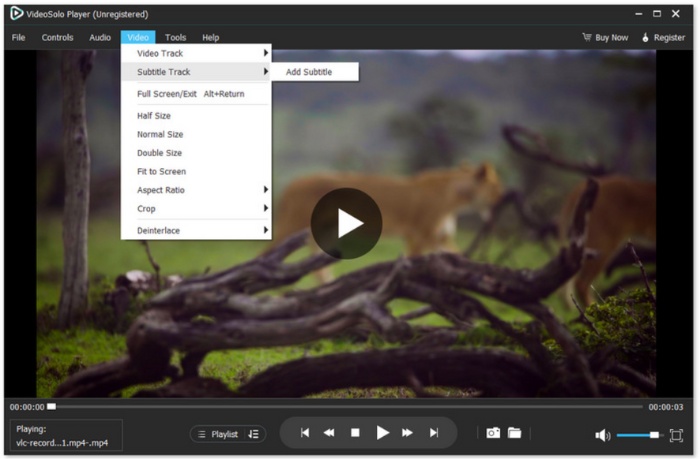
VideoSolo Player is a versatile, all-in-one media player for Windows and Mac that handles everything from HD videos to Blu-ray discs. It is for users who want a high-quality, stable video experience without having to deal with the technical aspects. In fact, by using VideoSolo, you have at your disposal a perfect tool for any content that you can simply enjoy without interruptions.
Features
• Supports video and audio files of almost any format, also 4K and 1080p
• Support for Blu-ray and DVD playback
• Support for user-chosen subtitles, audio track
• Change of video parts and the speed of the reproduction
• Intuitive user interface with hardware acceleration for a smooth performance
pros
- Smooth and lag-free playback even for high-resolution videos
- Supports Blu-ray discs and DVDs with full menu navigation
- Simple, user-friendly interface suitable for beginners and pros alike
Cons
- Paid version required for some advanced Blu-ray features
- Lacks some customization options compared to open-source players
Steps to Use
Step 1. Please click the download button and install VideoSolo Player on Windows or Mac.
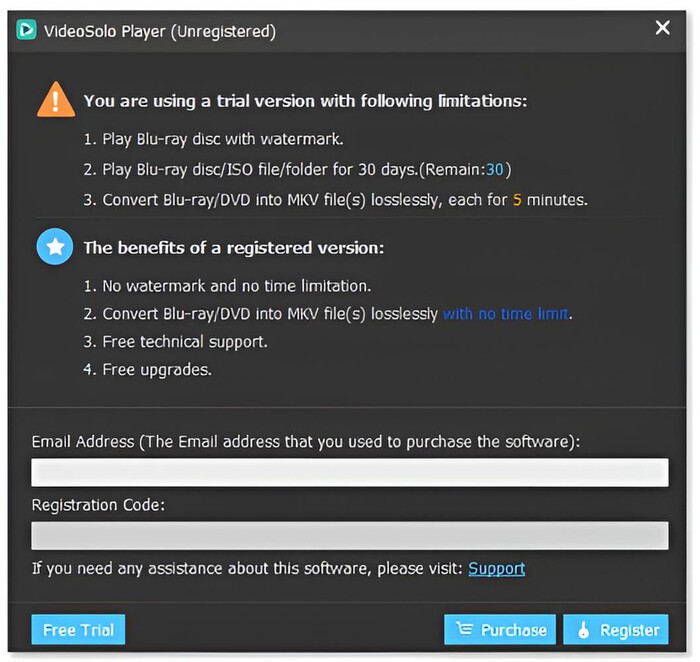
Step 2. To use all the tool's features, log in your email and enter the registration code.
Step 3. Open the program and load your video by clicking the Open File.
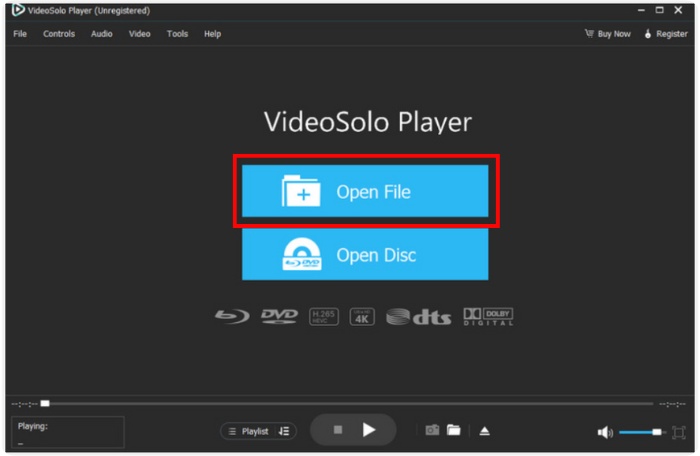
Step 4. Adjust playback settings, subtitles, or audio as needed and enjoy smooth, high-quality playback with intuitive controls.
Using Experience
VideoSolo Player is elegant and reliable to use. It can play videos and Blu-ray discs quickly, with smooth, uninterrupted playback, and all necessary controls are easily accessible. A perfect one for anyone who wants a professional viewing experience without trouble on their PC.
Part 5. A Comprehensive Comparison Table
If you want to compare all the video players we have discussed more easily, here is a convenient table that outlines their main features, supported formats, operating systems, user-friendliness, and Blu-ray support. This will give you a glance at how good a player is for your needs.
| Video Player | Formats Supported | OS | Rating | Resolution | Ease of Use | Blu-ray Support |
|---|---|---|---|---|---|---|
| VideoSolo Player | MP4, MKV, AVI, MOV, 4K | Windows, Mac | 4.8/5 | 4K, 1080p | Very easy | Yes |
| VLC Media Player | Almost all formats | Android, Windows, Mac, iOS | 4.7/5 | 4K, 1080p | Easy | Partial (requires plugins) |
| MX Player | MP4, MKV, AVI, MOV | Android | 4.6/5 | 4K, 1080p | Easy | No |
| XPlayer | MP4, MKV, AVI, MOV | Android | 4.5/5 | 4K, 1080p | Easy | No |
| ExoPlayer | MP4, HLS, DASH | Android | 4.5/5 | 1080p | Medium | No |
| Video.js | MP4, WebM, Ogg | Web/Browser | 4.4/5 | 1080p | Medium | No |
| Flowplayer | MP4, HLS | Web/Browser | 4.4/5 | 1080p | Medium | No |
Conclusion
Wherever you are watching on Android or desktop, using the correct player will make your video playback smooth and enjoyable. On mobile, you can count on apps. If you are on Windows or Mac, VideoSolo Player is the right choice thanks to its Blu-ray support. Getting the best Android video player on your phone is the perfect way to enjoy great viewing at any time, without any trouble.
More Reading
- How to Stream Media Files from VLC to Chromecast (on Mac, Windows, Android & iOS)
- How to Play WMA on Android Phone & Tablet
- How to Play MKV Files on Android Phone and Tablet Easily
- (Fast!) How to Play MOV Files on Android Phone and Tablet
Play your videos/music in 100+ formats and region-free DVDs/Blu-rays with 4K and Dolby Atmos experiences.

