



 Download VideoSolo Player For FREE!
I guess, if you are the same as me, picking the right media home player is probably key to the whole difference between a night at the movies when you want to pull your hair out and a nice, smooth, fun evening. I have thrown dozens of media players at both Windows and Mac over the years, and trust me, some don't make the cut. That was the reason for me gathering here the top 10 media home player apps 2026 review guide. Perfect video playback, top-notch audio, smart features, and user-friendly design are all factors that I will take you through with the pros and cons and the unique strengths of each, so you can find the best player for your setup. In fact, you will be able to choose the right media player for your home entertainment after reading this article.
- Top 1. VideoSolo Player – Best Overall Media Player Experience
- Top 2. VLC – Best Free Open-Source Media Player
- Top 3. Tape Eater – Best Lightweight Retro-Style Player
- Top 4. Kodi – Best Customizable Media Center Platform
- Top 5. Plex – Best for Streaming and Media Sharing
- Top 6. Emby – Best for Personal Media Server Control
- Top 7. GOM Player – Best for Subtitle Support
- Top 8. CyberLink PowerDVD – Best for Premium Blu-ray & 8K Playback
- Top 9. PotPlayer – Best for Advanced Playback Customization
- Top 10. 5KPlayer – Best for AirPlay & Wireless Streaming
- A Comparison Chart of 10 Media Home Players
Top 1. VideoSolo Player – Best Overall Media Player Experience
I’d say if we are talking about a dependable, high-performing media player for classic home cinema, VideoSolo Player is definitely the one. Over the years, I have tested a lot of players, and VideoSolo is really smooth, supports lots of formats, and is easy to use. You can be watching movies or listening to music, or even streaming shows, and it will give you a smooth experience without any annoying glitches or lag.
 Features
- Supports almost all video and audio formats, including MP4, MKV, AVI, FLAC, and more
- Full HD and 4K playback with smooth frame rendering
- Built-in subtitle support and customization
- Playlist creation and quick media library access
- Minimal system resource usage for uninterrupted viewing
 pros
pros
- Extremely stable and reliable playback
- Easy-to-use interface for beginners and pros alike
- High-quality audio and video output
- Regular updates to improve performance and compatibility
 Cons
Cons
- Some advanced features are behind the paid version
- Lacks streaming integration compared to some other players
Step 1. Download and install VideoSolo Player from the official site. Open the player and click the Open File to add your movie.
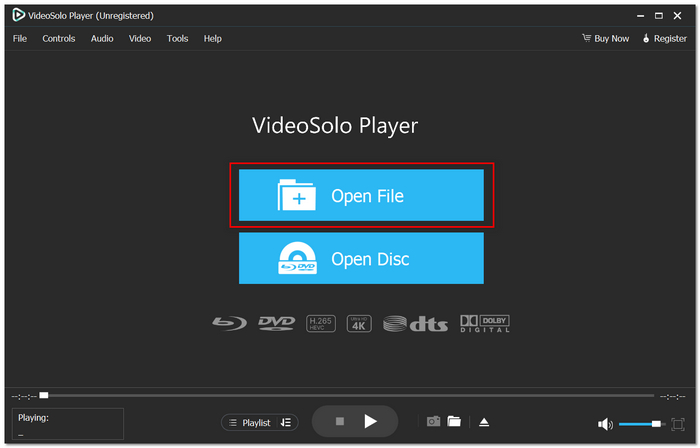
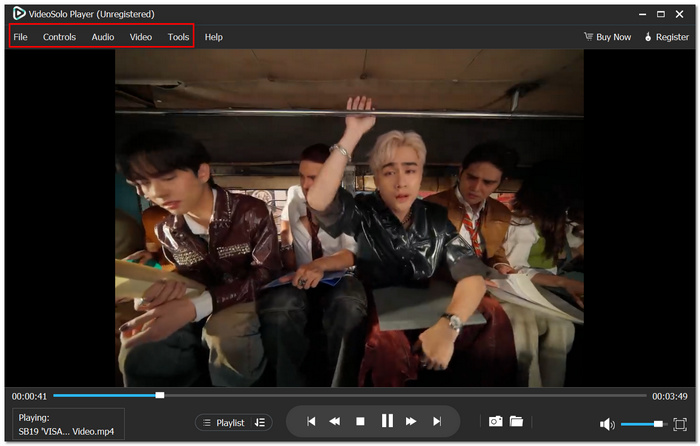
Step 2. Customize subtitles, audio tracks, or playback speed if needed.
Step 3. Hit the Play button and enjoy your content with smooth, high-quality playback.
Using Experience
Honestly, VideoSolo Player has quickly replaced my classic home cinema media player as the one I use the most. It is amazing how few system resources my computer uses when running this software, yet I still enjoy brilliant videos and audio. If you are someone who puts the integrity and performance of a media player before anything else, then simply getting this media player will be the easiest decision in your life.
Top 2. VLC – Best Free Open-Source Media Player
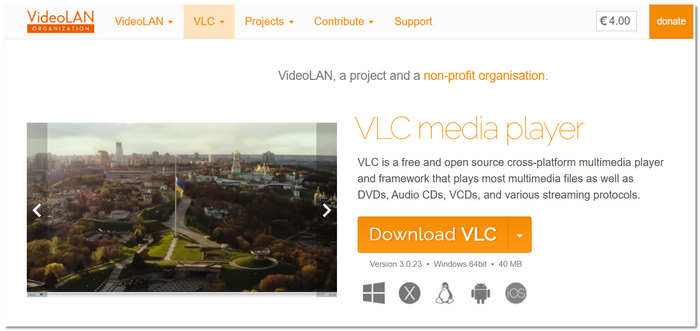
Whenever I am asked to recommend a totally free and flexible Windows Media Home Player, the very first name that springs to my mind is VLC. It is an old player with a strong reputation for playing almost all types of files without needing extra codecs.
pros
- 100% free and open-source with no ads
- Plays damaged or partially downloaded files
- Available across multiple platforms (Windows, Mac, Linux, mobile)
- You can also use VLC to repair video
Cons
- The interface feels outdated compared to modern players
- Occasional playback hiccups with very large 4K files
Using Experience
From my perspective, VLC is the best choice if you just want a reliable backup media player for Windows that can play any file in no time. Sure, it may not be the most stylish one, but it does the work without charging you a dime.
Top 3. Tape Eater – Best Lightweight Retro-Style Player
In case you want to go for something simple and old school, Tape Eater gives you a minimalist experience like a media player classic cinema home setup. The app simply focuses on local playback without loading you with additional features.
pros
- Extremely lightweight and fast to launch
- Clean, distraction-free interface
- Low CPU and RAM usage, ideal for older PCs
Cons
- Limited advanced playback customization
- No built-in streaming or media server support
Using Experience
When I tested Tape Eater, one thing I really liked was how fast it launched and played files without even causing my system to slow down. It pretty much looks like a no-frills media player classic cinema home edition to people who only want plug-and-play simplicity.
Top 4. Kodi – Best Customizable Media Center Platform
If a powerful media player home cinema solution is what you are looking for and something that does not only focus on simple playback, then Kodi is the software that is made for it. It changes your computer into a complete entertainment center with streaming, add-ons, and advanced customization.
pros
- Supports live TV and DVR functionality
- Strong community support and frequent updates
- Compatible with remote controls and home theater setups
Cons
- Setup can be complicated for beginners
- Some third-party add-ons may be unstable
Using Experience
When I used Kodi as my media player for home cinema, it felt more like a full entertainment system than just a mere video player. It is extremely powerful once you set it up right, but it does take a while to get everything correct.
Top 5. Plex – Best for Streaming and Media Sharing
In case you'd like to have more features beyond local playback, Plex is a great choice of a home classic media player that also doubles as your personal streaming server. With it, you can arrange, stream, and get to your media files from virtually any location.
pros
- Turns your PC into a personal media streaming server
- Supports smart TVs, mobile devices, and gaming consoles
- Offers free movies and TV streaming options
Cons
- Requires account registration to use
- Some premium features require a Plex Pass subscription
Using Experience
When I used Plex as a home classic media player, I enjoyed seeing my movie collection in such a neatly arranged way, with posters and descriptions being automatically added. It is great if you want your media to be accessible beyond just one device.
Top 6. Emby – Best for Personal Media Server Control
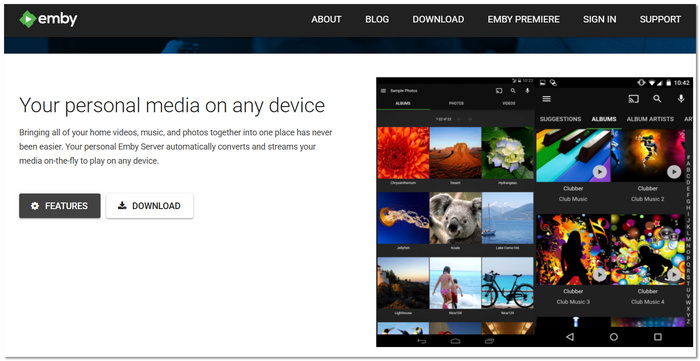
If you crave more control over your streaming setup, you can consider Emby, a versatile media home player that also acts as a powerful media server. Its main focus is to offer users complete control over their personal content across devices.
pros
- Strong parental control and user management features
- Real-time media conversion for smoother streaming
- Detailed library customization and metadata editing
Cons
- Many advanced features require Emby Premiere
- The interface is less polished than some competitors
Using Experience
When I tried out Emby as a home media player, one of the things I really liked was the extent to which it allowed me to control user access and media organization. I think it is a perfect tool for families or home situations that want a well-planned media sharing system.
Top 7. GOM Player – Best for Subtitle Support
For people who regularly view foreign movies or television shows, GOM Player is a popular option. It has built-in codec support and clever subtitle features to improve playback.
pros
- Automatic subtitle search and sync feature
- Built-in codec finder for unsupported formats
- 360-degree VR video playback support
Cons
- Free version contains ads
- The interface may feel slightly cluttered for minimalists.
Using Experience
The automatic subtitle search in GOM Player saved me a ton of time. It's particularly helpful for viewing foreign content without having to search for subtitle files by hand.
Top 8. CyberLink PowerDVD – Best for Premium Blu-ray & 8K Playback
CyberLink PowerDVD is intended for those users who really want to get a high-end home theater experience on their PC. It's definitely not just a simple player, as it's made for premium disc playback and ultra-high-definition content.
pros
- Supports Blu-ray, DVD, and even 8K video playback
- Advanced audio support, including Dolby and DTS formats
- Seamless media casting to TV devices
Cons
- Premium pricing compared to most competitors
- Requires a relatively powerful PC for best performance
Using Experience
Upon testing PowerDVD, I was struck right away by the crispness of the visuals and the quality of the sound. It is like a player of a professional standard, designed for movie enthusiasts who want to have the experience of cinema at home.
Top 9. PotPlayer – Best for Advanced Playback Customization
For those who enjoy adjusting settings and perfecting their playback experience, PotPlayer is a feature-rich media player. It provides many customization choices that go well beyond simple viewing.
pros
- Supports 3D video playback
- Built-in screen recording and video capture tools
- Bookmark feature to save specific playback moments
Cons
- Too many settings can make setup confusing
- Occasional bundled offers during installation
Using Experience
Using PotPlayer, I was really amazed by the extent to which it allowed me to control video filters and sound settings. If you like to tweak and set every small detail of your viewing experience, then this is perfect for you.
Top 10. 5KPlayer – Best for AirPlay & Wireless Streaming
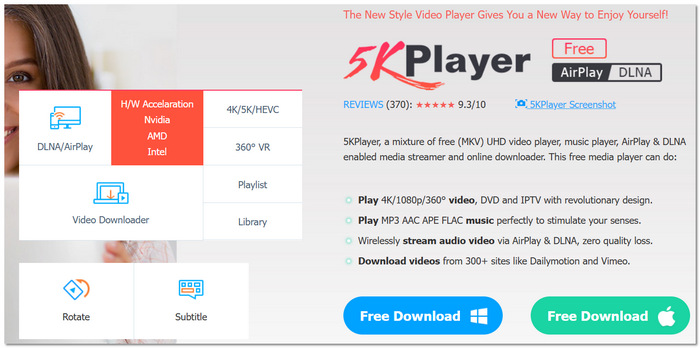
5KPlayer isn't just an ordinary video player. It also incorporates local playback and wireless streaming functionalities. If you are a user who likes to mirror or stream stuff from one device to another, then it is quite handy for you.
pros
- Built-in AirPlay and DLNA wireless streaming
- Supports 4K and 5K video playback
- Online video downloader integration
Cons
- Installation may include optional bundled software
- Performance may vary depending on network stability
Using Experience
While I was testing 5KPlayer, the wireless streaming feature grabbed my attention the most. The fact that you can mirror the content to another screen without the use of extra hardware makes it a very handy option for home entertainment.
A Comparison Chart of 10 Media Home Players
| Media Player | Supported Formats | OS Support | Rating | Max Resolution | System Consumption | Cost & Ads | Ease of Use |
|---|---|---|---|---|---|---|---|
| VideoSolo Player | MP4, MKV, AVI, MOV, FLAC, MP3, more | Windows, Mac | ⭐ 4.9/5 | 4K Ultra HD | Low | Free trial, Paid version, No ads | Very Easy |
| VLC | Almost all formats + damaged files | Windows, Mac, Linux, Mobile | ⭐ 4.7/5 | 4K | Medium | 100% Free, No ads | Easy |
| Tape Eater | Common formats (MP4, AVI, MP3) | Windows | ⭐ 4.2/5 | 1080p | Very Low | Free, No ads | Very Easy |
| Kodi | Wide format support + add-ons | Windows, Mac, Linux, Android | ⭐ 4.6/5 | 4K | High | Free, No ads | Moderate |
| Plex | Most common video/audio formats | Windows, Mac, Linux, Web | ⭐ 4.5/5 | 4K | Medium–High | Free + Premium Plan | Easy |
| Emby | Major video & audio formats | Windows, Mac, Linux | ⭐ 4.4/5 | 4K | Medium | Free + Premiere Plan | Moderate |
| GOM Player | Most common formats + codecs | Windows, Mac | ⭐ 4.3/5 | 4K | Medium | Free (Ads), Paid Plus | Easy |
| CyberLink PowerDVD | Blu-ray, DVD, HEVC, H.264, more | Windows | ⭐ 4.6/5 | 8K | High | Paid (Premium) | Easy |
| PotPlayer | Extensive format support | Windows | ⭐ 4.5/5 | 4K / 3D | Medium | Free, Optional Bundles | Moderate |
| 5KPlayer | MP4, MKV, MOV, MP3, more | Windows, Mac | ⭐ 4.3/5 | 5K | Medium | Free, Optional Bundles | Easy |
Quick Takeaways
- • Best Overall: VideoSolo Player (balanced performance + stability)
- • Best Free Option: VLC
- • Best for Customization: Kodi
- • Best for Streaming: Plex
- • Best for Blu-ray & 8K: CyberLink PowerDVD
- • Best for Wireless Streaming: 5KPlayer
Conclusion
After looking into each of the 10 tools, I came to understand that a great choice basically depends on your personal needs whether it is streaming, customization, or just easy playback. On the other hand, if you try to get a harmonious, dependable media player classic home cinema experience with very flexible performance, good audio and video quality, VideoSolo Player is definitely a one-stop option. A media home player most suitable for you will ease your entertainment experience, and this guide is aimed at assisting you in locating what is really best for you.
More Reading
Play your videos/music in 100+ formats and region-free DVDs/Blu-rays with 4K and Dolby Atmos experiences.

