



 Download VideoSolo Player For FREE!
Choosing the right Blu-ray player for PC can create a huge difference in how smoothly you enjoy your movies, especially if you watch HD or 4K discs on your computer. With so many software options available, it can be tough to know which one actually delivers great picture quality, stable playback, and an easy viewing experience. I will divulge the main points of a Blu-ray player, and then move through the top 10 Windows programs that you should think about. Each tool is considered based on its unique features, ease of use with the disc, general performance, and the target user group. There is also a full comparison chart to help you quickly determine which software meets your requirements. I will make sure this article enables you to choose the best setup for your PC.
Part 1. What's the Key Point to Choose A Blu-ray Player for PC
When choosing a Blue ray player for PC, it’s important to look beyond just “can it play discs?” A good Blu-ray player should deliver smooth playback, high-quality visuals, and a hassle-free experience, especially when watching Full HD or 4K movies.
First, check format compatibility. The more video and audio formats the software supports, the fewer issues you’ll have when opening different files. Next, consider playback performance. A reliable player should load discs quickly and play them without stuttering, buffering, or audio delays.
Resolution support is another factor that you should consider, particularly if you are a fan of 4K UHD Blu-rays. Some players might not be able to handle the ultra-high resolution properly. Another factor that significantly affects the decision is the ease of use. While some instruments are straightforward and neat, others may seem disorganized or too complicated.
Finally, ensure the player supports Blu-ray discs stably, including menus, chapters, and subtitles. A great player makes your movie time smooth, clear, and enjoyable from start to finish.
Part 2. The Best 10 Windows Blu-ray Player Software
In the market, you’ll find many tools claiming to offer smooth disc playback, which makes choosing the right Blu-ray player app for PC a bit overwhelming. To help you decide faster, this section highlights the 10 best Blu-ray players for Windows, along with their key features, pros, cons, and ideal users. This way, you can quickly spot which software matches your needs without reading long reviews.
1.VideoSolo Player – Delivers the Smoothest Overall Playback Experience
Supported OS: Windows, macOS
Rating: ★★★★★ (5/5)
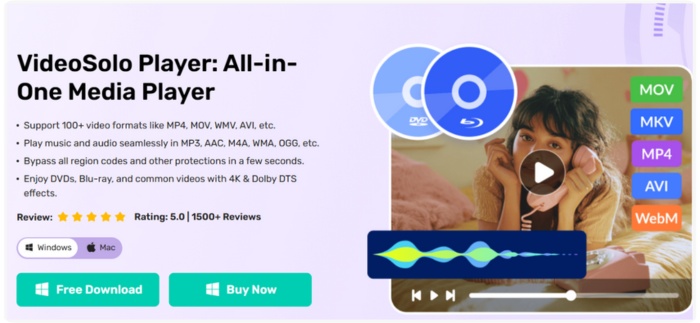
VideoSolo Player stands out as the best free Blu-ray player for PC. Thanks to its clean interface, powerful decoding technology, and smooth handling of HD, 4K, and Blu-ray discs. It’s for users who want a reliable, modern, and frustration-free player that works right out of the box.
Key Features
• Supports Blu-ray discs, ISO files, and BDMV folders
• Plays almost all major video and audio formats (MP4, MKV, AVI, MOV, etc.)
• 4K/1080p HD playback with hardware acceleration
• Clean, intuitive controls and simple navigation
• High-quality audio output with surround-sound support
 pros
pros
- Very easy to use, even for beginners
- Smooth playback with no stutter, even on large video files
- Handles Blu-ray menus and chapters well
- Lightweight and doesn’t slow down your PC
 Cons
Cons
- Lacks advanced customization settings
- No built-in streaming features
Steps to Use VideoSolo Player
Step 1. Click the link below to download VideoSolo Player on your PC.
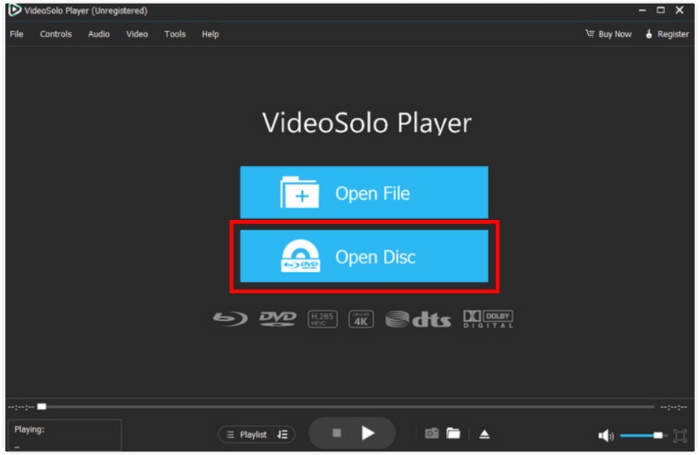
Step 2. Insert your Blu-ray disc, then click Open Disc. Your screen will display a window that allows you to make selections.
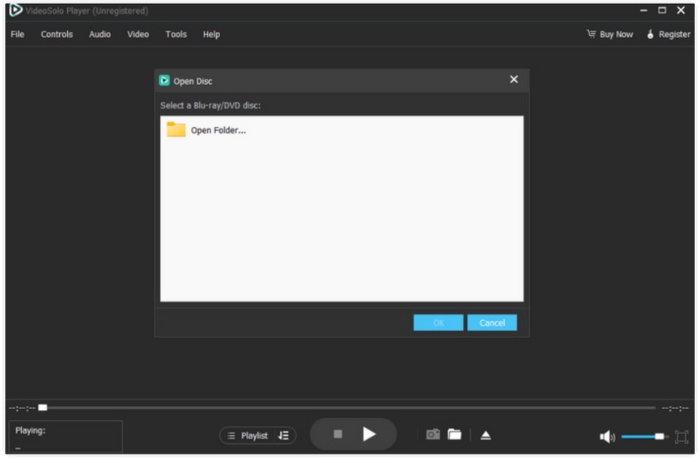
Step 3. Then, as seen, a browse window appears. Click OK to launch and enjoy the content you want to play on your computer.
Using Experience
It is very refreshing to use VideoSolo because of its simple, straightforward interface. There is no waiting for your Blu-ray discs to load, as they load fast. Your 4K videos will play without any interruption, and there are no confusing settings to make everything work. In addition to 4K blu-ray video, it can also work as a 4K converter. Whoever is looking for high-quality playback without the trouble can use it as a daily player, with which it is absolutely reliable.
2.PowerDVD – Offers the Best Home Theater Experience
Supported OS: Windows
Rating: ★★★★☆ (4.7/5)
PowerDVD is a premium Blu-ray and media player designed to bring a cinematic experience to your PC. As a 4K Blu-ray player for PC, it excels in delivering sharp visuals, immersive sound, and smooth disc navigation. It shines for those who want a “home theater” feel and enjoy advanced Blu-ray and DVD playback features.
pros
- Outstanding visual improvements, such as color boosting and TrueTheater HDR
- Blu-ray, DVD, and high-definition 4K video support
- Integrated support for immersive audio formats and surround sound
Cons
- Windows-only, not cross-platform
- More resource-heavy than lighter players like VideoSolo
Using Experience
PowerDVD offers a cinematic experience with sharp visuals and smooth Blu-ray loading. Although beginners may find the interface slightly overwhelming at first, movie lovers who value high-quality picture and sound will appreciate what it delivers.
3.PlayerFab All-in-One – Offers the Fastest Disc Loading Speed
Supported OS: Windows, macOS
Rating: ★★★★☆ (4.5/5)
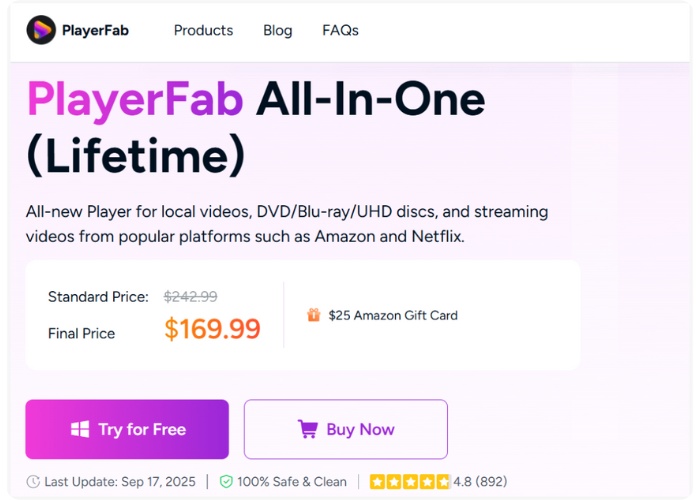
PlayerFab All-in-One is a versatile Blu-ray player software for PC that focuses on speed and efficiency. It’s designed to load Blu-ray discs quickly while maintaining high-quality playback. PlayerFab stands out for users who value quick access and uninterrupted viewing without waiting for discs to load.
pros
- Incredibly quick playback start-up and disc loading
- Blu-ray, DVD, ISO, and digital file formats are supported.
- Playback of 4K and HD videos in high definition
Cons
- Interface is functional but less modern than some competitors
- Limited advanced audio customization compared to PowerDVD
Using Experience
PlayerFab is quick to load discs and media files, and the playback is smooth. The interface is basic, but it is simple and easy to navigate. The app doesn't have the sleek look of VideoSolo or PowerDVD, but if you are seeking a rapid, straightforward player without any bells and whistles, it works fine.
4.VLC Media Player – Offers the Widest Format Compatibility
Supported OS: Windows, macOS, Linux, Android, iOS
Rating: ★★★★☆ (4.6/5)
VLC Media Player is a well-known Blu-ray player software for PC free, and can handle almost any video or audio format without requiring extra codecs. VLC shines for its versatility and reliability, making it a dependable option if you work with a variety of file types or unusual disc formats.

pros
- Plays almost any type of media out of the box
- Sturdy and lightweight, even on older computers
- Playlists, subtitles, and basic disc navigation are supported
Cons
- The interface is plain and may feel outdated
- Lacks advanced visual and audio enhancement features
Using Experience
VLC is quick, efficient, and practically flawless in its file format handling. Its user interface looks basic when compared to VideoSolo or PowerDVD. Sometimes, it is unstable to use and might force you to fix VLC crash. However, it is still a dependable free solution for daily listening or viewing, particularly if you require extensive format support.
5.KMPlayer – Offers the Most Customizable Playback Experience
Supported OS: Windows, macOS, Android, iOS
Rating: ★★★★☆ (4.5/5)
KMPlayer is a versatile Blu-ray player for PC that gives users full control over video and audio playback. It is ideal for those who like to tweak settings, apply filters, or adjust playback to match their preferences.
pros
- Highly customizable video and audio settings
- Built-in subtitle control and multiple audio track support
- Lightweight and runs smoothly on most PCs
Cons
- Periodic advertisements in the free version
- Compared to premium players, it does not support the advanced Blu-ray menu.
Using Experience
KMPlayer offers plenty of customization, letting you tweak video, audio, and filters in detail. The interface can feel overwhelming at first, making it better suited for advanced users.
6.Corel WinDVD – Offers the Best Audio Enhancement for Movies
Supported OS: Windows
Rating: ★★★★☆ (4.4/5)
Corel WinDVD is a PC Blu-ray player focused on delivering an immersive audio experience alongside high-quality video playback. It stands out for its advanced audio features, making it ideal for users who want crystal-clear sound with their Blu-ray movies.
pros
- Superior audio quality with TrueTheater Audio
- Blu-ray, DVD, and common video file formats are supported.
- Playback in high definition up to 4K
Cons
- Certain sophisticated features call for premium versions.
- Restricted ability to customize subtitles in comparison to other players
Using Experience
Corel WinDVD delivers a home-theater feel with clear audio and smooth video. Navigation is simple, though beginners may take time to adjust the sound settings. It stands out for its top-notch audio quality.
7.PotPlayer – Offers the Smoothest High-Resolution Playback
Supported OS: Windows
Rating: ★★★★☆ (4.5/5)
PotPlayer is a Blu-ray player for PC known for its smooth playback of high-resolution videos, including Blu-ray and 4K content. It stands out for users who want fast, stable, and high-quality viewing with advanced video enhancement options.

pros
- Ultra-smooth playback for large and high-resolution files
- Built-in video and audio enhancement tools
- Many different formats and codecs are supported
Cons
- The interface may feel technical or less intuitive for beginners
- Limited cross-platform support
Using Experience
PotPlayer can handle large Blu-ray files without a hiccup, and users can also adjust audio and video parameters for better clarity. The interface is a bit more complex, but it is a powerful option for those who crave speedy playback together with versatile
8.GOM Player – Offers the Best Subtitle and Language Support
Supported OS: Windows, macOS
Rating: ★★★★☆ (4.3/5)
GOM Player is designed for users who need excellent subtitle support and multi-language options. It shines for watching foreign films or subtitle-heavy content.
pros
- Advanced subtitle and language track support
- Lightweight and easy to install
- Supports Blu-ray, DVD, and popular digital formats
Cons
- Ads in the free version
- Limited advanced Blu-ray menu navigation
Using Experience
GOM Player is quite user-friendly and dependable, especially when dealing with multi-subtitle content. It is essentially a great tool for language learning sessions as the videos play back without any hiccups, and subtitles can be easily synchronized and modified.
9. Leawo Blu-ray Player – Offers the Most Stable Blu-ray Disc Compatibility
Supported OS: Windows, macOS
Rating: ★★★★☆ (4.2/5)
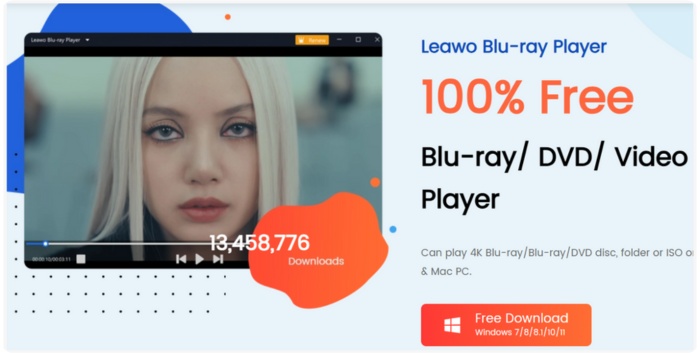
Leawo Blu-ray Player is a reliable Blu-ray player for PC known for its strong disc compatibility. It is a trustworthy option for users who regularly play physical discs because it easily supports Blu-ray, DVD, and common media formats without requiring additional codecs.
pros
- Excellent Blu-ray disc playback stability
- Clean and simple interface
- Supports multiple audio tracks and subtitles
Cons
- Occasional ads in the free version
- Interface design feels slightly outdated
Using Experience
Discs load without any problems, and playback is fluid. Its simple design makes it simple to use, particularly if all you want to do is insert a disc and begin watching without any additional setup.
10. CyberLink PowerDVD 23 – Delivers the Most Premium Home-Theater Viewing Experience
Supported OS: Windows
Rating: ★★★★☆ (4.3/5)
CyberLink PowerDVD 23 is designed for users who want a full home theater setup on their computers. It offers rich audio enhancements, crisp visuals, and strong support for Blu-ray and 4K media. While more feature-rich than a basic Blu-ray player for PC, it’s perfect for movie lovers who enjoy a cinematic experience.
pros
- Outstanding audio and video enhancement features
- Smooth Blu-ray and 4K playback
- Great for organizing and managing a large media library
Cons
- The interface may feel overwhelming for casual users
- More resource-heavy compared to simpler players
Using Experience
Particularly with high-resolution films, the playback quality is outstanding. However, novices might find the menus overloaded with unnecessary features for basic disc playback.
Part 3. A Comprehensive Comparison Table
To help you quickly see how each Blu-ray player stacks up, here’s a simplified comparison highlighting the most important factors: supported formats, operating systems, rating, maximum resolution, ease of use, and Blu-ray disc support.
| Blu-ray Player | Supported Formats | OS | Rating | Max Resolution | Ease of Use | Blu-ray Support |
|---|---|---|---|---|---|---|
| VideoSolo Player | Blu-ray, DVD, ISO, MP4, MKV, AVI, MOV, etc. | Windows, macOS | ★★★★★ | 4K | Very easy | Yes |
| PowerDVD | Blu-ray, DVD, 4K videos | Windows | ★★★★☆ | 4K UHD | Easy | Yes |
| PlayerFab All-in-One | Blu-ray, DVD, ISO, common formats | Windows, macOS | ★★★★☆ | 4K | Easy | Yes |
| VLC Media Player | Almost all video/audio formats | Windows, macOS, Linux, Android, iOS | ★★★★☆ | 4K | Moderate | Limited |
| KMPlayer | Most video/audio formats | Windows, macOS, Android, iOS | ★★★★☆ | 8K | Moderate | Partial |
| Corel WinDVD | Blu-ray, DVD, popular formats | Windows | ★★★★☆ | 4K | Easy | Yes |
| PotPlayer | Wide range of formats and codecs | Windows | ★★★★☆ | 8K | Moderate | Partial |
| GOM Player | Blu-ray, DVD, digital formats | Windows, macOS | ★★★★☆ | 1080p/2K | Easy | Limited |
| Leawo Blu-ray Player | Blu-ray, DVD, and common video formats | Windows, macOS | ★★★★☆ | 4K | Easy | Yes |
| CyberLink PowerDVD 23 | Blu-ray, 4K, DVD, digital formats | Windows | ★★★★☆ | 4K | Moderate | Yes |
Conclusion
What is the best Blue ray player for PC is largely dependent on the factors of what you require. VideoSolo is the best option among the bunch, as it is very intuitive, gets the job done quickly, and has a cool interface. There are other players with interesting features, such as enhanced audio, subtitles, and customization, so maybe you'll discover one that fits you perfectly. Finally, this manual is a quick way to figure out which Blu-ray player is compatible wwith your equipment and viewing habits.
More Reading
- How to Increase Video Resolution with a Video Quality Enhancer
- Why is iPhone Recorded Video Not Playing? 7 Working Fixes
- How to Fix Error Code 233011 — Stop Video Playback Failures
- How to Fix This Video File Cannot Be Played Error Code 23301 Fast

Play your videos/music in 100+ formats and region-free DVDs/Blu-rays with 4K and Dolby Atmos experiences.

