



 Download Screen Recorder For FREE!
No matter if you're recording a podcast, a meeting, a voice memo, or music, having the proper free audio recording software can make a world of difference in sound quality and workflow. Although lots of free utilities claim to deliver great recordings, not all of them have the same features, are user-friendly, or give you a great recording experience: I tried eight top programs for recording audio on Windows, Mac, and online to give you the best option. I'll list the main features of each one, the positive and negative points, and recommend which ones are ideal for various requirements and situations.
Key Takeaways
- • VideoSolo Screen Recorder - I chose it first because it offers a great blend of flexible audio capture, high-quality recording, and integrated editing in a single, user-friendly software.
- • Apowersoft Free Online Audio Recorder - You can use this one if you would like to record audio fast and do not need software installation. The online recorder proved to suit my simple needs best.
- • Audacity - A good choice for you as well if you have free time and are looking for advanced features for recording and editing your audio.
First Look: Quick Comparison of the Best Free Audio Recording Software
If time is very critical for you and you have a little time, go through this summary of eight audio recording tools that I have actually used and tried out myself so that you can pick a recording tool that is a perfect fit for your requirements.
| Software | Best For | Capture Flexibility | Output Quality | Editing Features | Ease of Use | Price |
|---|---|---|---|---|---|---|
| VideoSolo Screen Recorder | All-in-one audio recording | ⭐⭐⭐⭐⭐ | ⭐⭐⭐⭐⭐ | ⭐⭐⭐⭐⭐ | ⭐⭐⭐⭐⭐ | Free trial / Paid |
| WavePad | Windows users | ⭐⭐⭐⭐☆ | ⭐⭐⭐⭐☆ | ⭐⭐⭐⭐⭐ | ⭐⭐⭐⭐☆ | Free (Non-commercial) |
| ReCall | macOS call recording | ⭐⭐⭐☆☆ | ⭐⭐⭐⭐☆ | ⭐⭐☆☆☆ | ⭐⭐⭐⭐☆ | Free / Paid |
| Audacity | Open-source recording & editing | ⭐⭐⭐⭐⭐ | ⭐⭐⭐⭐⭐ | ⭐⭐⭐⭐⭐ | ⭐⭐⭐☆☆ | Free |
| Ocenaudio | Lightweight recording | ⭐⭐⭐⭐☆ | ⭐⭐⭐⭐☆ | ⭐⭐⭐⭐☆ | ⭐⭐⭐⭐⭐ | Free |
| Apowersoft Free Online Audio Recorder | Browser-based recording | ⭐⭐⭐⭐⭐ | ⭐⭐⭐⭐☆ | ⭐⭐⭐⭐☆ | ⭐⭐⭐⭐⭐ | Free |
| Ardour | Professional audio production | ⭐⭐⭐⭐⭐ | ⭐⭐⭐⭐⭐ | ⭐⭐⭐⭐⭐ | ⭐⭐☆☆☆ | Free (Source) / Paid Builds |
| Waveosaur | Simple audio cleanup | ⭐⭐⭐☆☆ | ⭐⭐⭐⭐☆ | ⭐⭐⭐⭐☆ | ⭐⭐⭐⭐☆ | Free |
How We Tested
I tried out free program record audio options on both a Windows 11 PC and a MacBook with a USB mic and internal mic. Each tool was checked for system audio, microphone input, and voice narration recording, and after that we judged which audio was clearer, whether the recording was consistent, whether sources were supported, which editing features were the best, options for exporting, and level of overall ease of use. That was very helpful for me to see how each recorder would actually handle a recording session.
Part 1. The 8 Best Free Audio Recording Software
1. VideoSolo Screen Recorder – Best All-in-One Free Audio Recording Software
Rating: ⭐⭐⭐⭐⭐ 5/5
Looking for free audio recording software with more features than just the basics? VideoSolo Screen Recorder is the product I'd suggest. Besides recording audio, it allows you to record your screen and webcam, and even edit the recording afterwards.
Why Do I Pick It?
Out of all the tools I tested, this one was my favorite. I could switch between microphone and system audio in seconds, and everything just worked without me digging through settings.
How to Record Audio
Step 1. Run the VideoSolo Screen Recorder application and select the Audio Recorder option.
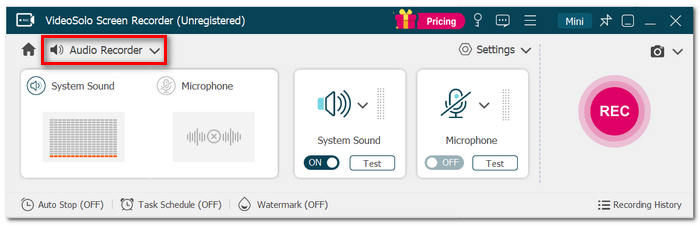
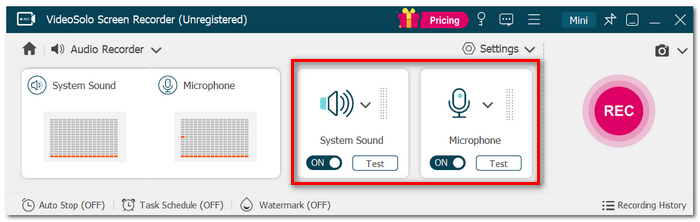
Step 2. Select what you want. System Sound recording only, recording through Microphone only, or record both.
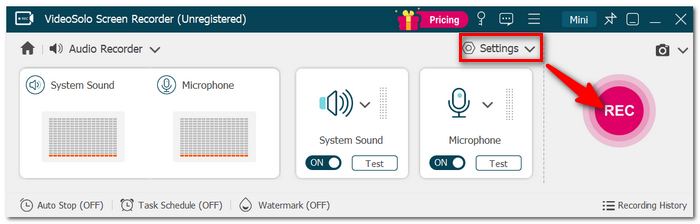
Step 3. You can fine-tune recording settings. Sound level and audio quality, for instance, if needed. The only thing left to do is hit the REC button and get recording.
Step 4. After finishing the recording, click Stop, play back to listen to your work, delete those portions you don't like, and finally, convert the audio into a file type of your choosing.
My Testing Experience
If you just want clean recordings without having to tinker with settings, this one delivers. The app felt very basic, the recording was smooth, and a built-in trimming function was a good extra that you really didn't know you needed. If I had to recommend just one recorder to many users, it would be this one.
2. WavePad – Best Free Audio Recorder for Windows
Rating: ⭐⭐⭐⭐☆ 4.5/5
WavePad is a free audio recording and editing software to capture computer desktop. For capturing audio, this software also features helpful editing tools. Without getting confused or overpowered by functions, I was quite impressed with the ease of using it for my voice recording, audio trimming, and adding standard effects.
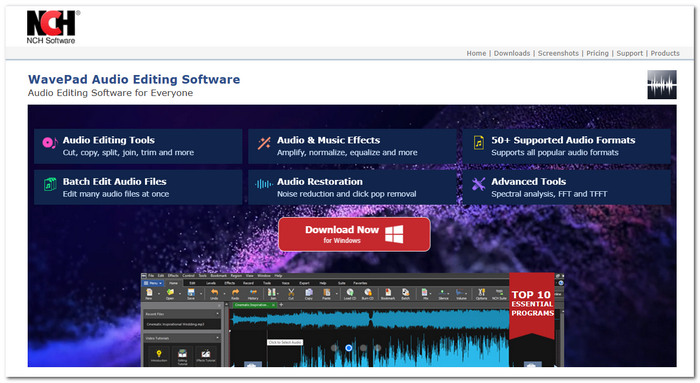
Recommendation: This is probably the best sound recorder and editor for Windows users, especially if you want everything in front of you in a very direct way.
 pros
pros
- Has a decent selection of editing tools for most audio tasks.
- Capable of working with many audio formats so you get very flexible conversion tools.
- An extremely straightforward user interface that makes it simple to begin recording and editing.
 Cons
Cons
- You have to buy a license for some of the premium features.
- There is a disclaimer that says the free version is not intended for business purposes.
Expert/User Feedback
Software such as WavePad receives favorable comments mainly due to the ease of use and great editing features of the software. Reviews on sites like G2 and Capterra frequently cite the ease of use, and users value it. In reality, the software is able to provide enough editing functionalities for things like podcasts, voiceovers, and audio recordings in general without requiring a high level of expertise.
3. ReCall – Best for Recording Online Meetings for macOS
Rating: ⭐⭐⭐⭐☆ 4/5
ReCall is a free meeting recorder software for audio and video that enables you to record meetings, webinars, and calls virtually. I loved the feature of ReCall that keeps recordings searchable to make finding important discussions in the future easier.
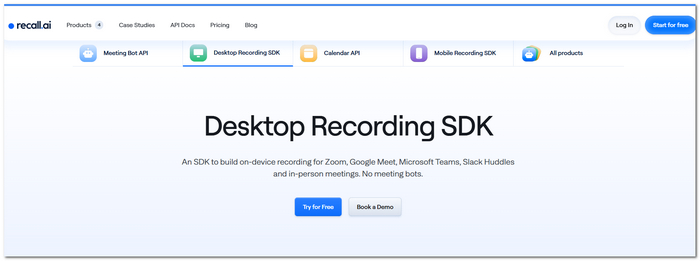
Recommendation: If you regularly record online meetings and would like your recordings to be automatically organized, we suggest ReCall.
pros
- It captures both audio and video of virtual conference meetings.
- Searching and managing older recordings gets easier through this.
- Great for going back through meetings, interviews, etc.
Cons
- To use the most sophisticated AI features, one has to be under a paid subscription.
- Meeting recordings are a better fit rather than general audio editing.
4. Audacity – Best Open-Source Audio Capture Software
Rating: ⭐⭐⭐⭐☆ 4.5/5
Audacity is a free, open-source audio capture software that lets you record, edit, and enhance audio with a broad range of built-in tools and plugins. It offers far more editing features than most free alternatives.
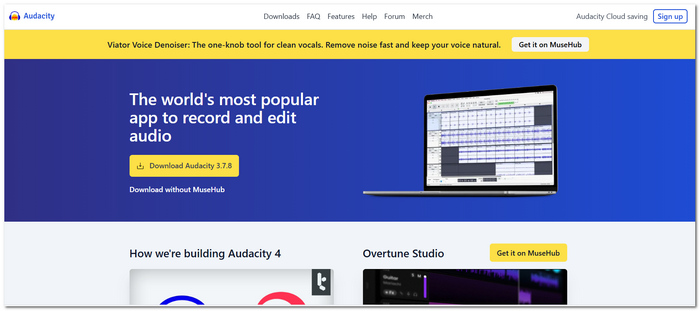
Recommendation: Audacity is probably the best choice if you're looking for a very feature-packed but easy-to-use editing tool and you don't care about spending some time learning how Audacity handles things.
pros
- Free of cost with no payment or even subscription plans ever!
- It brings loads of advanced editing and audio restoration tools.
- There's an active and huge user community with tutorials, guidebooks, etc available.
Cons
- Compared to more recent digital audio workstations, the Audacity interface looks pretty old-fashioned.
- Learning it can be quite challenging for a first-timer.
Expert/User Feedback
Audacity is regularly named as a must-have tool by reputable review sites like PCMag and TechRadar for its highly proficient editing features. G2 users highlight flexibility and lots of plugins, but many point out that the interface takes time to understand for new users.
5. Ocenaudio – Best Lightweight Audio Recorder for Beginners
Rating: ⭐⭐⭐⭐☆ 4/5
Ocenaudio is a simple audio editor that can be used by the user for audio recording at a minimum. Although it is not a free screen recording software with audio, it is still a good option if the user's main purpose is to capture and manipulate audio only and avoid a complex setup.
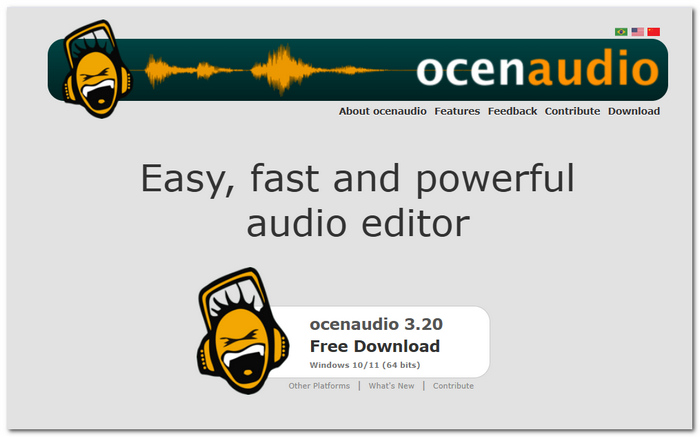
Recommendation: Ocenaudio is recommended if you are looking for a simple recorder and editor that even your older PC can run without any major performance issues.
pros
- Quick startup and light on system resources.
- Real-time preview of effects helps make editing quicker and easier.
- Pretty much everything you do is intuitive, making it easy to get the hang of, mainly for beginners.
Cons
- Does not have the feature of recording your screen
- It lacks that advanced level of multitrack editing.
6. Apowersoft Free Online Audio Recorder – Best Free Online Audio Recorder
Rating: ⭐⭐⭐⭐☆ 4.5/5
Apowersoft Free Online Audio Recorder allows you to record system audio or your microphone straight from the browser. The great thing was that I was able to start recording in a matter of seconds, which made it a very good option for me to do basic and occasional recordings.
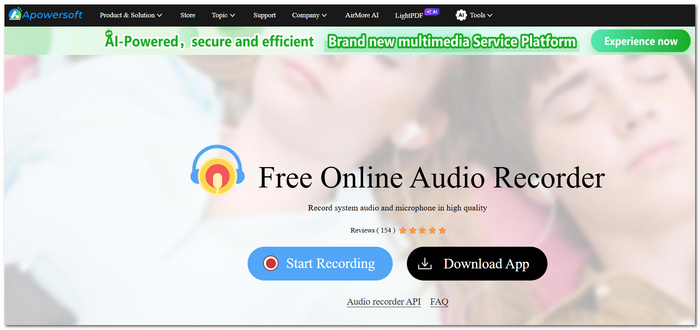
Recommendation: In case you are looking for free software for recording audio without a desktop app, I strongly recommend Apowersoft.
pros
- It can be used directly online without the need to download any additional software.
- Supports capturing of microphone input, system audio, or a combination of both.
- Perfect if you need to do fast recordings on any gadgets.
Cons
- It is highly dependent on a good internet connection.
- Very limited compared to traditional desktop programs - no complex edits.
Expert/User Feedback
Reviewers highly suggest using the Apowersoft Free Online Audio Recorder due to its convenience and user-friendly features. It's great for recording through the browser, and users don't have to install another app. So it works excellently for meetings, voice notes, and any other situations when it's just too busy to download a recording app.
7. Ardour – Best Free Audio Recording Software for Professionals
Rating: ⭐⭐⭐⭐☆ 4/5
Ardour is described as a free audio recording software created mainly for musicians, podcasters, and audio engineers alike. In my own test, it was surprising to see how many advanced recording and mixing features were crammed into this app, though it demands more time to learn than most of the items on this list.
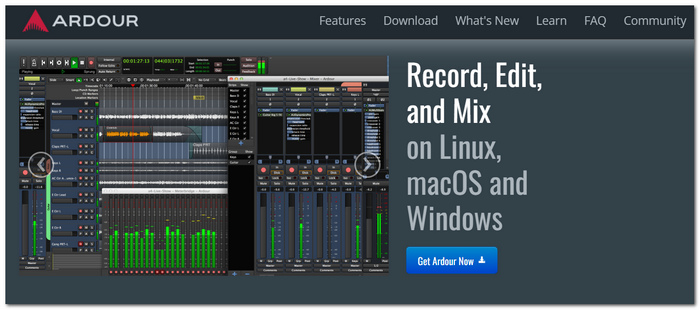
Recommendation: Ardour is perfect for you if you are used to working with professional editing tools and also desire a level of control that is way beyond your recordings.
pros
- You can record multiple tracks and do professional mixing with it.
- It runs a great number of audio plug-ins.
- It allows complete control over recording and editing.
Cons
- The interface may seem daunting to someone new.
- Learners would find it more demanding than basic recording programs.
8. Wavosaur – Best Simple Audio Recorder for Windows
Rating: ⭐⭐⭐☆✩ 3.5/5
Wavosaur is a slim Windows audio recording and editing software that has the core essentials. It was a pleasure for me that it opened the program so quickly and only consumed so few system resources, which would make it the ideal choice for older computers.
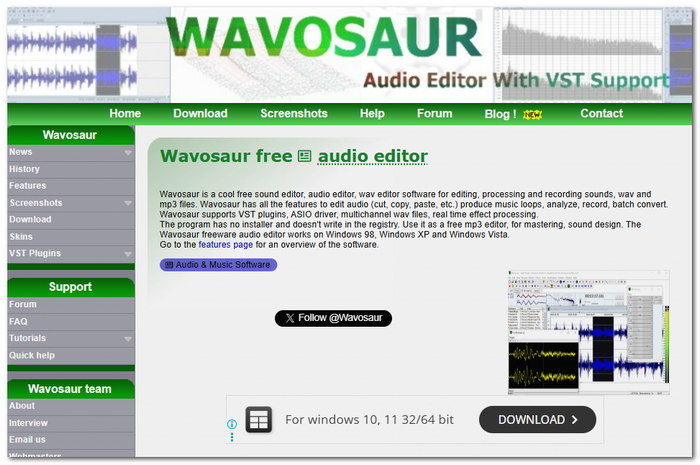
Recommendation: If you're in need of a compact audio recording and editing tool suitable even for lightweight tasks, Waveosaur is a great choice for me.
pros
- Compact installation and support for portable devices.
- Capable of recording and editing basics without any major issues.
- Even a low-end Windows system can handle it quite well.
Cons
- I was a bit surprised that the interface looked quite old.
- Lacks most of the new features the recent audio recorders have.
Part 2. Tips for Choosing the Right Free Audio Recording Software
How to Pick the Right Audio Capture Software
Not every recorder is intended to perform the same role. So, I suggest you first decide what your main purpose for a recorder will be and what recording features you will actually need from it before you make the purchase or download. These are the features that I always check for when looking for a recorder.
What Makes a Good Recording Program?
- • Easy to use: A clean interface helps you start recording without wasting time learning the software.
- • Clear recording quality: Look for tools that produce crisp audio with minimal distortion.
- • Noise reduction: Built-in noise removal can make voice recordings sound much more professional.
- • Multiple input sources: The top recorders offer multi-channel input options, allowing you to record both your microphone and system sound simultaneously.
- • Flexible export options: With support for audio file formats like MP3, WAV, FLAC, and AAC, your recordings can still be played on all kinds of devices and are easy to edit.
Which Software Should You Choose?
| If You Need... | Recommended Software |
|---|---|
| An all-around recorder | VideoSolo Screen Recorder |
| A browser-based recorder | Apowersoft Free Online Audio Recorder |
| Advanced editing tools | Audacity |
| Professional music production | Ardour |
| Windows recording and editing | WavePad |
| Recording online meetings | ReCall |
| A lightweight recorder | Ocenaudio |
| A portable Windows tool | Waveosaur |
Part 3. FAQs About Free Audio Recording Software
Q: Does recording at a higher sample rate result in better audio sound quality?
A: No, the answer depends on what you're recording. Voice recordings only require the common 44.1 or 48 kHz sample rate. Recording at higher frequencies results in much larger files, and this is almost the only thing needed when doing professional music production.
Q: In what format should I keep my audio files?
A: WAV will not lose any details, and that's why it will remain the best one for editing purposes, whereas MP3 will be smaller files that you can easily share with others, and FLAC will not lose any audio details but will keep the file size to a very minimum.
Q: Would I need an external microphone for quality recordings?
A: You don't have to be. Most laptops and iPhones can record decent voice clips in a fairly quiet place. Still, should this be something you're doing regularly, like for podcasting, creating guides, or voice acting, then it's more like a given that an external USB microphone will give you a better sound overall.
Conclusion
In the end, the best recording tool for you is really going to depend on what you need the recording for and how detailed a video you are looking for. Whichever software you decide to use, one thing is sure, having a good audio capture software will mean that you can take crystal-clear and even high-quality audio records at ease, with a lot less work.
More Readings
Capture screen activities, audio, webcam, gameplay, and mobile screens on Windows and Mac with high quality.

