



 Download VideoSolo Player For FREE!
In the present digital era, streaming and sharing videos have become indispensable activities for work, learning, and entertainment. The choice of the right URL video player makes a big difference in how quickly and easily you can view or share content online. With so many choices available, it is quite a challenge to figure out which player offers the best performance, resolution, and user experience. We will go through the top seven online video players, talk about the benefits of offline players, and give a comprehensive comparison that will make it easy for you to pick the ideal gadget. No matter if you are watching videos for business, education, or pleasure, this article will direct you to the correct option.
You May Also Like:
How to Play MP4 on Windows: Best Tools, Fixes, and Tips
How to Record Screen on Windows 11 Quickly [5 Ultimate Solutions]

Part 1. Things You Should Know When Choosing a URL Video Player
Picking the right video link player can greatly enhance your experience. Before making a choice, take into account the following important factors:
1. Supported Formats – Ensure the player supports common formats, including MP4, MOV, AVI, and streaming links. You can also convert uncommon video formats like DAV to MP4 for wider playback.
2. Resolution & Quality – Check whether the player supports HD or 4K streaming for clear, sharp videos.
3. Smooth Playback – Look for a player that streams videos without lag, buffering, or crashes.
4. Compatibility – Make sure it works on your devices and operating systems (Windows, Mac, Android, iOS).
5. Storage & Cloud Options – There may be some players that allow videos to be saved offline or can be linked to cloud storage for quick access.
6. Price & Licensing – Consider whether a free option will suffice or if you need a premium player with advanced features.
7. User Interface & Controls – A straightforward, user-friendly interface makes the playback process lighter, especially during long sessions.
By keeping these points in mind, you can pick a video link player that best fits your needs and ensures a smooth, enjoyable viewing experience.
Part 2. 7 Best Online Video Players
In case you are constantly watching or sharing videos via links, selecting the appropriate player is essential for high-quality, lag-free playback. The list below highlights the best choices for an online video player from URL, with features such as format support, resolution, smoothness, storage, and pricing taken into account. These are the perfect tools for you if you want to continue your video streaming without interruptions and in a viewing experience that is pleasant.
1. YouTube Video Player – Best for Universal Access & Streaming Convenience
YouTube’s built-in player makes it easy to play video online from URL, Just paste the link, and the video loads instantly. It’s a reliable choice for smooth, high-quality playback, whether for personal use, school, or business.

Formats: MP4, WebM, 3GP (upload-dependent)
Rating: 4.8/5
Resolution: The system supports adaptive streaming and can render videos at 8K (4320p) or lower resolutions.
Smoothness: The file is played on the fly based on the user's available bandwidth, keeping the video running smoothly.
Cost: There is no charge for using the service.
Storage: Storage is limitless when uploads are done via your YouTube account.
FPS: The system is designed to handle video streams of up to 60 frames per second for visually smooth movement.
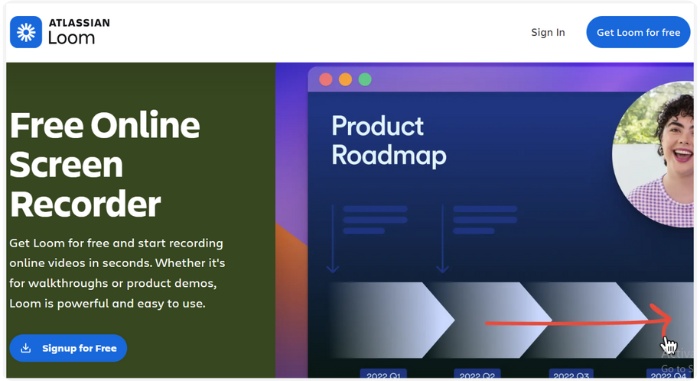
2. Loom Video Player – Best for Quick Sharing & Team Collaboration
Loom is a handy video player online URL tool mainly used for quick screen recordings, including recording from browser audio, tutorials, and team updates. Its clean interface and fast processing let you record, share, and open videos with a simple link, with no technical steps required.
Formats: MP4, MOV, WEBM
Rating: 4.7/5
Resolution: Supports HD playback up to 4K, depending on your recording quality.
Smoothness: Remains smooth with adaptive playback even when different internet speeds are used.
Price: A free plan is available, and premium plans with additional features are offered at a monthly subscription rate.
Storage: The free plan provides limited storage; paid plans offer expanded or unlimited storage.
FPS: Most of the time, the service can maintain 60 FPS for recordings and playback.
3. Adilo Video Player – Best for Secure Hosting & Business Content
Adilo is a professional video hosting platform built for creators and businesses that require secure streaming and analytics. Suppose you are looking for a way to play video from URL online while maintaining privacy and branding control. In that case, Adilo is a trustworthy option that provides encrypted playback, watermarking, and detailed viewer tracking.

Formats: MP4, MOV, WEBM, MKV
Rating: 4.6/5
Resolution: It can stream up to 4K UHD, depending on the file you upload.
Smoothness: The playback is exceptionally stable, and adaptive streaming ensures very little buffering, even on an average internet connection.
Price: No free plan available. The service is subscription-based with different tiers.
Storage: It depends on the plan, and the paid tiers include generous cloud storage for large video libraries.
FPS: Supports up to 60 FPS for high-motion content.
4. Wistia Video Player – Best for Branded & Marketing-Focused Video Hosting
Wistia is a polished video player for the web that focuses on the needs of the marketers and businesses who are looking for a clean and professional video delivery with powerful branding options. Along with smooth playback, it also offers engagement tools and a user-friendly interface.

Formats: MP4, MOV, WebM
Rating: 4.7/5
Resolution: Can stream up to 4K smoothly
Smoothness: Quick and adaptive playback
Price: A free plan is available. Paid plans provide additional features
Storage: The free tier is limited, but storage is increased in paid plans
FPS: Up to 60 fps
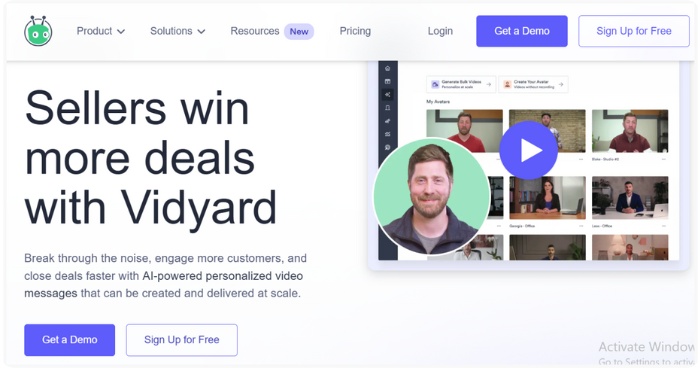
5. Vidyard Video Player – Best for Business Communication & Sales Videos
Vidyard is a powerful URL-based video hosting and playback tool built for business, sales teams, and professional communications. It’s designed to make sharing videos via links effortless while providing robust analytics and viewer insights.
Formats: MP4, MOV, WEBM
Rating: 4.6/5
Resolution: Streams smoothly up to 4K
Smoothness: The performance is adaptive, and stable playback is possible
Price: A free plan is available, and paid tiers offer advanced tools
Storage: There is a limited amount for the free plan, and the storage can be scaled for paid users
FPS: The maximum frame rate supported is 60 fps
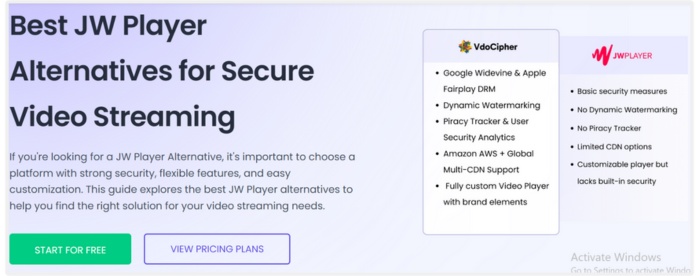
6. JW Video Player – Best for Flexible Web & Embedded Playback
JW Player is an intelligent URL video player that is perfect for embedding videos on websites and blogs. Web developers and content producers who require a dependable and seamless playback experience can customize its features.
Formats: MP4, WebM, HLS, DASH
Rating: 4.5/5
Resolution: Can go up to 4K UHD
Smoothness: Streaming without interruptions, and the quality changes automatically
Price: Free trial. Paid plans if you want advanced features
Storage: It is based on the hosting plan; there are some options in the cloud
FPS: Up to 60 fps
7. Synthesia Video Player – Best for AI-Generated & Interactive Videos
Synthesia is a revolutionary URL video player made for AI-generated videos. For businesses, educators, and content producers looking to create interactive, customized video content, it is an excellent tool. The combination of AI avatars and easy playback is a winning formula for user engagement.

Formats: MP4 (If your video is another format, it is recommended to use an MP4 converter to get a compatible file.)
Rating: 4.6/5
Resolution: Up to 1080p HD
Smoothness: Streaming is stable with very little buffering
Price: Paid subscription; no free plan
Storage: Cloud storage comes with the plans
FPS: Up to 30 fps
Part 3. Play All Kinds of Videos via an Ultimate Player
Online video players are certainly handy; however, they require a very stable internet connection, are limited by the platform, and have hosting restrictions. This is the reason why offline video players are better. With an offline player, you have complete freedom of play. It supports more formats, is very fast even without Wi-Fi, and delivers smooth performance. Moreover, it is more secure because your videos remain on your device rather than being uploaded to third-party servers. If you are looking for a reliable solution that can handle almost any format without a problem, then VideoSolo Player is the best option.
Supported OS: Windows & macOS
Rating: 4.8/5
Key Features
• Supports almost every video format (Blu-ray included)
• Smooth 4K and HD playback
• Hardware acceleration for faster, lag-free performance
• Subtitle loading and audio track switching
• Screenshot and playlist management
 pros
pros
- Excellent video quality with minimal buffering
- Very easy to use, even for beginners
- Plays heavy 4K files smoothly
 Cons
Cons
- No mobile version available
- Some advanced features require the paid version
How to Use VideoSolo Player
Step 1. Download the installer of the Video Solo player.
Step 2. To finish the installation, launch the installer and follow the on-screen instructions. On the main interface, click Open File.
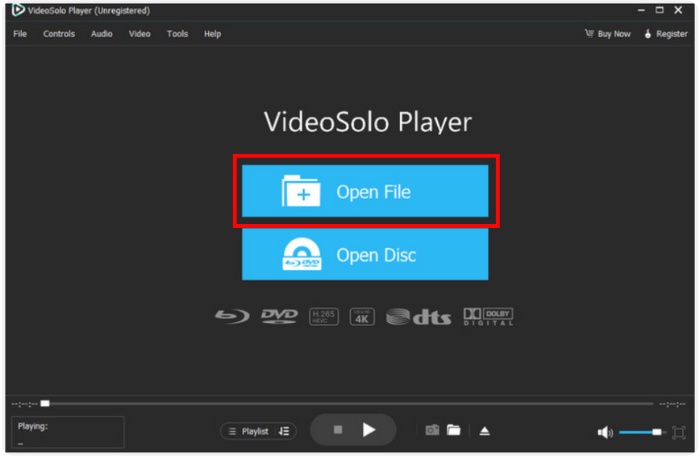
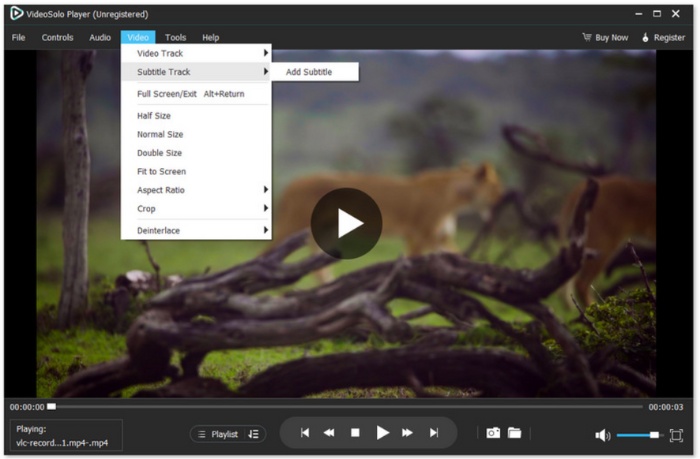
Step 3. Once your file is playing, you can control everything through the bottom control bar. You can adjust the player to anything you want to change.
Using Experience
VideoSolo Player is really quick, and steady in terms of its simplicity. In fact, videos are able to be launched in no time, and even a sizable 4K video can be played smoothly without any kind of delay. If your 4K video is too big to play smoothly, you can also convert 4K to 1080p video to play it without hiccups. Thus, it is a dependable daily tool for those who need top-notch playback of locally saved files without any disruption.
Part 4. A Comprehensive Comparison Table of URL Video Players
If you are looking for a quick way to find out which URL video player is the best for you, then a comparison of their main characteristics is a good start. The table highlights key factors, making it a breeze to choose the right tool for your viewing or streaming setup.
| Video Player | Supported Formats | Rating | Max Resolution | Smoothness | Price | Storage | FPS |
|---|---|---|---|---|---|---|---|
| YouTube Video Player | MP4, WebM, MOV, AVI | ⭐⭐⭐⭐⭐ 4.8 | Up to 8K | Adaptive streaming for stable playback | Free | Unlimited (uploaded via YouTube account) | Up to 60 FPS |
| Loom Player | MP4, MOV | ⭐⭐⭐⭐ 4.6 | Up to 4K | Very smooth, optimized for screen recordings | Free (limited) / Paid plans | Limited for the free tier | Up to 60 FPS |
| Adilo Video Player | MP4, MOV, WebM | ⭐⭐⭐⭐ 4.7 | Up to 4K | Smooth encrypted streaming | Starts at paid plans | Based on subscription | Up to 60 FPS |
| Wistia Video Player | MP4, MOV | ⭐⭐⭐⭐ 4.7 | Up to 4K | Smooth and optimized for marketing playback | Free (limited) / Paid | Limited in the free plan; large storage for paid | Up to 60 FPS |
| Vidyard Video Player | MP4, MOV, WebM | ⭐⭐⭐⭐ 4.6 | Up to 4K | Smooth, fast business-focused playback | Free / Paid | Free storage limit, expanded with plans | Up to 60 FPS |
| JW Video Player | MP4, HLS, DASH | ⭐⭐⭐⭐ 4.5 | Up to 4K | Very smooth, supports adaptive streaming | Paid | Based on the plan | Up to 60 FPS |
| Synthesia Video Player | MP4 (AI-generated) | ⭐⭐⭐⭐ 4.6 | Up to 1080p | Smooth playback for AI videos | Paid | Cloud storage included | 30 FPS |
Conclusion
Your requirements mostly determine the proper selection of a video link player. The online utilities we went through are convenient and offer immediate access, whereas an offline player is more stable, delivers higher quality, and is less prone to interruptions. With the comparison table and detailed breakdowns above, you can now choose the URL video player that best fits your workflow and provides the best viewing experience.
More Reading
- Why is iPhone Recorded Video Not Playing? 7 Working Fixes
- Fix Dropped Frames from Video File: Common Reasons and How to Repair
- How to Fix This Video File Cannot Be Played Error Code 23301 Fast
- How to Fix Frozen Videos: Easy Ways to Repair Video Sticking

Play your videos/music in 100+ formats and region-free DVDs/Blu-rays with 4K and Dolby Atmos experiences.

