



 Download Screen Recorder For FREE!
High-quality audio can totally transform the experience for the listener, whatever I'm doing. I've had to use my laptop's microphone when I recorded a podcast once, and the resulting file really sounded muffled. Since that experience, I made it a priority not only to find great software that captures sound but also to consider how other factors like microphone or headphone settings are handled, which audio files are allowed, and whether other functions like sound equalizers are made available. In this post, I'm listing the best audio recorder software and evaluating the various aspects that make each of them suitable for different scenarios. This way, you would be able to find a tool that aligns with the way you record audio.
- Part 1. Ultimate Audio Recording Software for All Users
- Part 2. Best Audio Recording Software for Windows
- Part 3. Top Audio Recording Software for Mac
- Part 4. Best Mobile Audio Recording Apps (iOS & Android)
- Part 5. What to Look for in Audio Recording Software (Buyer Guide)
- Part 6. FAQs on Audio Recorder Software
How We Test
I looked at each audio recording software against the key features that matter during your daily recordings, like available bitrate changes, multiple audio channel support, ability to record from the system and microphone, recording stability, and overall ease of use. I also looked into how easy each recorder is for you to set up for different kinds of recordings.
 Features
- VideoSolo Screen Recorder – Best Overall: Strong for capturing system and microphone audio with simple controls and useful enhancement features.
- Audacity – Best for Editing: A powerful free option with detailed recording and editing tools, especially for users who want more control.
- GarageBand – Best for Music: A solid choice for Mac users who want to record and work with music, instruments, and vocals.
Comparison of 7 Audio Recorders
To evaluate the ease of use of these tools for regular audio recording tasks, I decided to look for features like capturing system audio and getting rid of background noise.
| Audio Recorder | Platform Compatibility | System Audio Capture Ease | Noise Cancellation | Price/Value Rating |
|---|---|---|---|---|
| VideoSolo Screen Recorder | Windows, Mac | ⭐⭐⭐⭐⭐ Very Easy | ✓ Built-in | ⭐⭐⭐⭐⭐ |
| Audacity | Windows, Mac, Linux | ⭐⭐⭐ Moderate | ✓ Noise Reduction | ⭐⭐⭐⭐⭐ Free |
| Icecream Screen Recorder | Windows, Mac | ⭐⭐⭐⭐ Easy | ✓ Available | ⭐⭐⭐⭐ |
| GarageBand | Mac, iPhone, iPad | ⭐⭐ Limited | ✓ Audio tools | ⭐⭐⭐⭐ Free |
| Logic Pro | Mac, iPad | ⭐⭐⭐ Moderate | ✓ Advanced audio tools | ⭐⭐⭐⭐ |
| Voice Memos | iPhone, iPad, Mac | ⭐⭐ Basic | ✓ Basic processing | ⭐⭐⭐⭐⭐ Free |
| Riverside.fm | Web, iOS, Android | ⭐⭐⭐⭐ Easy | ✓ AI noise removal | ⭐⭐⭐⭐ |
Part 1. Ultimate Audio Recording Software for All Users
Score: 5/5
Best for: Windows users who are looking for an easy way to record internal system high-quality sound, microphone sound, or both.
VideoSolo Screen Recorder is a screen recording software with a specific feature for audio recording that can be used to record system sound and recordings from the microphones in the microphone input, with the possibility of varying the sound and the format quality of the result. It also has a version for Mac.
Why Is It Top-Rated?
I chose VideoSolo as the top choice because it gives the recording features I require without making the initial steps too tedious to set up. With it, I can tweak my system and microphone volume levels. I can use microphone noise cancellation, choose the quality of output, and set up recordings at the appropriate times.
Features
- Use system recording and microphone recording modes, or choose both together for a combined recording of your music and voice.
- Set different volume levels for system output and microphone.
- The built-in anti-noise function reduces distracting background noise quite a bit when you are using your microphone.
- You can adjust both the quality of sound and the audio formats.
- You can schedule a recording to start at the designated time.
How to Use It
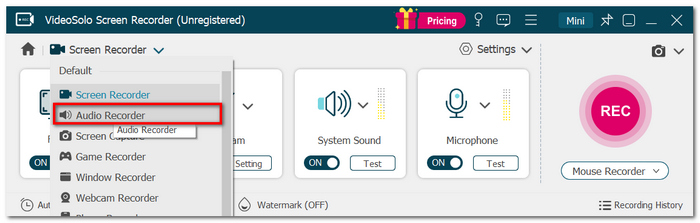
Step 1. Launch VideoSolo Screen Recorder software and choose the Audio Recorder.
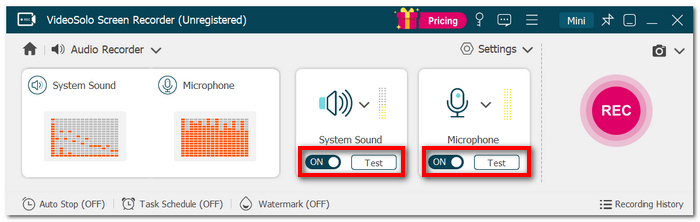
Step 2. You can turn on System Sound, Microphone, or choose to enable both.
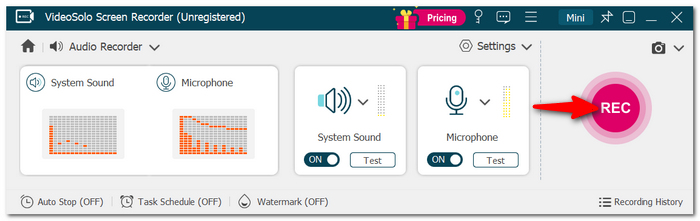
Step 3. If you wish, you can tweak volume and recording parameters. Click the REC button to get going.
Step 4. You can hit Stop when you're done. The video recording can be reviewed and exported.
User Review
According to VideoSolo Screen Recorder, it has a 4.7/5 TrustScore on its website. There are also over 8 million users and 13 million downloads. The website also displays user comments that describe the program as an intuitive, stable, and convenient solution for recording computer audio.
My Verdict
I love that the VideoSolo Screen Recorder deserves my highest rating of 5/5 stars simply because it integrates features like capturing system audio, computer microphone recording, noise filter, quality control, and the ability to schedule all those features in a very user-friendly manner. Based on this list, the VideoSolo Screen Recorder is the best audio recording software for me.
Part 2. Best Audio Recording Software for Windows
1. Audacity – Best for Audio Editing
Score: 4.5/5
Best For: It caters to users looking for a free yet very capable audio recorder software that allows for advanced audio editing.
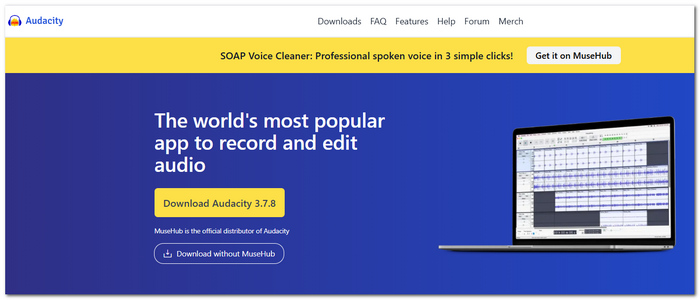
Audacity is a software package developed freely and made open-source that is an audio recorder and editor compatible with Windows, macOS, and Linux. This application enables users to do multi-track mixing, editing, effects processing, and noise reduction, and works with several audio file formats.
 pros
pros
- Multiple-track recording and editing facility.
- Ability to diminish noise and enhance sounds.
- Handles common formats, e.g., WAV, MP3, FLAC, and OGG.
 Cons
Cons
- Some users find the setup complicated.
- Doing the most basic recording jobs will require several adjustments that might be difficult for beginners to figure out.
Testing Experience: When I want to record some audio and then edit it later, I go for Audacity audio recording software. It really lets me have a lot of control, but if I just want to record quickly, the many options provided feel like they are more than required.
2. Icecream Screen Recorder – Best for Screen and Audio Capture
Score: 4/5
Best For: Those who wish to not only capture their computer's screen but also the audio playback.
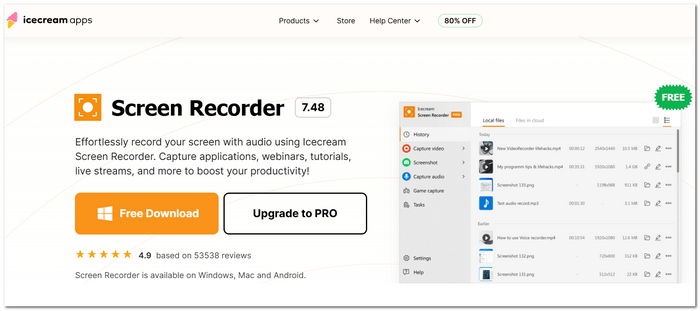
Icecream Screen Recorder allows for simultaneous capture of computer audio and microphone. Besides, it comes with features like scheduling recording sessions, adding webcam video, drawing on screen, and performing some quick edits.
pros
- It gives me the flexibility of recording system sound, microphone input, or both.
- It will automatically start the recording without the need to press any buttons manually.
- It is easily accessible to users in the interface for people who are beginners.
Cons
- It lacks specialization in providing detailed audio production like professional audio editors.
- Several features are only available with the premium version.
Testing Experience: Setting up a recording was effortless for me, most of all when I wanted to capture the computer's sound and my microphone. The main difference from VideoSolo is that Icecream is software for recording audio, and it seems more like a screen recorder with audio features than an audio-only recording solution.
Part 3. Top Audio Recording Software for Mac
1. GarageBand – Best for Music Creation
Score: 4.5/5
Best For: Mac users who want to record vocals, instruments, or create whole music projects.
GarageBand is Apple's application for music-making and recording on Mac. It comprises audio recording with virtual instruments, loops, various effects, editing tools, and mixing capabilities.
pros
- You can use it straight away without needing any additional plug-ins.
- Multiple audio tracks are supported for both recording and editing functions.
- Integration with other Apple products and services.
Cons
- The features may be overwhelming if one just needs to record a voice or a meeting quickly.
- Occupies much more storage on the device than a simple audio recorder.
Testing Experience: To me, GarageBand is software to record the screen and audio on Mac. It is great for serious music projects but is rather heavy to use for simple things. I was happy to discover that recording a voice or instrument is not difficult for me. But if the only thing I have to do is record a conversation or a short note, having to use the extra music-production tools just seems a bit cumbersome to me.
2. Logic Pro – Best for Professional Music Production
Score: 4.5/5
Best For: Mac professionals looking for powerful recording, editing, mixing, and mastering tools for high-level music production.
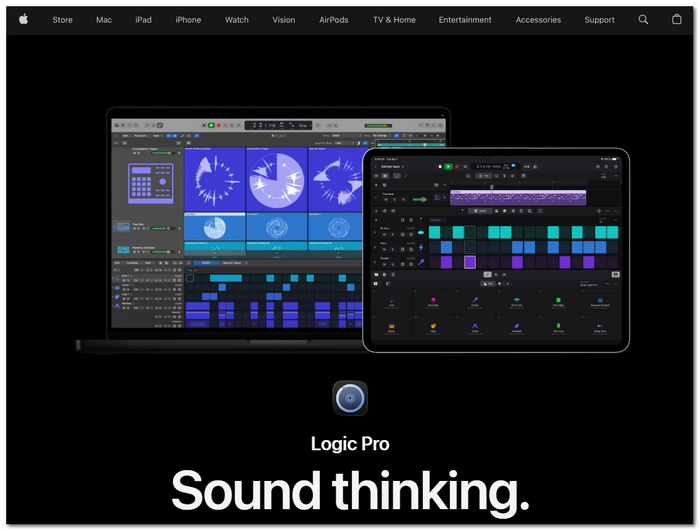
Logic Pro is a sophisticated product of Apple. It is a digital audio workstation with a very wide range of features, designed for both Mac and iPad. It offers support for recording both audio and MIDI, working on multitrack projects, applying effects, mixing, as well as professional music production.
pros
- Beyond basic functions, users get fine-tuned recording and mixing features.
- You get access to a vast arsenal of instruments, effects, and sound libraries.
- Mixing a project down is supported with all sorts of tools, including pitch correction, detailed audio editing, mastering, and automation functions.
Cons
- Its level of complexity is higher than that of a standard voice recorder.
- It is necessary to either purchase a license or subscribe to an Apple Creator Studio service.
Testing Experience: Logic Pro audio recorder software left a great impression on me when I was working with music because it gave me more fine control over tracks and also the final mix. But then again, if all I need to do is record a voice, a note, a meeting, or a quick audio, these powerful tools can make me feel like I am being overly professional.
Part 4. Best Mobile Audio Recording Apps (iOS & Android)
1. Voice Memos – Best for Quick iPhone Recordings
Score: 4/5
Best For: iOS users looking for a simple, built-in app to record voice notes, meeting ideas, or other sounds without downloading an external app.
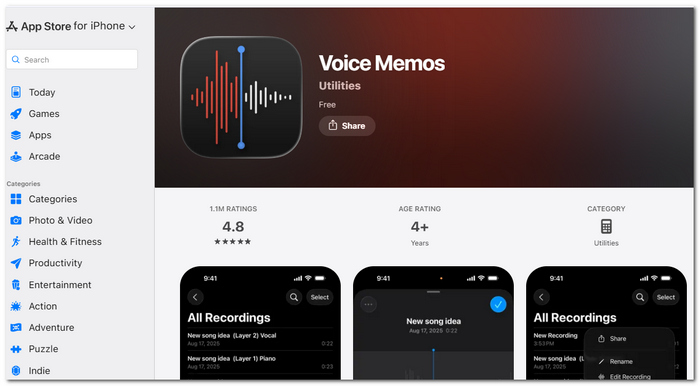
Voice Memos is a voice recording application developed directly by Apple. I can use the built-in microphone on my iPhone, a properly functioning headset, or an external microphone to record. It allows you to perform simple editing functions such as clipping a part of the recording, altering it, and adding to it.
pros
- Already preloaded on iPhone.
- Easy capture and basic edits.
- Recording files can be synchronized seamlessly among Apple devices via iCloud.
Cons
- Mainly lacks features for sophisticated multi-track audio production.
- Weaker export and format control features compared to those offered by standalone desktop recorders.
Testing Experience: Voice Memos is so easy to use. I can see myself using it even for simple, "just a quick recording" tasks. I open it up and tap Record!, and I can start talking. For larger projects, I would be more inclined to use some kind of dedicated free audio recording software or desktop recorder with more control of the source and output levels.
2. Riverside.fm app – Best for Remote Podcast Recording
Score: 4.5/5
Best For: Podcasters and creators who need to record interviews or conversations without physically being there, just by using an iPhone or a phone with an Android operating system.
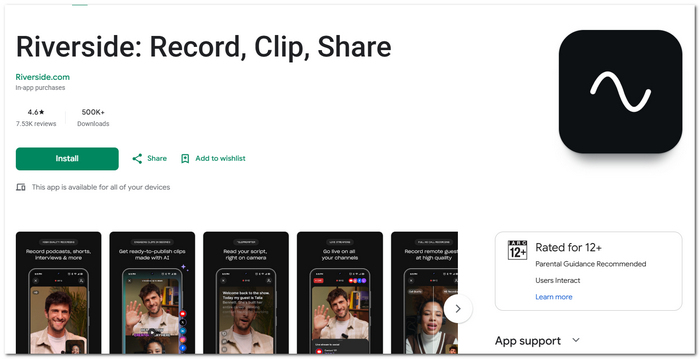
What is Riverside.fm: Riverside.fm is a phone-based audio and video recording tool that stores files of the highest quality locally, allowing you to edit separate tracks. It has a feature for up to 48 kHz WAV.
pros
- Can record excellent-quality audio locally.
- Each attendee is assigned a separate audio channel.
- Contains in-house audio editing and exporting features.
- Support recording screen on Android, either.
Cons
- The audio files will be moved to the cloud, which might be a lot of data given the size of the meeting.
- Larger file size exports and more advanced exporting capabilities are only available with a premium package.
Testing Experience: Riverside was really good for podcast recording, but not so much for short voice notes. I just had to send the recorded files from my phone to my computer and then open VideoSolo Screen Recorder there to edit and sync them, which basically helped me a lot by making the editing from phone to computer much easier.
And if anyone asks which is the best audio recording app for Android, Riverside is the kind of app they are referring to when they want to conduct remote interviews.
Part 5. What to Look for in Audio Recording Software (Buyer Guide)
Before making the choice about which one to use, I'd first check a few fundamental things:
- • Sound sources: You must confirm that it can record both microphone and system audio, or only one of them if that is what your purposes will require.
- • Formats and quality of the recording: Find out whether it supports formats such as MP3, WAV, or FLAC and allows you to control the quality settings so that the end results are as intended.
- • Recording features: Some of the features that can save you a lot of trouble when recording include individual volume control, real-time trimming, scheduled recording, and noise reduction.
- • Low latency: It ensures the recorded sound and microphone input remain responsive, which is very useful if you record music, games, or live sessions.
- • Ease of use: A good recording device should allow you to get started right away without getting caught up in setting up complex audio parameters.
Part 6. FAQs on Audio Recorder Software
Is it possible to record audio while my computer is locked?
Normally, the recording either gets stopped or becomes unavailable after the computer enters a locked or sleep state. You can use the unattended recording feature of the software, which also offers scheduled recording and sleep-prevention features.
Should I record in WAV or MP3 if the recording is long?
WAV is preferred if the objective is to have higher-quality, less compression files, which is great for editing, while MP3 is much more convenient when there is a need to save/ share space or time.
Why is there a discrepancy between what I record and what I hear through my headphones?
In some cases, headphones use an alternative playback routing compared to a device being used for recording. Because of this, if you want both system output and microphone input to be recorded by a recorder, make sure it is set correctly in the device settings.
Conclusion
Selecting suitable audio recording software mostly depends on the type of sound you are going to capture. If you're looking for something that's easy yet flexible, VideoSolo Screen Recorder would be the best choice to record not only system audio, which is quite common, but also microphone audio.
More Readings
Capture screen activities, audio, webcam, gameplay, and mobile screens on Windows and Mac with high quality.

