



 Download Screen Recorder For FREE!
Key Takeaways:
This comprehensive guide delivers an in-depth review of AZ Screen Recorder, evaluating its core features, performance, user experience, and pricing plans for phone users. It examines the app's capability to capture high-definition video, internal audio, live streams, and webcam overlays without root access.
Additionally, this review addresses common user pain points, including mobile hardware limitations, ad clutter, and the complex emulation workarounds required to run the app on Windows and Mac. Based on that, VideoSolo Screen Recorder is the primary alternative for users who require stable, high-quality multi-source recording on a computer. It offers a detailed comparison of two recorders, helping you to make a quick decision.
AZ Screen Recorder is one of the most popular free screen recording apps for Android, known for its root-free setup, floating controls, and easy capture process. But the desktop version is complex to use, and you have to upgrade to a paid plan to remove watermarks on the recording. Read this post and decide whether it’s the right one for you to capture your screen.
What Is AZ Screen Recorder? [Overview & Features]
AZ Recorder stands as one of the most trusted screen recording tools for quick mobile screen recording on Android, live streaming, and basic video editing on the go. With the update, the official provides the app download path for iPhone (from the App Store) and Windows.
Some old Android phones prevent restricted apps from accessing the activities of other apps or recording audio to protect your personal privacy. Root access breaks these security restrictions. One of the brightest spots is that AZ Recorder allows you to record your Android screen without root access. Whether you need to record gameplay, create video tutorials, save video calls, or capture content that cannot be downloaded, this program provides an all-in-one solution that integrates screen recording, video editing, and live streaming functions.
What does it offer?
1. Record Screen and Audio
AZ Recorder supports Full HD (1080p) and QHD video recording at a frame rate of up to 60fps. You can capture both microphone sound and system audio (Android 10 and later) for adding voiceover.
2. Webcam/Facecam Overlay (Pro)
It supports recording the webcam or camera while recording the screen. You can show your face in a movable floating window to create a picture-in-picture effect for livestreaming and tutorials.
3. Magic Button (Pro)
The Pro version lets you start or stop your recording process easily. You can place the control bar anywhere on your screen, providing an uninterrupted recording experience.
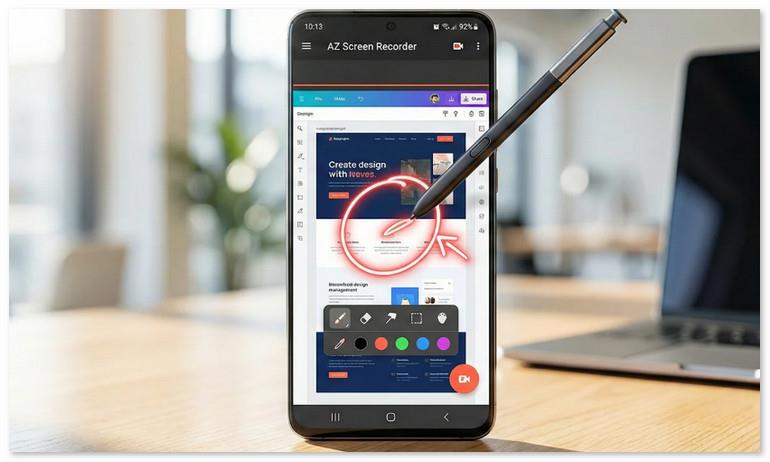
4. On-Screen Annotation
Using a built-in editing toolbox (like trim, merge, crop, compress, add subtitle/background, etc.), you can draw directly on the screen while recording to highlight or note content in real time.
5. GIF Maker (Pro)
Convert a recorded video to a GIF and share it to other platforms.
6. Screenshots and Image Editing (Pro)
Beyond video, AZ Screen Recorder serves as a screenshot tool. You can stitch/crop/blur images and add text, emojis, or draw something on the screenshots.
7. Live Streaming to Platforms
The app allows you to broadcast your phone screen with camera and synchronized audio directly to YouTube, Facebook, and Twitch. You have full control over video stream resolutions.
Note
The features marked as “Pro” require a paid subscription to be available. Here are the pricing plans for AZ Screen Recorder:
Monthly Plan: ~$4.49/month
Lifetime Plan: ~$17.99 one-time purchase
AZ Screen Recorder Hands-On Review: Pros & Cons
 pros
pros
- No time limits on your recordings.
- A free screen capture software for basic needs.
- Various editing tools to polish the videos.
- Exclusive add-ons to enhance your experience.
 Cons
Cons
- The desktop version is not user-friendly due to the complex installation.
- Requires subscriptions to remove ads and watermarks.
- Advanced features can only be used in paid versions.
- Performance may vary depending on device hardware.
Testing Experience
When the installation was finished and I opened the app, the frequent pop-up ads were annoying. Besides, it has been verified that the app is not friendly to privacy protection. In the actual test, the frame rate performance is not stable: I used the Huawei Mate 40 Pro to record a game (“My World”) at the highest resolution, and the actual playback frame rate varied between 42 and 58 frames per second, with noticeable lagging issues. The performance on the Samsung S23+ phone also varies. The 9.85FPS is much lower than the 60 FPS the officials claimed, and the problem of audio and video synchronization is serious.
How to Use AZ Screen Recorder [All Devices]
On Mobile Phone:
Step 1. Install AZ Screen Recorder on your Android or iPhone from the Store or download the APK file from the website.
Step 2. Enable the app, and it will show a button with a recorder on the desktop. When clicked, four buttons will appear. You can click the second button (Settings) to adjust your recording parameters, like resolution, frame rate, bitrate, audio capture, and more.
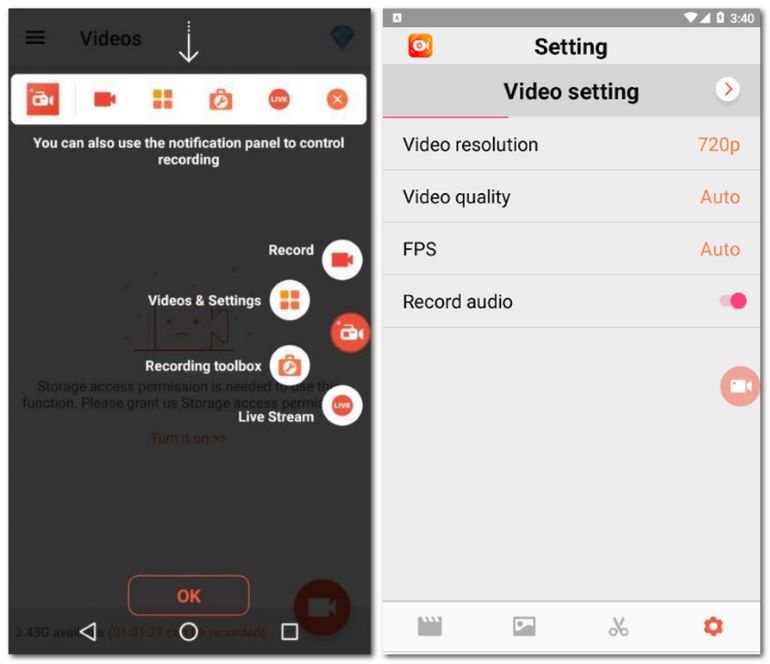
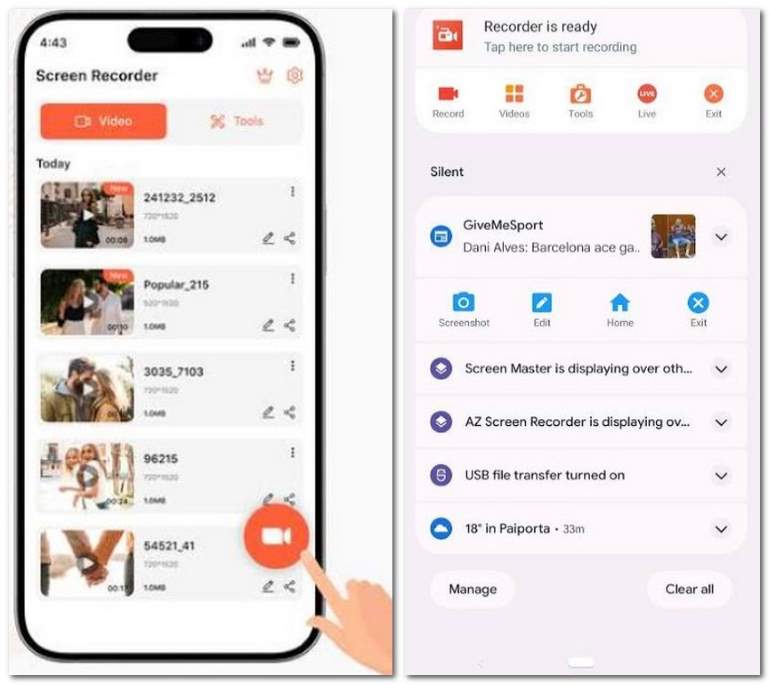
Step 3. Click the Record icon to start your recording. The app will record your screen activities in the background.
On Windows:
Step 1. Note that running AZ Screen Recorder on a PC using Android emulators (BlueStacks/LDPlayer). Please download and install an Android emulator first.
Step 2. Sign in to the Google Play Store within the emulator and install AZ Recorder. You should set some virtual display permissions.
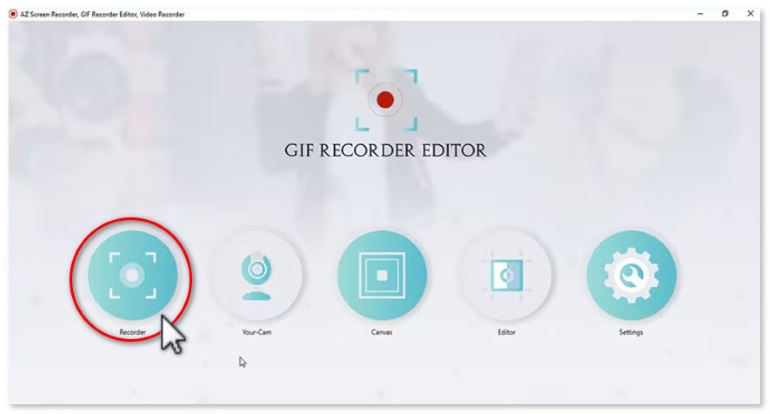
Step 3. In the main interface, click Recorder and choose the target region to capture.
Ultimate Desktop Alternative: VideoSolo Screen Recorder
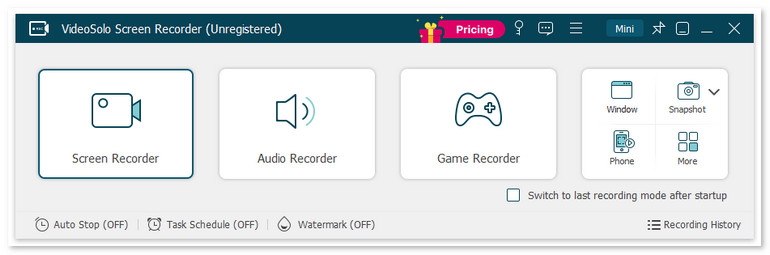
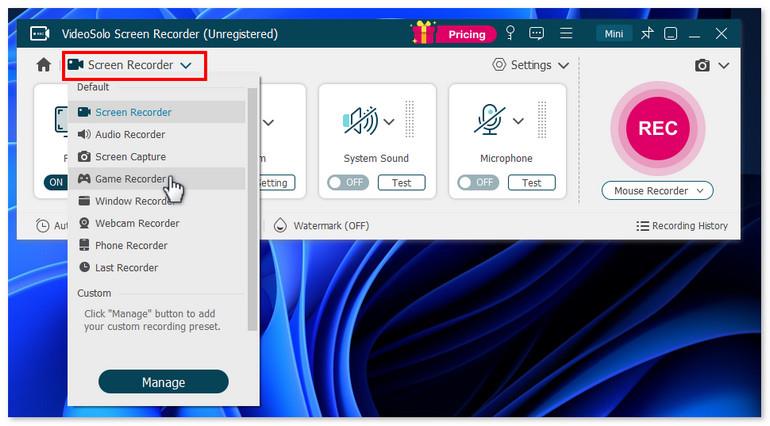
Compared with AZ Recorder, VideoSolo Screen Recorder provides more than simple screen recording; you can switch to Audio Recorder, Game Recorder, Webcam Recorder, Phone Recorder, Screen Capture, and more modes to save all things you want to record. You have full control of the workflow through customized recording parameters, like setting a schedule, testing audio and camera effects, and more advanced recording features.
It delivers 4K video quality, noise cancellation and audio enhancement for a pure video output. During recording, you can easily draw a brush, draw arrows, add text boxes, and even use a magnifying glass to zoom in on details or highlight mouse trails. This saves a lot of post-editing time. It also has built-in format conversion, video merging, and compression, which are features that Az Recorder doesn’t offer.
 Features
- Various recording modes for gameplay, video, audio, etc.
- Provide scheduled recording and auto-stop recording.
- Record your screen in quality up to 4K/60FPS.
- Offer noise reduction & audio enhancement.
- Advanced editing tools to polish your videos.
- 10+ output formats for different devices' compatibility.
- Customize handy hotkeys in preferences for quick recording.
pros
- Record your screen with low latency.
- Trim, duplicate, compress, add, merge, or convert videos.
- Lock targeted windows for a clean and mute-notification recording.
- Scheduled recording lets you be free from constantly monitoring.
Cons
- No webcam shooting and noise cancellation for free users.
- Can’t record audio from a specified application before purchasing.
How to screen record with VideoSolo?
Step 1. Open the program and choose a recording mode as you like.
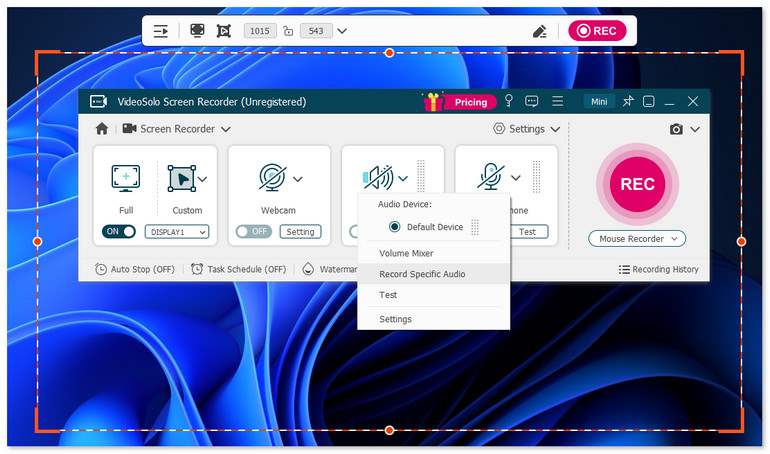
Step 2. Select Full or Custom to select what you want to record by dragging the corners or sides of the frame. Then adjust the volume bar for the system sound and microphone.
Step 3. Click Setting > Record Setting > Preferences on the interface. Output allows you to set your resolution, your format, frames per second, the folder your recordings default to, and the general quality of your audio and video.
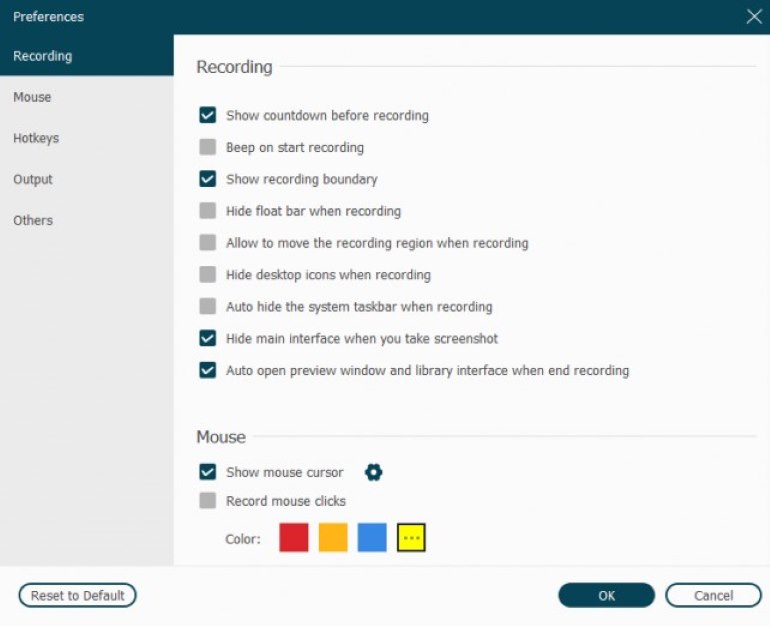
Step 4. Click REC to start recording. After done, stop the process and edit your video.
Testing Experience
I did an entire test recording for a podcast, YouTube video, and sent some rather goofy audio and a few snippets from World of Warcraft to a friend. VideoSolo Screen Recorder captures all my important moments without a watermark. It offers options to separate your audio and video into two separate folders, which is useful for editing purposes. The sky’s the limit, only limited by your creativity and needs. It’s incredibly lightweight and won’t eat up my GPU. The only pity is that it cannot add filters, advanced polishing, or modern effects.
AZ Recorder vs. VideoSolo Screen Recorder
| Dimension | AZ Screen Recorder | VideoSolo Screen Recorder |
|---|---|---|
| Supported OS | Android 5.0+, iOS, Windows | Window 11/10/8/7/XP, macOS 10.12+ |
| Recording Quality | 1080p/60fps (️Unstable) | Stable 4K 60fps |
| Capture Modes | Any Window/locked region, PiP | Video/Audio/Game/Webcam recording and Phone mirroring |
| Real-Time Annotation | Basic drawing | Add text, arrows, shapes, highlight mouse cursor, etc. |
| Post Editing | Basic trim, merge, add subtitles/music, and other materials | Clip, compress, merge, convert – all in one |
| Hotkey Controls | ❌️ | Customizable hotkeys (start/pause/stop/screenshot) |
| Scheduled / Auto Recording | ❌️ | ✅️ |
| Output Formats | MP4, MOV, GIF | MP4, WMV, MOV, F4V, TS, AVI, and more |
| Live Steaming | ✅️ | ❌️ |
FAQs on AZ Screen Recorder
Q1: Why does AZ Recorder keep crashing or stopping unexpectedly?
A: The AZ Screen Recorder is not very stable when running. Long recording in 60fps can cause an over-temperature fault. Sudden crashes may be caused by insufficient memory on your phone, background cleanup, or the activation of battery optimization settings.
Q2: How to remove ads from AZ Screen Recorder?
A: Many Users feedback that recurring ads and banners will pop up while they navigate the menu and settings in the free version. To remove ads and get access to all advanced features, you only have to purchase the Pro version from within the app.
Q3: Is AZ Screen Recorder safe to use?
A: AZ Screen Recorder is generally safe when downloaded from official stores like Google Play. It requires no root access and stores recorded videos locally on your device. To stay secure, avoid downloading cracked VIP APKs from third-party sites, as modified files can contain malware or spyware.
Conclusion
AZ Screen Recorder is a lightweight app for mobile users who frequently record screen activities and share them for live streaming. VideoSolo, on the other hand, offers superior recording quality, a richer set of features, and greater flexibility in output – making it ideal for professional users who have higher requirements for video quality and efficiency.
More Reading
Capture screen activities, audio, webcam, gameplay, and mobile screens on Windows and Mac with high quality.

