



 Download VideoSolo Player For FREE!
Perhaps you have encountered the MPC HC media player while searching for a lightweight media player for Windows. It was well-known for its simplicity and speed. It was able to play most video formats without using too many system resources. Many long-time users reminisce about it as one of the most reliable classic media players.
But software evolves constantly, and something that was great years ago may not be able to survive the test of time nowadays. This review will tell you what MPC-HC really is in 2026, what problems some users have when playing modern videos, and whether you should consider it or the more up-to-date alternatives available today.
Part 1. What is the MPC HC Media Player
Among various applications of media players available for classic Windows, one application often gets mentioned: Media Player Classic - Home Cinema. This is an application that many enjoyed, as it is not only compact but also quite quick without being overloaded with unnecessary features.
The Media Player Classic - Home Cinema, abbreviated as MPC-HC, is a free multimedia player developed for the Microsoft Windows operating system. It gained popularity owing to the support of numerous file formats and the user interface resembling the previous versions of Windows Media Player.
Its main peculiarity consisted of flawless playback of files on any type of computer.
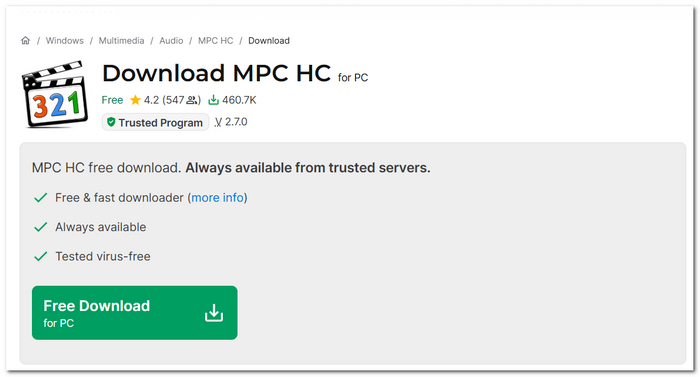
Original MPC-HC vs. Current GitHub Forks
One thing that really throws a lot of users off is that the original official MPC-HC project stopped being worked on quite a long time ago. The original team of developers halted active updates. In other words, the classic version does not evolve anymore, at least not officially, on its old website. The software, though, did not just vanish.
Right now, a few developer communities are keeping up with the times by maintaining updated versions through GitHub forks. These newer builds continue to be good at compatibility improvements, bug fixes, and adding support for new codecs and playback features.
This way, if you download Media Player Classic - Home Cinema these days, you are probably getting one of these community-maintained versions instead of the original, discontinued one.
 Features
- Portability and swift performance
- Supports playing a variety of videos and audio
- Availability of the hardware acceleration feature
- Ability to edit subtitles
- Changing the playback speed option
Part 2. The Hidden Risks: Why MPC HC Might Fail You in 2026
Like many others, I also love Media Player Classic for its lightweight design. Still, I really felt that it could start revealing its age when you use it with newer media formats and modern playback demands.
It may still be ok for casual video watching. Still, if you regularly play 4K videos, HDR content, Blu-ray files, or newer codecs, it may not always be the reliable experience that it was in the past.
Outdated Codec Support
Codec compatibility is one of the major drawbacks that older versions of Media Player Classic – Home Cinema may experience.
The problems may include:
- • Black screen playback
- • Audio lagging or not being played at all
- • Poor video playback quality
- • Application crash
Despite the progress that was made on GitHub, compatibility issues are still evident compared to modern media players.
4K and HDR Playback Issues
Another place where Media Player Classic tends to lag behind in performance is that of high-resolution material content in today’s environment.
This includes:
- • Washed-out colors for HDR
- • Lagging with 4K video playback
- • Choppiness with large video files
- • Inconsistency in hardware acceleration
Security and Update Concerns
Since MPC-HC's initial development was completely done a couple of years before this, the problem is that some people still often install the old versions from 3rd party sources without realizing it.
This situation brings along some issues, such as:
- • Old programs have vulnerabilities
- • Install files from unknown sources
- • Security updates are missing
- • Not compatible with the latest operating systems
Even so, community GitHub forks could be a much safer option for people.
Limited Modern Streaming Features
MPC-HC also seems somewhat outdated compared to newer applications in terms of current media consumption trends.
Namely, it fails to provide:
- • Direct cloud integration capabilities;
- • Native support for streaming services
- • Sophisticated management of the media library
- • Automated synchronization of contents.
While some might see this as an advantage, others may find MPC-HC too simplistic in 2026.
User Review
As far as I gathered from my online surfing in various forums and software communities, quite a few loyal users still show affection for MPC-HC. One of the reasons why this player remains a favorite is that it is still a lightweight, simple program.
Here are some points that older generations literally love:
- • Very fast opening of the program
- • Administration of minimal resources
- • A neat, classic look of an interface
But, recently, users have pointed out issues with the player, like HDR playback, certain video codec not supported, and incompatibility with new systems. A number of them are even getting version forks for the feeling of something scary, as it's not going to become a bigger headache to find out which ones are still maintained.
Part 3. The Best Modern Alternative: VideoSolo Player
VideoSolo Player is a real winner. It offers smoother playback, supports a wider variety of formats, and gives a stylish and user-friendly viewing experience without the need for an intricate setup. It is a great choice, mainly for people who are looking for dependable 4K, Blu-ray, and HD playback all rolled into one player.
Features
- Compatibility with contemporary video and audio types
- Uninterrupted 4K and HD video watching
- Hardware assistance for increased efficiency
- Excellent sound quality delivery
- Basic yet attractive design
Benefits for End Users
For me, one aspect that really stands out about VideoSolo Player is that it can totally change the way media playback feels to be able to make it smoother and less stressful. If one person has to constantly grapple with compatibility errors or laggy playback, the other person getting a stable and modern viewing experience would be a huge plus.
Below are some of the perks that users may avail:
- • Wave goodbye to choppy Blu-ray DVD 4K, and HD playback
- • Enjoy enhanced support for the newest video and audio formats
- • Beginner-friendly interface that is neat and simple
- • Playback doesn't get interrupted because of hardware acceleration
- • Audio and visual aspects are up to the mark
User Review
Based on user comments I have come across, one of the biggest things that attracts users to VideoSolo Player is that it makes the playing part really simple but at the same time it delivers high-quality viewing performance.
How to Use It
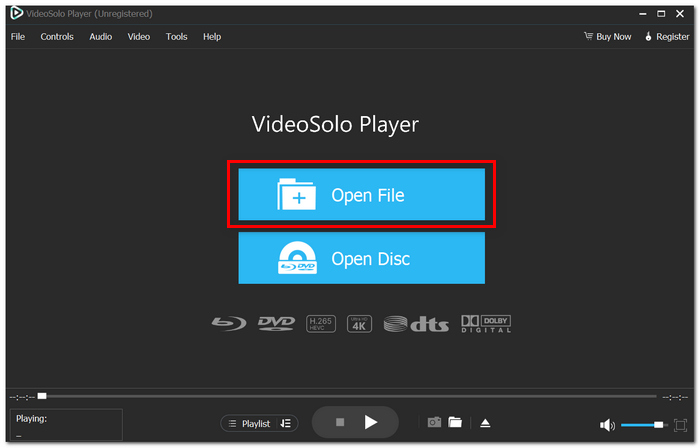
Step 1. Download VideoSolo Player and after that, install it, and launch it on your PC. From the main window, click the & "Open File& " button to pick a video residing on your computer.
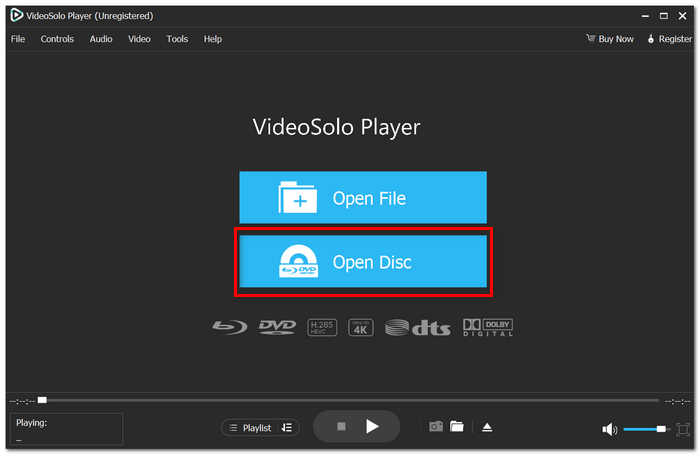
Step 2. If you want to use a Blu-ray or DVD for playback, then just click on "Open Disc". Initially, choose a media file to load the playback, and the player will do it automatically.
Step 3. Using the playback controls, change the volume, subtitle audio tracks, screen size, or playback progress as per your preference.
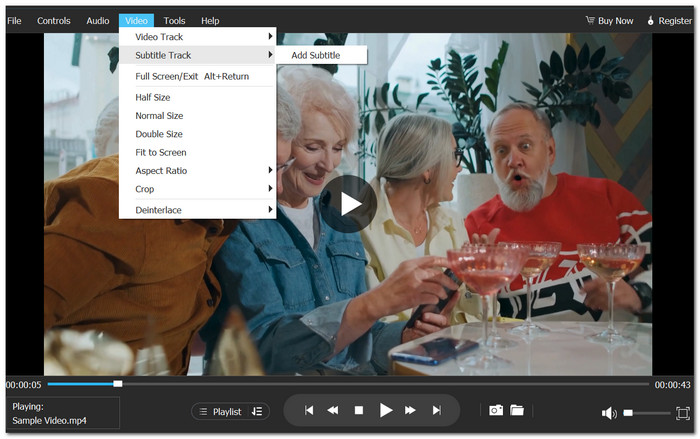
Playing HD or 4K video is a pleasure since you never have to worry about unsupported file formats or old codec problems. Besides, I think the settings are way simpler compared to those of the ancient media players that usually get stuck with playing contemporary video formats.
Part 4. MPC-HC vs. VideoSolo Player
This side-by-side comparison helps you grasp the differences between sticking with the traditional MPC-HC experience and switching to a more contemporary solution.
| Feature | Media Player Classic - Home Cinema | VideoSolo Player |
|---|---|---|
| Playback Quality | Good for standard HD playback | Better optimized for HD, 4K, and modern codecs |
| Supported Formats | Wide support, but may struggle with newer codecs | Broad modern format compatibility |
| Protection Types | Limited handling of protected content | Better compatibility preparation through conversion |
| Play DVD/Blu-ray | Basic DVD support | DVD & Blu-ray support |
| Advanced Settings | Highly customizable playback settings | Easier modern controls |
| Hardware Acceleration | ✓ | ✓ |
| User Interface | Classic and lightweight | Modern and beginner-friendly |
| 4K/HDR Support | ✓ | ✓ |
| Software Updates | Community-maintained forks | Actively updated modern software |
Part 5. FAQs on MPC-HC Media Player
Q: Why does MPC-HC sometimes show a green screen during playback?
A: In most cases, it is caused by some conflicts between hardware acceleration settings or simply by the graphics driver being outdated.
Q: Why are subtitles delayed in MPC-HC?
A: There are different reasons for subtitle delays - mismatched subtitle files, playback synchronization settings, etc.
Q: Can I customize keyboard shortcuts in MPC-HC?
A: Really. One of the main advantages of it is that it gives users the ability to configure playback shortcuts and controls.
Conclusion
Media Player Classic has a niche still left for those users who want a simple and familiar video player. It is pretty much the same, still fast and convenient for basic playback, most likely on old systems.
Newer media formats, 4K HDR content, and codec requirements have raised the bar for playback. This is the reason why many people are searching for updated alternatives that bring better compatibility, smooth performance, and fewer playback problems.
The main point of this article is that, although MPC-HC may still be useful for certain functions, it will be more comfortable in everyday viewing if you choose a modern player or conversion tool in 2026.
More Readings

Play your videos/music in 100+ formats and region-free DVDs/Blu-rays with 4K and Dolby Atmos experiences.

