



 Download VideoSolo Player For FREE!
Android Audio Player Selection
After several days of tests, I decided that the best Android music player must have these features, apart from being able to support most audio file formats. In this guide, I'll share what I found and help you choose the one that best fits your listening habits.
- • Poweramp Music Player - The Best for sound quality and personalization.
- • Musicolet Music Player - The Best choice for people who mainly listen to music offline and manage their playlists.
- • VLC for Android - Perfect for people who want to use one app to handle both audio and video formats.
I have tested dozens of music player software for Android, and I quickly realized that the experience is not the same from one music player to the other. While some formats are a struggle for some players, others lack the features I have become accustomed to for offline playback. To find good music player options, I have tested five of the popular Android-based music players here and compared them based on sound quality. Besides, I checked how they deal with different audio formats, what features they have for playback, and how user-friendly the entire experience is. All in all, this list gives out what is best and the music player to go with, given the music preferences one has.
Part 1. Testing: 5 Best Android Music Players Performance
This article is basically about how I found the best music app for Android by using the music players in daily life rather than just looking at their feature lists. I also took into account various additional features that could add some enjoyable flavor, so to speak, to your music listening activity.
| Music Player | Audio Effects | Format Versatility | Playback Control | Offline Playback | Ease of Use | Extra Features | Rating |
|---|---|---|---|---|---|---|---|
| Pixel Music Player | ⭐⭐⭐⭐☆ | ⭐⭐⭐⭐☆ | ⭐⭐⭐⭐☆ | ⭐⭐⭐⭐⭐ | ⭐⭐⭐⭐⭐ | Material You design | 4.5/5 |
| Poweramp Music Player | ⭐⭐⭐⭐⭐ | ⭐⭐⭐⭐⭐ | ⭐⭐⭐⭐⭐ | ⭐⭐⭐⭐⭐ | ⭐⭐⭐⭐☆ | Advanced equalizer & Hi-Res support | 5/5 |
| Musicolet Music Player | ⭐⭐⭐⭐☆ | ⭐⭐⭐⭐☆ | ⭐⭐⭐⭐⭐ | ⭐⭐⭐⭐⭐ | ⭐⭐⭐⭐⭐ | Multiple queues & tag editor | 4.5/5 |
| Retro Music Player | ⭐⭐⭐⭐☆ | ⭐⭐⭐⭐☆ | ⭐⭐⭐⭐☆ | ⭐⭐⭐⭐☆ | ⭐⭐⭐⭐⭐ | Material You themes & customization | 4/5 |
| VLC for Android | ⭐⭐⭐⭐☆ | ⭐⭐⭐⭐⭐ | ⭐⭐⭐⭐☆ | ⭐⭐⭐⭐☆ | ⭐⭐⭐⭐☆ | Audio & video playback | 4.5/5 |
How I Tested
To be as objective as possible, I used the same Android smartphone for testing all the apps against. Also, the phone was loaded with only the local offline music library containing various audio formats. The main aspects I paid attention to were the apps' behavior in playback, support for various formats, the speed of library scanning, battery consumption, usability of playback controls, and the overall user-friendliness of the apps. So, I tried to find out which apps would suit the most Android users who, first and foremost, listen to music downloaded on their devices.
Part 2. Ultimate Review: 5 Android Music Players Compared (2026)
1. Pixel Music Player – Clean & Lightweight Music Playback
Best For: Android users who prefer a simple, clutter-free music player for everyday offline listening.
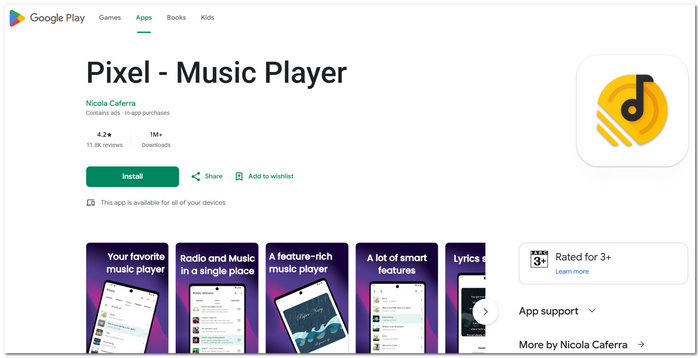
If you're in need of a simple and user-friendly Android music player, Pixel Music Player will be a perfect choice for you. Apart from its aesthetically appealing Material Design interface, it smartly sorts all of your local music tracks for you and offers flawless offline music playback without inundating you with complex settings.
 pros
pros
- Stylish and easy-to-navigate Material Design looks.
- It will sort your music collections by songs, albums, artists, etc. automatically.
- It doesn't weigh the system down and runs smoothly on most Android devices.
 Cons
Cons
- Not a lot of options when it comes to equalizer settings and how you can tweak the sound to your liking.
- No advanced playback features for serious music buffs.
User Review
People who bought Pixel Music Player through Google Play tend to rave a bit about a couple of features: a nicely designed UI and great playback when there's no internet, the major point. Beyond the interface, the Android community is still fond of it for its simplicity, though a few of them have expressed interest in a more comprehensive level of advanced audio features.
2. Poweramp Music Player – Advanced Equalizer & Hi-Res Audio Support
Best For: Highly recommended for audiophiles looking for a powerful music player with full customization and playback settings to give them the best music-playing experience for Android.
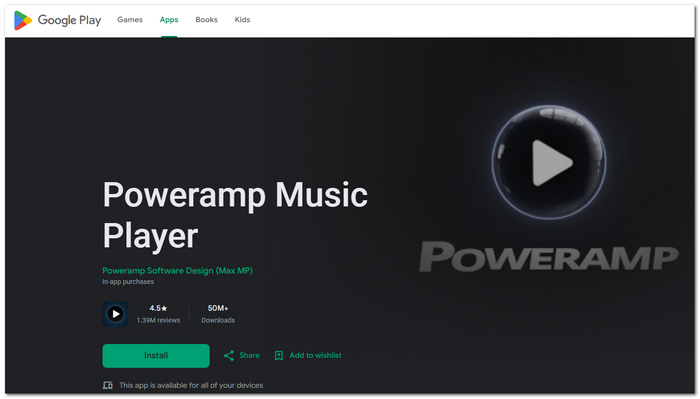
As far as sound quality, it's hard to beat Poweramp Music Player. It can play back Hi-Res audio, and it comes with a graphic equalizer that gives you tons of control. The support for a whole bunch of different audio formats also opens a new world of possibilities.
pros
- A great equalizer with lots of sound customization.
- Can play Hi-Res audio and a lot of other formats.
- No glitches and great touchscreen controls with gestures and playback features.
Cons
- Not so user-friendly for first-timers.
- Some of the cool stuff comes with a price, as you have to pay after the free trial.
User Review
Google Play users often highlight Poweramp for its superb sound and wide range of settings. Also, Android-centric magazine reviews often rate it as top for music enthusiasts seeking more control over their music-playing experience.
3. Musicolet Music Player – Multiple Queues for Offline Music Management
Best For: Users who have large offline music libraries and want to get a top-rated music player for Android that has strong organization capabilities.
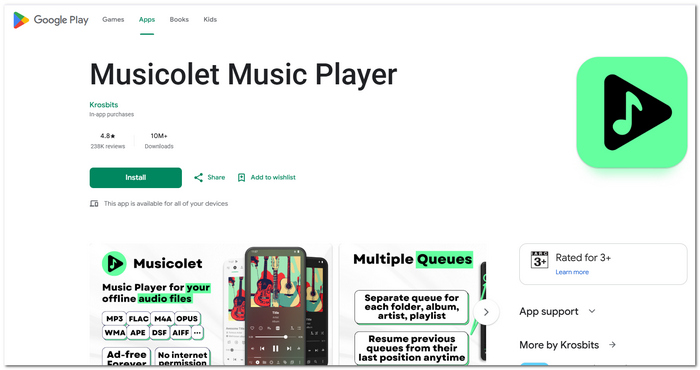
Musicolet Music Player is targeted at people who mainly listen to music that they have downloaded. It functions entirely offline and gives you a range of special features like multiple playlist areas, changing or modifying your music files (tag editing), and the ability to browse around folders, so it is the perfect way of sorting and taking care of the huge number of local music files you may have.
pros
- Supports a playlist by allowing multiple queues, thereby simplifying your music management.
- Functioning offline is completely free without internet permission.
- Tag editor and folder browser for organized music collections are built-in.
Cons
- It is more of a tool-oriented user interface rather than a modern design.
- Lack of online streaming and/or cloud music integration.
User Review
Users from Google Play often highlight that Musicolet has offline playback and good music organization functionality. In addition, a lot of reviewers are happy. In reality, Musicolet doesn't have ads and is internet-free. It is so ideal for people who like to collect or listen to music offline.
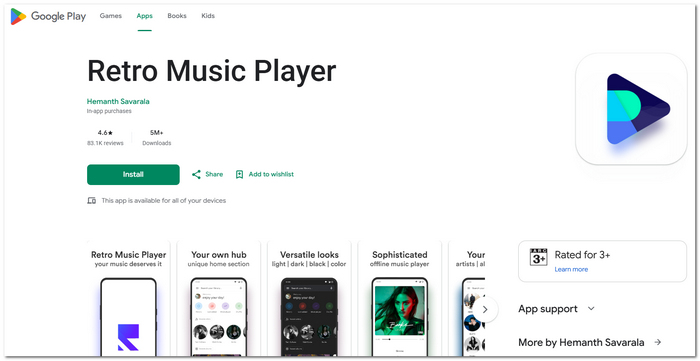
4. Retro Music Player – Beautiful Material You Design & Theme Customization
Best For: Those people looking for a good music player for Android who also want modern design and custom theme support.
Not only does Retro Music Player look great with an updated Material You style, but it also offers a hassle-free listening experience without needing to be online all the time. It is an ideal option for those who want the best appearance and performance of a feature in music players. Users can be certain that they will enjoy it because of its well-stored music files, support for custom themes, and user-friendly interface.
pros
- Modern Material You interface with customizable themes.
- Smooth transition between albums, artists, and playlists.
- Includes the option to add the player to the home screen and a sleep timer.
Cons
- You can only make changes in some aspects in the Premium version.
- The sound quality features of the application are not so advanced for people who are really fond of listening to music in the highest quality available.
User Review
Users on Google Play highly recommend Retro Music Player because of its visually appealing design and very intuitive interface. Android users are impressed with the app's excellent and quick functioning, although a few complain that more advanced functions come with the premium version.
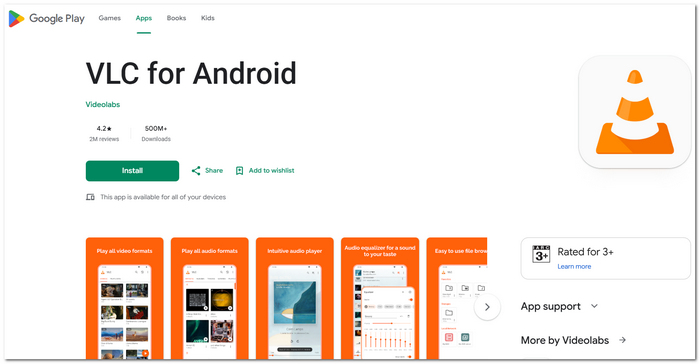
5. VLC for Android – Plays Nearly Every Audio and Video Format
Best For: Users who are looking for the best audio player for Android that is also capable of playing videos without the need for additional codecs.
With VLC for Android, you have at your hand a powerful free music player that covers practically all the mainstream audio and video formats. It offers not only music playback, but you'll also be able to play films, watch them through network streams, and view subtitles, so transforming your Android phone or tablet into an ultimate media center.
pros
- Supports different audio and video formats.
- Can play local files, network streams, and subtitles.
- Free, open-source, and without ads.
Cons
- The management of your music library with MPV doesn't bring the same level of refinement as specialized music players.
- It has been designed mainly as a general media player, so it misses some features a music-oriented player would have.
User Review
Users on Google Play regularly put up VLC as the one for the reason that it can play many formats and can play smoothly. Android-themed article reviewers have mentioned that it can actually be quite a media player for all-purpose use, yet some people prefer using only music apps because they have the libraries better arranged.
Part 3. Explore More: Videosolo Player [Primary Promoted Solution]
Best For: Users who want a single media player that can perfectly play high-quality music and videos, other than just standard audio-only apps.
Most Android music players only concentrate on playing back audio, but VideoSolo Player is one of the rare devices that can be used as a media center capable of playing both music and videos. The player is able to open almost all types of music and video files out there. It has high-quality video playback, and it is very convenient to maintain one's private media repository within a single application.
 Features
- It will give you the opportunity to enjoy most of today's popular music and video files on your desktop without any hassle.
- This player runs smoothly even in the highest resolutions, i.e., HD, FHD, and 4K.
- It also gives hardware acceleration for a better video rendering experience.
- It will scan your media folder, automatically find and categorize your videos and music into genres, playlists, favorites, etc.
- It has a clean and intuitive playback interface with the addition of playback controls as well as a playlist window.
How to Use VideoSolo Player
Step 1. Download and install VideoSolo VideoPlayer for Windows/Mac from the official site. Run the player. If you bought the full version of the software, sign in by putting in your registration email and then your license number so that all your features can be unlocked.
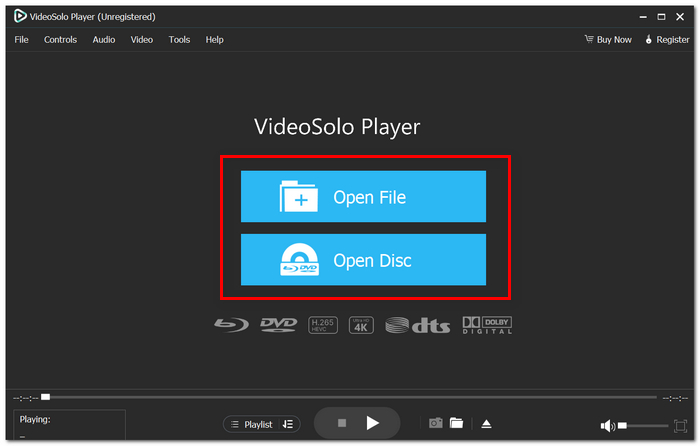
Step 2. Select Open File to import your media to the program. DVD playback, select Open Disc.
Step 3. Once the selected media files are loaded, you can simply use playback buttons to play, pause, fast-forward and control volume, apart from changing the speed of the playback. Also, if subtitle, audio, video, or display features are available, you may tweak the settings.
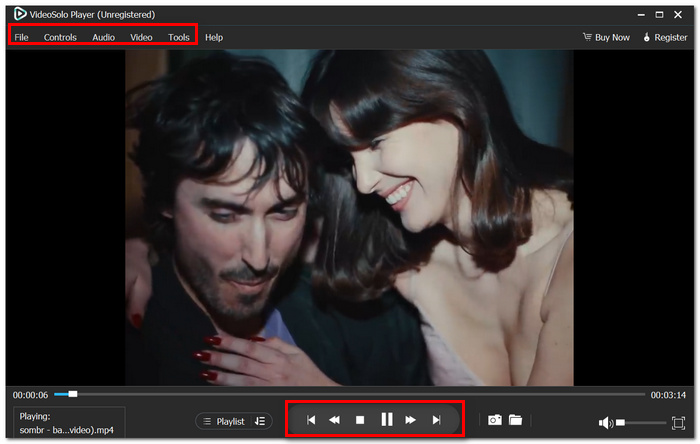
With the all-time favorite songs and videos of yours played via one software, you are no longer required to open separate media software for different types of media files.
My User Experience
I experimented with VideoSolo Player by utilizing a local music collection consisting of 150 files in MP3, FLAC, WAV, AAC, and M4A formats, plus some HD music videos. The library was completely scanned in less than a minute. Playback was quite smooth from start to finish, and the transition between audio and video was really smooth. Compared to classic audio players, I discovered I was able to handle every aspect of my local media from just a single program, which made managing them a lot easier.
Part 4. FAQs on Best Music Player for Android
Q: Why does the music stop on my phone when the screen is put off?
A: The reason some Android users experience such an issue is that the phone's battery-saving measures may restrict apps running in the background.
Q: Why can't I see the album covers in my collection?
A: Images that represent the collection of a recording or piece of music, generally called album art, can be either stored within the audio file itself or downloaded separately and then connected to it.
Q: Is every Android music player capable of playing lossless audio?
A: Definitely not! While some apps that you commonly hear about, like Spotify, can open, for example, lossless FLAC and WAV files, the design of an app determines whether it will be able to play high-resolution or lossless audio.
Conclusion
The best music app for Android is really the one that suits your music listening habits. Do you give more importance to sound quality, offline playback, or a user-friendly interface? The apps included in this guide are dependable choices that will upgrade your music enjoyment in any of these ways.
More Readings
Play your videos/music in 100+ formats and region-free DVDs/Blu-rays with 4K and Dolby Atmos experiences.

