



 Download VideoSolo Player For FREE!
I tried to evaluate five excellent audio players for Windows to check their audio quality, format support, efficiency, and listening experience. Besides, it can give you some hints about your daily habits and desk arrangements when selecting the most suitable players for you. In my opinion, most people will enjoy mixed media libraries with VideoSolo Player, while MusicBee will be more appropriate for those who deal with vast music collections, and foobar2000 will satisfy those who enjoy customizing at every level. I hope this article will be beneficial to you.
- Top 1. VideoSolo Player (Ultimate Option for Media Collections)
- Top 2. MusicBee (The Library Heavy-lifter)
- Top 3. foobar2000 (The Modular Blank Canvas)
- Top 4. AIMP (The Lightweight Audio Specialist)
- Top 5. Winamp Player (The Classic Media Legend)
- Comparison of 5 Best Audio Players for Windows 10/11
- FAQs on Audio Player for Windows
I've spent so much time searching for Windows audio players, yet many of them just don't come up to the standard expected. One may be good at handling huge music collections, another maybe at sound quality or even the supported file formats! If you are wondering about your next purchase, I've done all the testing and comparing work of the top 5 players for you. Now it's up to you to pick the one that suits your listening habits well.
How We Picked
In order to create a fair comparison, I ran tests for each player on a Windows PC where I played a music library composed of MP3, FLAC, WAV, AAC, and OGG formats. The assessment criteria were library indexing speed, audio fidelity, format acceptance, control during playback, usage of system resources, and availability of advanced audio functions like WASAPI/ASIO and the ability to play mixed media. Below is the table comparing the results from these tests.
Windows Media Performance Benchmarks
| Audio Player | Library Indexing Threshold* | WASAPI / ASIO Support | Mixed-Container Utility (Audio + MP4/MKV) | Overall Performance |
|---|---|---|---|---|
| VideoSolo Player | 100,000+ files | ✅ Yes | ⭐⭐⭐⭐⭐ Excellent | 5/5 |
| MusicBee | 80,000+ files | ✅ Yes | ⭐⭐⭐⭐ Good | 4.5/5 |
| foobar2000 | 100,000+ files | ✅ Yes | ⭐⭐⭐ Good | 4.5/5 |
| AIMP | 50,000+ files | ✅ Yes | ⭐⭐⭐ Good | 4/5 |
| Winamp | 40,000+ files | ⚠️ Partial (Plugin-dependent) | ⭐⭐ Basic | 4/5 |
Top 1. VideoSolo Player (Ultimate Option for Media Collections)
Best For: Users who need the best audio player for Windows that can be used as a single application to handle both their music and video collections.
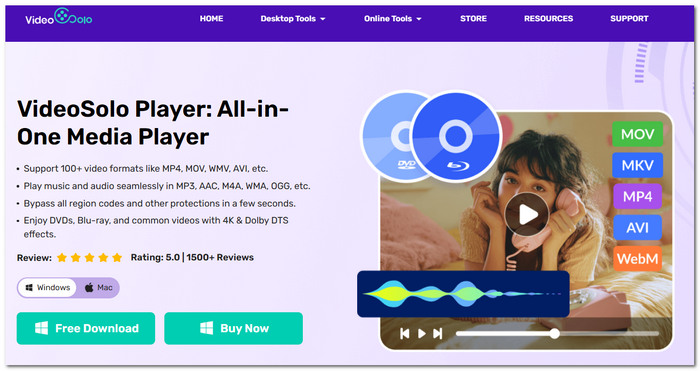
What pleased me most about VideoSolo Player after I tried it was its capacity to play almost any media file regardless of format. There was no need to use a different program for each type, such as music, movies, DVDs, or Blu-rays. I found that everything can be controlled and enjoyed by a single playback program that has excellent quality and features.
 Features
- Incredibly versatile and capable of handling most formats on the market today for both audio and video.
- Duplicates the content of the original disc, whether it is an HD 4K DVD or Blu-ray.
- Hardware-accelerated technology for a fluid and uninterrupted playback experience.
- Delivers superior audio output plus several controls on the media player for the user to play with.
- Minimalist look and a user-friendly design for the management of the media library.
My Testing Experience
I tried VideoSolo Player using a vast music collection of over 15,000 tracks plus a few 4K clips. The collection was loaded fast, watching remained effortless, and changing from listening to music to watching a video didn't cause any disruption. I consider it far more efficient than a classic audio player when it comes to keeping track of an extensive array of media files.
Top 2. MusicBee (The Library Heavy-lifter)
Best For: Those users whose music collections have reached a point where MusicBee, one of the top audio players for Windows 11 with advanced library management features, becomes essential.
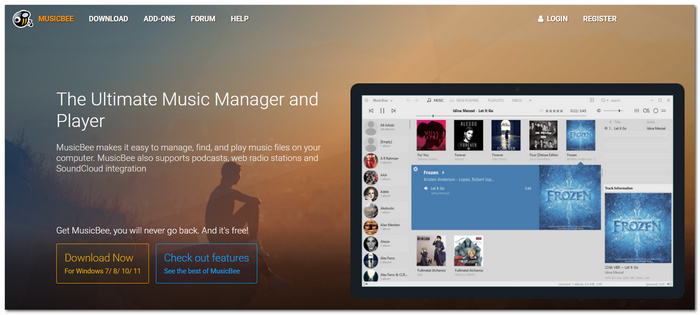
MusicBee was an excellent choice for me to handle an enormous music library. What I noticed was that it was able to take care of album artwork metadata, playlists, and file tags on its own, resulting in minimal manual interference required even if you have thousands of songs to organize.
 pros
pros
- Well-organized library management with auto-tagging and sorting.
- Advanced playlist making and music synchronization features.
- It enables high-quality audio playback and supports WASAPI and ASIO.
 Cons
Cons
- It's pretty difficult to understand the settings, which are mostly for beginner users.
- They are not very good for video playback.
User Review
Independent reviews from TechRadar and MajorGeeks highlighted that MusicBee stands out thanks to its robust library management features and high level of customizability. My hands-on experience confirmed that it makes managing and sorting out large music collections a breeze, while the playback remains fluent and performance is really fast.
Top 3. foobar2000 (The Modular Blank Canvas)
Best For: Advanced users who need a fully featured music player similar to a Windows music player, which can be modified almost every inch, if they don't mind some effort.
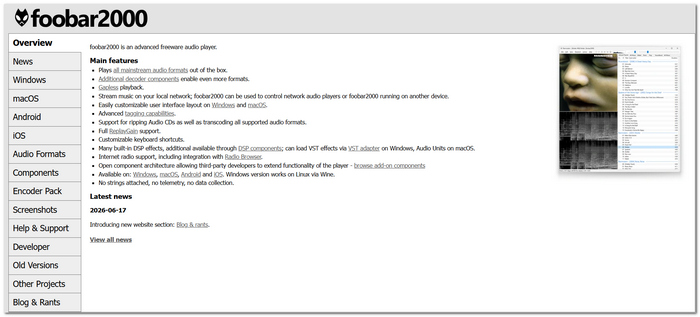
In testing foobar2000, I noticed that it gives preference to a very large number of options rather than to a beautiful look. At the very beginning, you will get a neat, minimal interface, but I managed to personalize nearly all of the features of the player. By installing new modules, changing the designs, and even fine-tuning the sound options, all per my own taste.
pros
- Allows users to add a broad range of components (extensions) to it, giving it a high degree of customization.
- Sleek user interface, and it doesn't take up much of your system's resources.
- Plays both lossy and lossless audio codecs like Ogg, MP3, FLAC, ALAC, etc., avoiding problems like audio codec not supported in player.
Cons
- The standard player looks a bit old-fashioned if compared to other more up-to-date players.
- May take a while for first-time users to configure the software properly.
User Review
Positive feedback has been given by PCMag and TechRadar to foobar2000 about its customizability and lightweight nature. I tested the software myself, and it was very fast and seemed like something that power users would like because of its ability to customize every detail down to your music player.
Top 4. AIMP (The Lightweight Audio Specialist)
Best For: Users who are searching for the best audio player for Windows 10 that offers high-quality sound without really slowing down their PC.
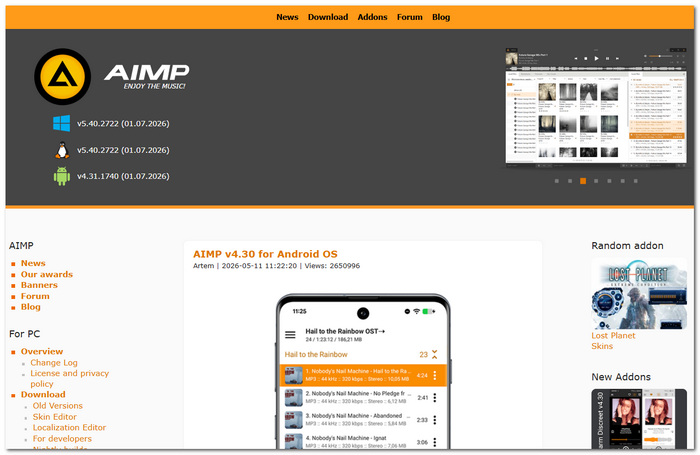
I ran a test on AIMP, which revealed it to be probably one of the lightest audio players out there. Even with such a small file size, it was able to play most audio formats and even come equipped with an equalizer, all the while providing lag-free playback, which makes it a perfect companion for regular music sessions.
pros
- Consumes a tiny fraction of system resources even after continuous use.
- Covers a wide variety of musical file formats with high fidelity playback.
- Contains an in-built bass and tone enhancer module.
Cons
- Its music catalog features, although useful, are still not robust.
- Lacks flexibility in changing the user's view.
User Review
Users on Softpedia and MajorGeeks have expressed their satisfaction with AIMP's minimal system requirements and compatibility with virtually all audio formats. I personally found the software to be very fast, error-free and perfectly suited for people seeking straightforward audio reproduction with minimal drain on resources.
Top 5. Winamp Player (The Classic Media Legend)
Best For: Users who wish to get a throwback music player for Windows with playback and online audio functionalities of today.
My Winamp test showed that it has managed to combine its old-school looks with today's features. Besides listening to music files you have around, you also get the option to have Winamp stream podcasts, internet radio, and video services. That said, the app is definitely for the people who were around back when Winamp was everywhere, but it's also friendly enough for the new generation.

pros
- It lets you enjoy music stored on your devices, but you can also play podcasts and tune into the radio.
- It lets you customize the look and feel of the player's skin.
- With plenty of plugins and regular updates, a large community of users supports the app.
Cons
- It has not yet developed capabilities when it comes to managing the music library.
- Certain latest features are being added to the newer releases, but they have not been perfectly refined yet.
User Review
PcMag and TechRadar have given a thumbs up to Winamp for revamping the old-school player into something contemporary, yet the UI remains as it was. Having tested it myself, I found Winamp to be a stable and comfortable app for listening to music every now and then, while still being a very good option for music lovers who both keep music files on their gadgets and like to listen to music online.
Comparison of 5 Best Audio Players for Windows 10/11
To help in the final decision, I decided to compare audio players and focus on the most critical factors for daily use, like audio quality, supported formats, system resource usage, and platform compatibility.
| Audio Player | Best For | OS | Audio Quality | Formats Supported | System Resource |
|---|---|---|---|---|---|
| VideoSolo Player | Mixed audio & video libraries | Windows, macOS | ⭐⭐⭐⭐⭐ | Virtually all popular audio & video formats | Medium |
| MusicBee | Large music collections | Windows | ⭐⭐⭐⭐⭐ | MP3, FLAC, WAV, AAC, OGG, WMA, ALAC, and more | Low |
| foobar2000 | Advanced customization | Windows, Android, iOS | ⭐⭐⭐⭐⭐ | Extensive support for lossless and standard audio formats | Very Low |
| AIMP | Lightweight everyday listening | Windows, Android | ⭐⭐⭐⭐☆ | MP3, FLAC, WAV, AAC, OGG, OPUS, and more | Very Low |
| Winamp Player | Local music & online audio | Windows | ⭐⭐⭐⭐☆ | MP3, FLAC, AAC, WAV, WMA, OGG, and more | Low |
FAQs on Audio Player for Windows
Q: Can an audio player upgrade the sound of low-quality music files?
A: Not entirely. Although equalizers and audio enhancements can make the music sound better, they can't bring back the details lost during compression.
Q: Do audio devices influence battery drain on Windows laptop computers?
A: It's true, but this factor plays a very minor role. Lightweight players usually use very little CPU, resulting in longer battery life during long listening periods.
Q: Is it better for me to keep music files on an SSD or an HDD?
A: In case of an extensive music collection, you probably would benefit from keeping it on an SSD to have faster library scanning and search capability, whereas an HDD still may be the choice for simple, cheap long-term storage.
Conclusion
After evaluating these software options, I came to the conclusion that a person's preferred way of listening to music is the determining factor in finding the best audio player for Windows. If what you mainly care about is high-end audio quality, the ability to effectively organize your music file collection, or the desire for a small, compact, and low-resource-consuming player, this article will lead you to the one that fits your requirements most satisfactorily.
More Readings

Play your videos/music in 100+ formats and region-free DVDs/Blu-rays with 4K and Dolby Atmos experiences.

