



 Download Video Converter Ultimate For FREE!
Being unable to transfer an MP4 video to your phone, tap on the file and play it because of an error, or a black screen is definitely a reason to feel frustrated. A lot of people believe that any MP4 file plays without trouble, which is not always the case. There are situations when problems with codec compatibility, very high bitrate videos, or corrupt file metadata cause such errors, and Android's default video player is unable to cope with.
However, it does not necessarily mean that you are unable to use the video at all. It is sufficient to choose the right program that will make it work or play. In this article, I will introduce you to the best ways to play MP4 in Android that will allow enjoying the video without any errors and without reducing its quality. The good thing is that regardless of whether you opt for a standalone video player or another solution, the result will remain lossless.
- Part 1. VideoSolo Video Converter Ultimate [Best-rated]
- Part 2. MX Player — Best for Direct Playback Without Conversion
- Part 3. Kmplayer — Best for Advanced Playback Customization
- Part 4. PlayerXtreme — Best for Clean Interface and Streaming Support
- Part 5. VLC for Android — Best for Free Universal Playback
- Part 6. BSPlayer — Best for Automatic Subtitle Support
- Part 7. XPlayer — Best for Privacy and Secure Playback
- Part 8. Comparison of 7 MP4 players for Android
- Part 9. FAQs on Playing MP4 on Android
| Tool | Best For | Key Strength |
|---|---|---|
| VideoSolo Video Converter Ultimate | Fixing incompatible MP4 files | Converts unsupported videos into Android-friendly formats without noticeable quality loss |
| MX Player | Direct playback without conversion | Strong codec support with smooth hardware-accelerated playback |
| VLC for Android | Free flexible playback | Wide format compatibility with no extra cost |
Part 1. VideoSolo Video Converter Ultimate [Best-rated]
Rating: ★★★★★
When seeking a reliable repair for Android video problems, it is typically the very first tool I check. If your phone has trouble with codecs that are not supported, black screens, or slow video playback mp4, this utility will equip you with a useful method to fix the problem so that it won't even get to your device.
VideoSolo Video Converter Ultimate is a software package that will solve your media compatibility problems by enabling you to run MP4 files on Android devices without any issues. It is like going through the alternative of having your mobile phone figure out the problem video, by giving it one that it can play without any problem.
 Features
- Ability to convert unsupported MP4 codes to those compatible with Android phones.
- Keeps the quality of videos after the conversion process.
- Batch conversion facility.
- Hardware acceleration support.
- Compression tools available within the software package.
How to Use It
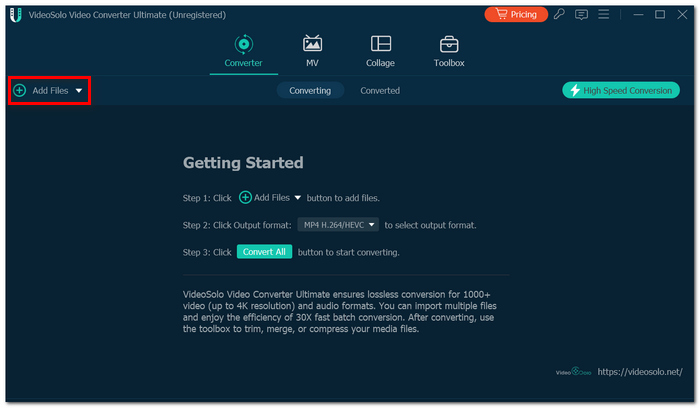
Step 1. First, download and run VideoSolo Video Converter Ultimate on your PC. Add your MP4 file by clicking “Add Files”.
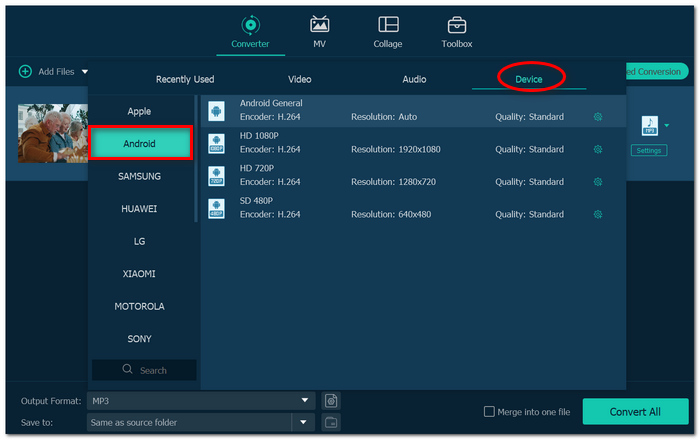
Step 2. Select “Output Format” from the drop-down list. Under “Device”, pick “Android” and choose video quality.
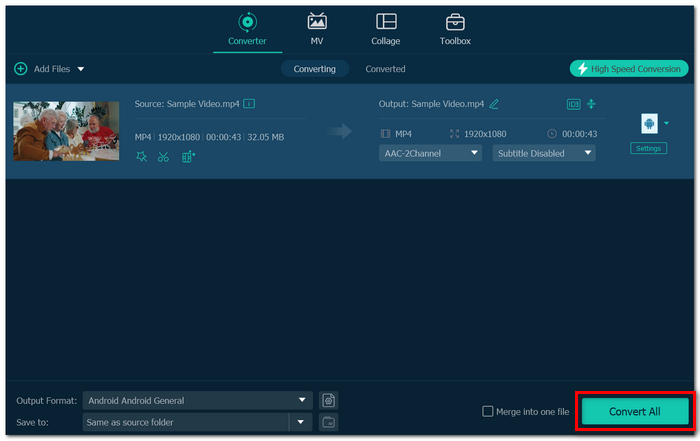
Step 3. Next, click “Convert All”. Now transfer the converted file to your Android device. Play it in the default media player or another media player.
User Review
According to user feedback from various software review websites like G2, as well as consumer review websites like Trustpilot, most users appreciate the program's clean interface, quick conversion time, and compatibility fixes.
Positive reviews include:
- • Flawless conversions
- • Quality retention
- • Ease of use for beginners
Although some users point out that there are certain limitations with the free version, many believe it is a good choice for preparing Android playback.
Part 2. MX Player — Best for Direct Playback Without Conversion
Rating: ★★★★☆
Whenever I look for a fast MP4 viewer Android solution, MX Player is, in my opinion, the most straightforward tool to use. Simply put, it is ideal for users who desire to open MP4 files right away without introducing another conversion step. It is made to support numerous media formats. It grants your cell phone a playback versatility that outstrips most default Android video players.
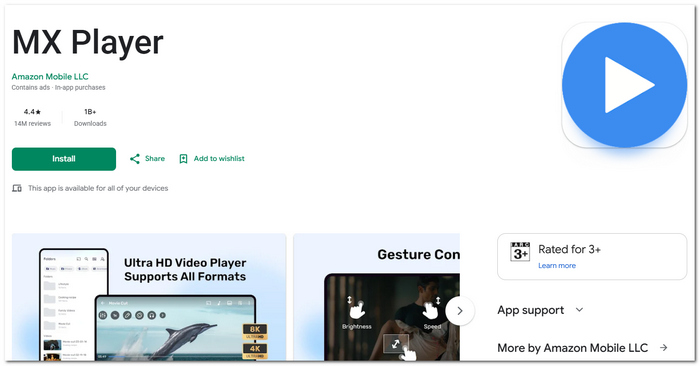
 pros
pros
- Good performance with hardware acceleration
- Many video formats are supported
- Simple process to add subtitles
 Cons
Cons
- Advertisement in the free version
- Can have trouble with corrupt files
User Review
According to most users who often give their opinions, MX Player remains one of the most admired apps for its stability and sleek set of playback controls. Most users appreciate the easy and intuitive navigation and smooth functioning of the app while playing ordinary video files.
Some users point out that ads are the main thing that spoils the user experience, and performing playback of highly encoded files is also a problem for some users.
Where VideoSolo Has the Advantage
That's exactly the reason why VideoSolo Video Converter Ultimate works out to be the more viable option soon.
MX Player might be unable to play the video if it contains unsupported codecs or the metadata is corrupt, but VideoSolo Video Converter Ultimate is capable of fixing such issues by converting the video file.
Part 3. Kmplayer — Best for Advanced Playback Customization
Rating: ★★★★☆
If you want more control over playback settings, KMPlayer is a great choice, an MP4 reader for Android for those who enjoy personalizing their viewing experiences. This app is a popular Android media player famous for its broad range of video formats, customizable playback control, and other features.
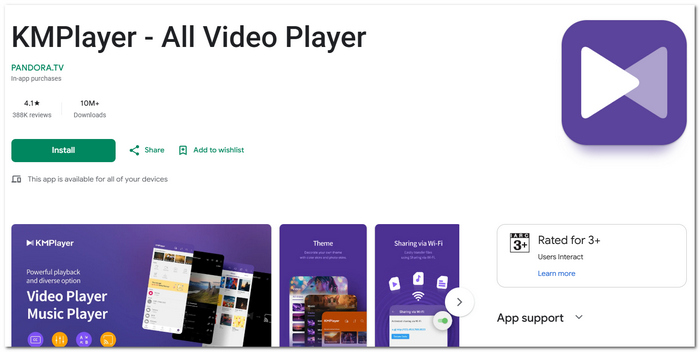
pros
- Complex playback functions
- HD and 4K videos supported
- Customizable subtitles
Cons
- Too many functions in the interface
- Consumes more device resources
User Review
KMPlayer is popular among users for its complex playback control options and support for high-resolution videos. Some users have mentioned that the interface is too packed with features.
Where VideoSolo Has the Advantage
While KMPlayer sometimes has issues with problem files, VideoSolo Video Converter Ultimate is a great alternative. It converts only supported videos to formats that are compatible with Android. Because of this, it can be a more dependable option in the future than just based on an MP4 reader for Android.
Part 4. PlayerXtreme — Best for Clean Interface and Streaming Support
Rating: ★★★★☆
If you are looking for a more sophisticated MP4 player for Android, PlayerXtreme can be a good choice. Normally, I suggest it to people who are looking for a neat interface and good media organization with less complicated controls. It is dedicated to flawless playback, file management, and streaming capabilities.
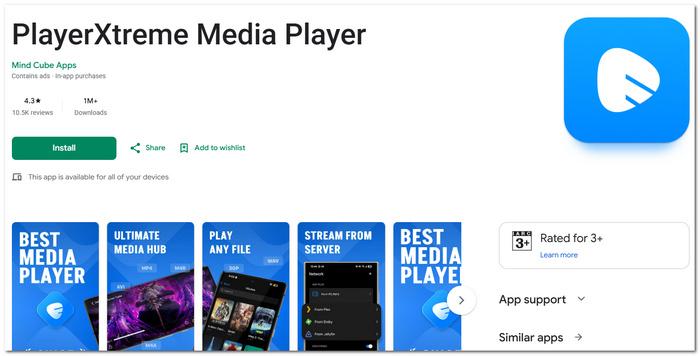
pros
- Modern and clean interface
- Simple file management
- Network streaming capability
Cons
- Some advanced functionalities are restricted to premium members only
- Tends to have issues with very highly encoded files
User Review
A lot of people love the player because of its refined design and ease of use. It is frequently commended for its clean design and efficient streaming ability. Some people point out that there are some restrictions on premium-only functionalities.
Where VideoSolo Has the Advantage
PlayerXtreme, in fact, gives a more appealing interface experience, but the ultimate functioning still relies on the capability of your device to handle the original file.
Here is when VideoSolo Video Converter Ultimate shows its strength. It handles the compatibility problems first by changing the unsupported files into formats friendly to Android, which helps in the smooth playback.
Part 5. VLC for Android — Best for Free Universal Playback
Rating: ★★★★☆
When it comes to playing MP4 videos on Android at no additional cost for the features, VLC for Android proves to be one of the most trusted options. It is straightforward, reliable, and supports numerous video formats without the need for additional downloads. It is an entirely free and open-source media player to cover various video and audio format needs on Android devices.
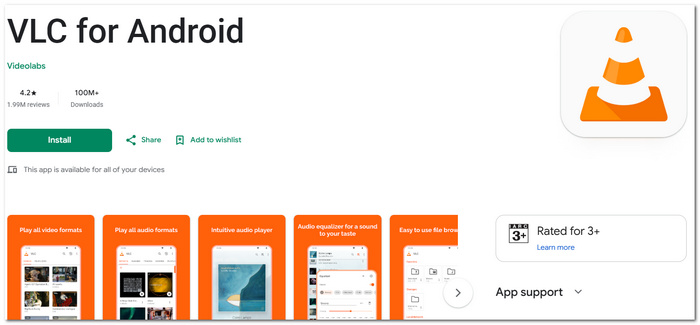
pros
- Codec-friendly
- Has support for subtitles
- Stable and lightweight
Cons
- Less customization in the premium version
- Larger files may take time to load on old phones
User Review
Users tend to like VLC for Android due to its stability and compatibility. Many appreciate that it opens up files that others cannot open. Users have stated that although this app works fine, the user interface is rather basic.
Where VideoSolo Has the Advantage
Although VLC for Android is capable of playing MP4 video files by default, it still depends on your device's performance to play tricky files smoothly without causing lags.
This is exactly the feature that VideoSolo Video Converter Ultimate can provide you with a lead. Instead of depending completely on the media player to handle such files, it deals with the file incompatibility problem at its source by converting the unsupported files into those that are optimized and ready for Android.
Part 6. BSPlayer — Best for Automatic Subtitle Support
Rating: ★★★★☆
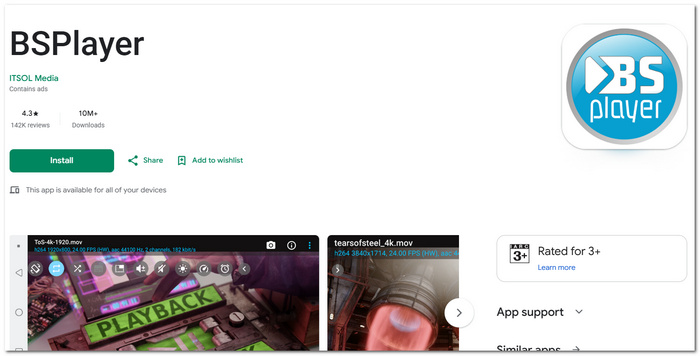
If subtitles are very important to you when playing MP4 on Android, BSPlayer can be a convenient choice. I often suggest it to those users who frequently watch movies or series and need subtitles without having to search for files manually. It is a media player for Android that is famous for automatically downloading subtitles and playing videos smoothly.
pros
- Automated subtitles search feature
- Battery saving feature
- Efficient video playback even on middle-tier gadgets
Cons
- The free version has advertisements
- Few options to change the interface
User Review
A lot of people find BSPlayer easy to use thanks to its more efficient subtitle function. Its one notable advantage is that it works effectively even on old Android phones.
Where VideoSolo Has the Advantage
Although BSPlayer does a good job when you are trying to play MP4 on Android with subtitles, there may be some problems with the compatibility of the codecs. However, VideoSolo Video Converter Ultimate offers better performance in such cases because it first converts the files into a compatible format for Android.
Part 7. XPlayer — Best for Privacy and Secure Playback
Rating: ★★★★☆
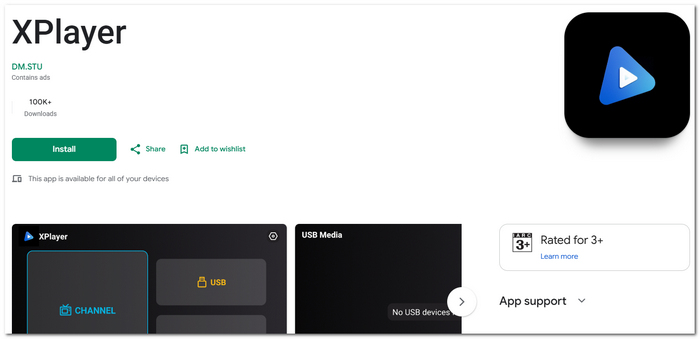
If your needs go beyond simple playing, XPlayer could be a good option. Normally, I recommend this to those who are looking to play MP4 on Android and, at the same time, want to keep their personal videos safe. It is an Android video player offering a great playing experience combined with security features such as folder locking and private video storage.
pros
- Personal folder security
- HD/4K streaming support
- Floating playback window
Cons
- May use more RAM when playing big files
- Has few subtitle-related features
User Review
XPlayer is well-received for its privacy features and user-friendly interface by many users. It is used by many users who value video security along with an easy-to-use video player. Some users say that ads are a distraction while using the free version of the player.
Where VideoSolo Has the Advantage
XPlayer does provide greater privacy protections but it may still have issues playing the files if the MP4 file originally has codec compatibility problems. At this point, VideoSolo Video Converter Ultimate proves to be more helpful. It doesn't just depend on a player app but actually changes file that are difficult to read into formats that are supported by Android for easy playback on all the devices.
Part 8. Comparison of 7 MP4 players for Android
This brief comparison makes it simpler to select the ideal player based on features, playback style, and general ease if you're still unsure which tool best suits your needs.
| MP4 Player | Best For | Platform | Playback Quality | Special Strength | User-Friendly | Rating |
|---|---|---|---|---|---|---|
| VideoSolo Video Converter Ultimate | Fixing incompatible files | Windows / Mac | Excellent | Converts unsupported MP4 files for Android | Very Easy | ★★★★★ |
| MX Player | Direct local playback | Android | Excellent | Hardware acceleration | Easy | ★★★★☆ |
| KMPlayer | Advanced playback control | Android | Very Good | Playback customization | Moderate | ★★★★☆ |
| PlayerXtreme | Clean interface | Android | Very Good | Streaming support | Easy | ★★★★☆ |
| VLC for Android | Free universal playback | Android | Excellent | Broad codec support | Very Easy | ★★★★☆ |
| BSPlayer | Subtitle support | Android | Good | Automatic subtitle search | Easy | ★★★★☆ |
| XPlayer | Privacy protection | Android | Very Good | Private folder security | Easy | ★★★★☆ |
Part 9. FAQs on Playing MP4 on Android
Q: Why is there no sound in my MP4 file when playing on Android?
A: That might be due to the fact that the audio codec embedded within the MP4 video file is not supported by your device/media player.
Q: Why is my MP4 constantly buffering even if I have already downloaded the file?
A: It could be because your media player is having difficulties decoding a high bitrate file.
Q: Does changing the file extension solve issues with playing an MP4 file?
A: Changing the extension will not help at all.
Conclusion
In the end, seamless video playback MP4 on Android is largely a matter of having the right player or a well-optimized file. Certain applications are excellent for direct playback, whereas others are more suitable for subtitles, streaming, or advanced controls.
This guide's main lesson is that if your MP4s do not play properly, the most common reason is incompatibility rather than a problem with the video itself. Equipped with the appropriate device, you can have nice smooth playback without the aggravation that normally accompanies it.
More Readings
Play your videos/music in 100+ formats and region-free DVDs/Blu-rays with 4K and Dolby Atmos experiences.

