



 Download Screen Recorder For FREE!
Sometimes things that seem straightforward can be complicated. For example, when saving an important audio recording on a mobile phone, the whole process can be very smooth, but only with a few problems: A crash, a restriction on file format, or a lack of control that one has over the final sound. This is really a hassle if, say, one is making an interview, a business meeting, or a new podcast and wants the sound to come out clean. The whole thing can be much smoother with the choice of the right voice recorder Android tool, and so in this blog we are going to see several options and what they can do.
- Tool 1. VideoSolo Screen Recorder – Top-Tier Phone Recording
- Tool 2. Cube Call Recorder – Specialized Mobile App
- Tool 3. Easy Voice Recorder (By Digipom) – Everyday Voice Notes
- Tool 4. Smart Recorder (By Skvalex) – Long Voice Recordings
- Tool 5. Voice Recorder (By Splend Apps) — Flexible Audio Formats
- Tool 6. ASR Voice Recorder – Long-Term Demand
- FAQs on Voice Recorders on Android
Comparison Table of Voice Recorders on Android
| Voice Recorder | Internal Audio Capture | Automatic Call Tracking | Active Noise Cancellation | Batch Audio Trimming | File Conversion Formats |
|---|---|---|---|---|---|
| VideoSolo Screen Recorder | ✓ | — | ✓ | ✓ | Multiple formats |
| Cube Call Recorder | ✓ | ✓ | ✓ | — | MP3, WAV, AAC, others |
| Easy Voice Recorder | ✓ | — | ✓ | — | MP3, AAC, FLAC, WAV |
| Smart Recorder | — | — | ✓ | — | WAV, MP3 |
| Voice Recorder (Splinter Apps) | — | — | ✓ | — | MP3, WAV, M4A |
| ASR Voice Recorder | ✓ | — | ✓ | ✓ | MP3, WAV, FLAC, OGG, M4A |
Support for internal audio or call recording can depend on the Android version, device model, and system restrictions.
How We Test
I examine every recorder from the aspects of audio record quality, call recording, noise cancellation, ease of editing, and file format support. I also take into account the level of ease with which a given app can be set up and operated for regular recording needs.
Tool 1. VideoSolo Screen Recorder – Top-Tier Phone Recording
Best For: Android users who want to mirror their phones on Windows or Mac computers and also record the mobile screen and audio with more flexibility compared to standard mobile recorders.
With VideoSolo Screen Recorder's Phone Recorder, an Android device can be mirrored on the computer using a USB cable or a wireless connection that your device supports. In addition, it allows you to record the phone screen together with its system sound and microphone.
 Features
- Project the phone onto a bigger monitor while taking a recording.
- Record the phone's audio as well as the microphone when the situation demands.
- Pick whichever of the available connection options fits your equipment best.
- Keep the recording files on the computer disk and do not depend on the phone's memory alone.
- Change audio level, quality, and output settings before starting to record.
How to Record an Android Phone with VideoSolo Screen Recorder
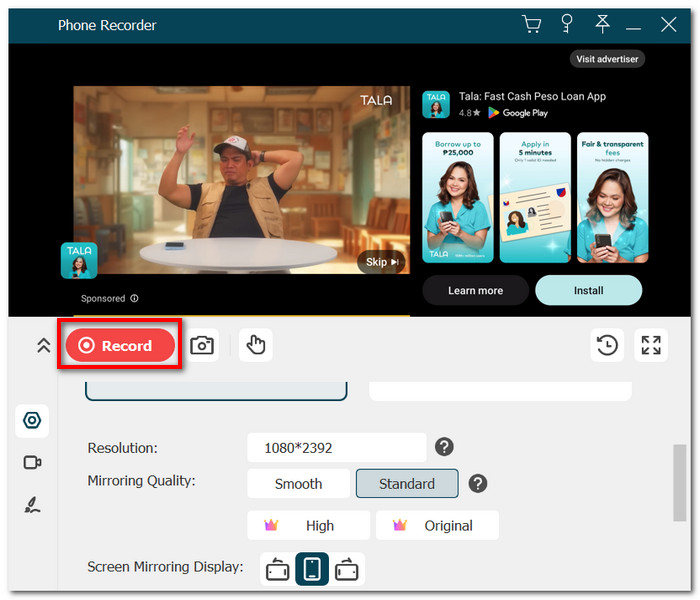
Step 1. You can either connect the Android phone to the computer through USB or opt for wireless mirroring if the option is available.
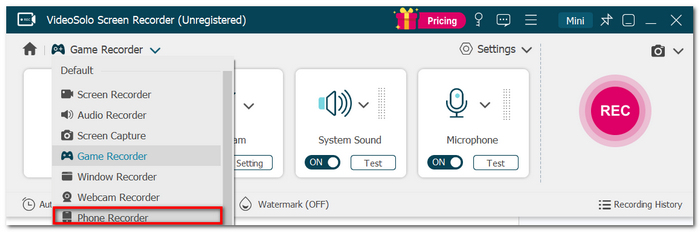
Step 2. Launch VideoSolo Screen Recorder and go to Phone Recorder.
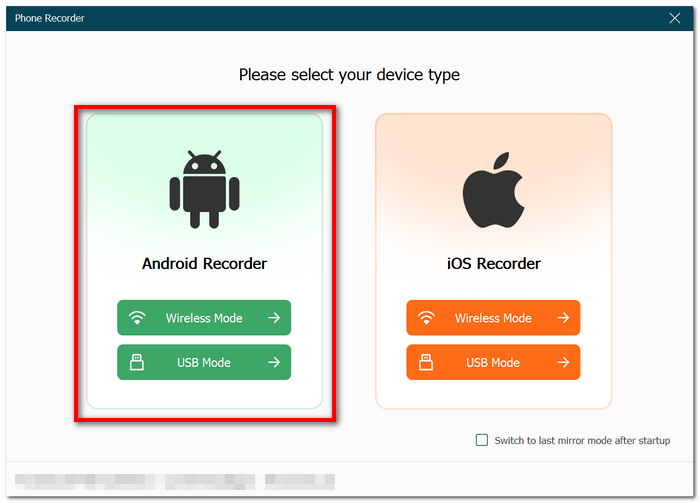
Step 3. Select Android Recorder as your device type. Refer to the on-screen instructions for connecting and mirroring the phone.
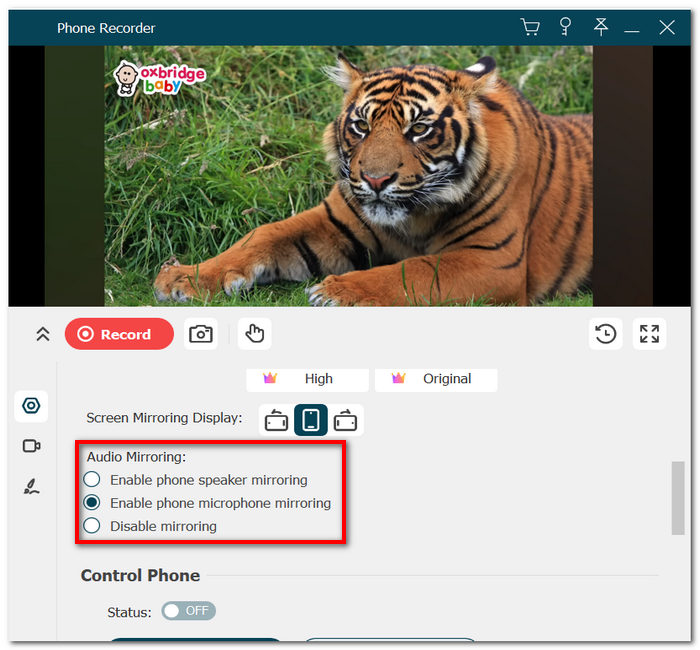
Step 4. Pick the sound devices that you need to record audio from, like Enable phone speaker mirroring or Enable phone microphone mirroring.
Step 5. If required, tweak the recording settings. After that, click Record to begin. Stop if you like, then review and save the result.
User Review
VideoSolo's users mostly mentioned the ease of its user interface, its stable phone mirroring, and its handy recording process as reasons for their choice. What stands out most for me is the ability to transfer the whole recording session from a phone to a computer, which allows me more room for recording and a lot of control during long sessions.
If I had to choose the best sound recording software for Android, VideoSolo Screen Recorder is definitely on my top list when it comes to recording phone actions instead of only a voice memo.
Important: If you want to know how to record a voice call on Android, you need to remember that Android's call-recording features depend on the phone manufacturer, OS, and carrier. So, VideoSolo Phone Recorder is not exactly a guaranteed phone call recording tool that will work for your normal telephone calls.
Tool 2. Cube Call Recorder – Specialized Mobile App
Best For: Users who primarily need automatic call recording rather than general voice notes.
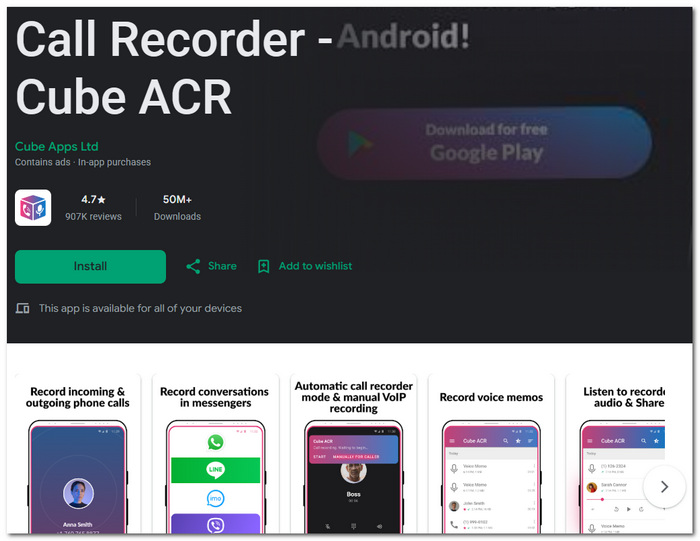
Cube Call Recorder is an app for Android, mostly for call recorders and VoIP-supported conversations. Not only can it do automatic recording of incoming and outgoing calls, but it also offers a set of features for managing the recording files and even backing them up.
Features
- Automatic incoming/outgoing call recording.
- Supports some VoIP applications like WhatsApp, Viber, LINE, and Skype.
- Cloud backup and recording management.
- Encryption options like PIN protection.
Limitations
- • Available on a limited number of Android versions only.
- • Recording devices might capture both sides of a call, but with difficulties, particularly when Bluetooth or a headset is being used.
In the case of general voice recording on Android, Cube Call Recorder will only record calls, but cannot record voice memos or music recordings.
Tool 3. Easy Voice Recorder (By Digipom) – Everyday Voice Notes
Best For: Students, professionals, and anyone desiring to record meetings, classes, interviews, or personal notes fast.
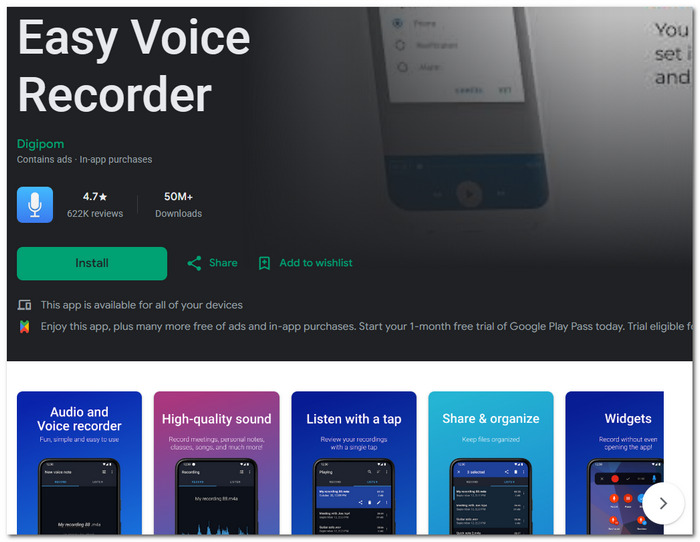
Easy Voice Recorder by Digipom suits those people who just need a basic recorder with the capability to, for example, record a meeting, a class, a personal note, or even an idea for your musical composition.
Features
- Captured audio formats include PCM, AAC, and AMR files.
- It allows recording in the background and has a home-screen widget that can be used at any given moment.
- Professional-level features include the ability to record in stereo.
Limitations
- • It cannot record phone calls on a majority of Android devices in most cases.
- • A few devices might halt recording if the phone goes into power-saving mode or battery saver settings are activated.
Feedback: The app has a high rating of 4.7 stars. Google Play has recorded more than 620,000 comments. Most recently, users like how the controls are easy to use and the quality of the recorded files, but some said the app stopped recording without warning, mainly during very long recording periods.
For everyday Android apps for voice recording, Easy Voice Recorder is a straightforward choice when I just want to open an app and start recording.
Tool 4. Smart Recorder (By Skvalex) – Long Voice Recordings
Best For: Students, professionals, and everyone who records lengthy audio and would hate to constantly edit out the silent parts.
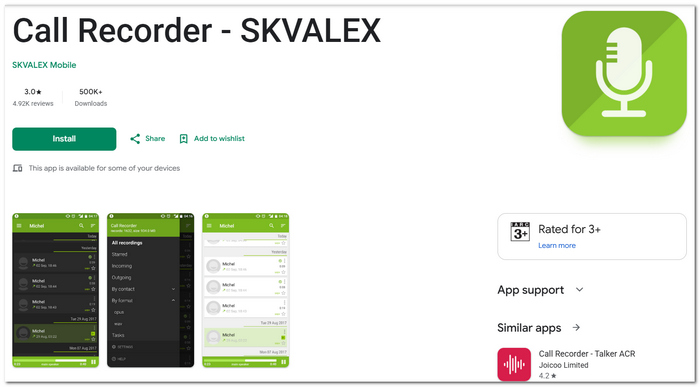
Smart Recorder is first and foremost aimed at people who make long-form voice recordings and whose only wish is to skip the silent moments automatically, making it a perfect choice to record lecture and meeting.
Features
- Saves storage automatically by excluding parts where there is no speech in the audio recordings.
- Keeps recording even when the screen is off to capture longer sessions on record.
- Comes with a basic waveform visualization as well as recording organizing features.
Limitations
- • Not meant for the purpose of recording calls on the phone automatically.
- • Editing functions of the program are rather basic, and it cannot match dedicated audio editors.
Feedback: Users generally appreciate its lightweight design and reliable long-duration recording, making it a practical best Android voice recorder for everyday meetings and lectures.
Tool 5. Voice Recorder (By Splend Apps) — Flexible Audio Formats
Best For: People who need recording options that can allow them to capture either a short voice note or a long conversation, etc.
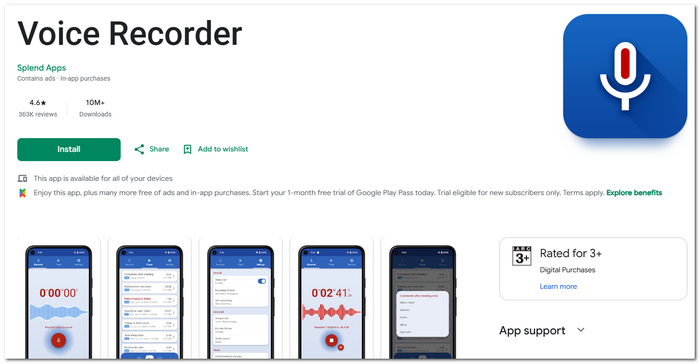
Voice Recorder by Splend Apps is an uncomplicated recording app for Android devices that empowers me to change the recording quality level and the output file type very easily without affecting the simplicity of the overall recording operation.
Features
- The app supports various audio formats like MP3, WAV, AAC, and AMR.
- The audio file will be of better quality while keeping the file size small when a proper sample rate and bitrate are selected.
- It's possible to record even when the phone is on silent or locked.
Limitations
- • Some users may find the ads annoying.
- • Even though phone audio is one of the available source options, the app developer emphasizes that it's not mainly a call recorder and may have some issues on certain devices.
Feedback: The app holds a 4.8-star rating based on over 1.3 million Google Play reviews. Most users highlight the good quality recordings and easy interface. Some recent reviews, though, are criticizing the app for having too many ads.
For casual or voice recorder Android-kind of usage only once in a while, it would work well for me when I need the recording format settings, yet don't want to go to a complicated audio editor.
Tool 6. ASR Voice Recorder – Best for Long-Term Recording
Best For: Long talks, lectures, meetings, interviews, classes, and users who want to have more say in how the recordings should be stored and sorted.
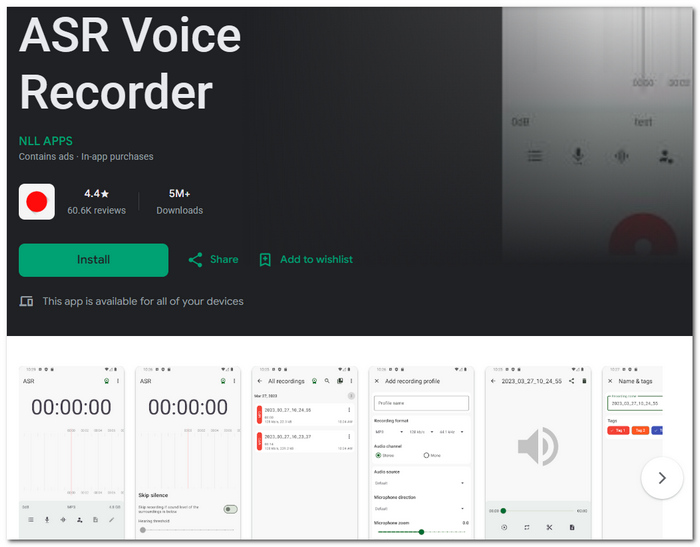
ASR is designed for people who make frequent recordings or need very long recording sessions. The app works with many audio file types. You can do background recording. It also offers variable quality controls, automatically skips silent parts, and has different recording profile settings.
Features
- Change the sample rate and bitrate at your discretion.
- Miscellaneous features include silence skipping, gain control, adding tags, and an audio converter.
- Record while another app is open on your phone or tablet using a Bluetooth mic.
Limitations
- • Some cloud-related and advanced features are only available in the Pro version.
- • The app contains ads and in-app purchases.
Feedback: The Google Play reviews give ASR about 4.5 stars from over 60,000 ratings. Recent users have highly recommended the app due to its stability in Bluetooth connectivity and the possibility of flexible premium subscriptions. Then again, some complaints were also directed at the latest UI appearance and the billing pattern.
FAQs on Voice Recorders on Android
I often wonder why my voice recorder stops when I open the camera.
This could be another app using the microphone at the same time, causing the recorder to be paused or stopped totally. Android allows access to the microphone by only one app at a time.
Is it possible I can record audio when my phone screen is completely off?
Of course. You can continue recording audio with the phone screen turned off by a recording app that supports background recording. Other apps may automatically stop recording once the screen turns off.
How about using two microphones at the same time on Android?
It is usually impossible for a simple voice recorder to do that. A phone with the right hardware, sufficient support from Android, and a recording app that has multiple input functionality are needed for multi-microphone recording to be possible.
Conclusion
My perfect record is decided by what I have to capture, quick voice message, a conversation, or a longer recording in top quality. The use of suitable sound recording software for Android will bring me greater possibilities for audio quality, recording features, and file management.
More Readings
Capture screen activities, audio, webcam, gameplay, and mobile screens on Windows and Mac with high quality.

