



 Download Screen Recorder For FREE!
Summary
Summary For most Instagram Live creators wanting quick setup, stable capture, and direct editing, VideoSolo is the most practical choice.
OBS Studio: Free and feature-rich, but too complicated for daily use.
StreamYard: Perfect for multi-guest live discussions, yet unable to record third-party Instagram Live streams.
Loom: Free tier restricts recordings to 5 minutes each with a 25-video quota.
FoneLab Screen Recorder: Cross-platform recorder with basic editing. But the video quality is unstable, and there are no optimized presets. Sometimes causes some lag.
Millions of creators turn to Instagram Live daily for real-time audience engagement. But most of these live moments disappear soon after the stream ends. We walk through built-in phone recorders and third-party recording software to help you distinguish what works (and what doesn’t) for meeting various recording goals.
Why You Need an Instagram Live Recorder?
Instagram lets you record live streams without triggering notifications and download video via your live archive natively. But you can only save the raw video file, which comes with an expiration. Although you choose to record ig live via built-in recording tools, only system audio can be controlled and adjusted.
Instead, a dedicated professional screen recorder unlocks richer custom settings and advanced features to drastically elevate your recording quality. You get full control over visual quality: adjust bitrate and frame rate to match your hardware capabilities. Tuning settings according to your processor’s performance prevents stuttering and dropped frames during recording. You can also edit captured footage directly within the tool, so there is no need to export the file and open a separate video editor.
Best Instagram Live Recorder: VideoSolo [Curated]
VideoSolo Screen Recorder is quite robust on recording capabilities – it supports up to 4K resolution and 60fps video capture with no watermarks and no delays. In terms of audio, you can keep only the original live audio or add your own commentary to it. The recording area can be locked down to prevent any image distortion that might occur due to accidental clicks or pop-ups during recording.
 Features
- Up to 4K/60fps recording quality.
- Flexible capture region to keep Instagram Live itself.
- Add text, arrows, highlights, and other annotations to emphasize key points.
- Built-in advanced video editor provided.
- Phone Recorder Mode to mirror your Instagram screen to your computer.
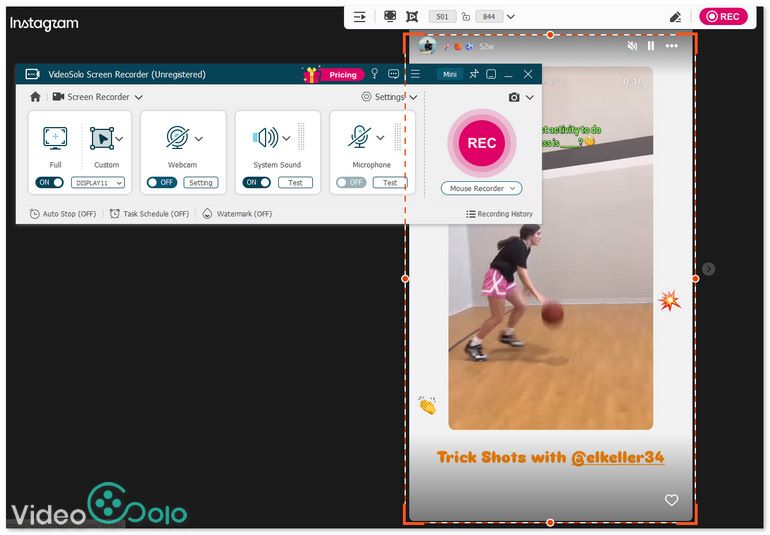
This ig live recorder treats Instagram live streaming as a standard media content: You open the streaming page in your web browser, use the recording function to select the video content, and then start capturing it. So simple! It can record both system sounds and microphone sounds, along with noise reduction features.
Top 5 Instagram Live Recorder compared
| VideoSolo | OBS | StreamYard | Loom | FoneLab | |
|---|---|---|---|---|---|
| Rating | 4.7/5 | 4.6/5 | 4.2/5 | 3.5/5 | 3.9/5 |
| Best For | High-quality offline screen recording with custom vertical aspect ratios and zero lag. | Free open-source power users who need advanced live streaming and recording setups. | Streaming users or teams that seek efficiency and do not want to be troubled by technical details. | Simple recording and instant uploading for you to share. | Quickly record online tutorials or meeting with no strict format limits. |
| Output Quality | UHD 4K | 1080p / 4K | 1080p | 720p / 1080p | 1080p / 4K |
| Audio Capture | nternal system sound & microphone with noise reduction | Internal audio, microphone & multi-track audio routing | Cloud-based system audio & studio microphone | System sound & microphone audio | Internal system sound & microphone |
| Edit Video | Trim, merge, cut, and compress recorded files | ❌️ | Basic online clipping & studio branding | Basic online trim & stitch | Basic video trimming |
| Supported OS | Windows XP/7/8/10/11, macOS 12.0 ~27 | Windows 10/11, macOS 12.0 or later, and Linux | Browser-based | Windows 10/11, macOS 12.3 or later, Android 10 or later, iOS 15 or later | Windows 7/8/8.1/10/11, macOS 10.12 or later |
| Free Limits | Unlimited recording but 3 minutes per video stored | None | Single platform, record up to 2 hours per month, and watermark | Upload 25 videos up to five minutes | 3-minute recording |
| Price | $14.95/Month $49.95/Year $59.95/Lifetime | Free | Individuals: 14.99~68.99/mo Business: $249 /mo or custom | Starter from $12.50/mo | $25.00/mo, 31,20/yr $39.20/Lifetime $69.00 3PCs/Lifetime |
Other 4 Ways to Save Live Videos on Instagram
OBS Studio
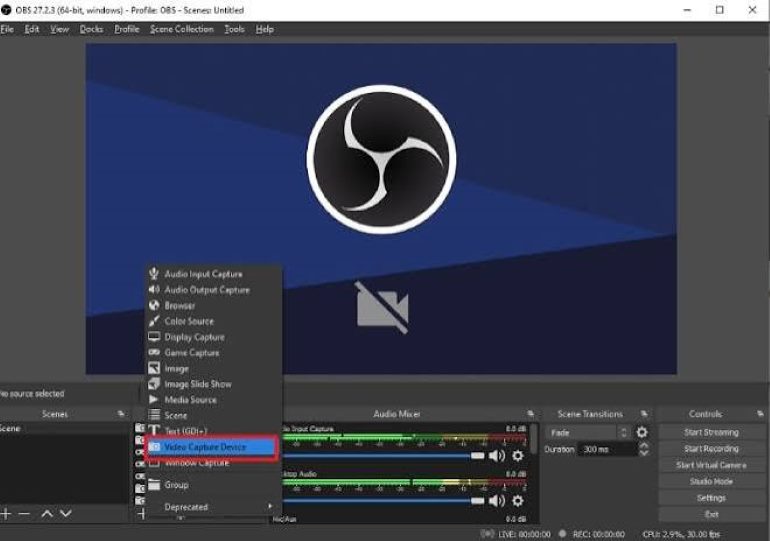
As an open-source software, OBS have no restrictions on recording time. A complete Instagram live stream can be recorded in one go. When recording IG live streams, you can overlay camera face and add text annotations as well. Users can freely choose the output bitrate to preserve as many image details as possible. For scenarios with higher requirements, OBS also supports higher resolutions and frame rates. Users can capture and customize the original audio from the live stream and microphone sound separately for further processing.
 pros
- Totally free without watermark or feature limits.
- Highly customizable layers and video outputs.
- Flexible audio settings with powerful third-party VST plugins.
- Integrated with YouTube, Twitch, and Facebook Live.
 Cons
- Requires complex manual setup for recording presets.
- Lacks built-in video editor.
- High requirements for recording device equipment.
- Complicated and redundant for ordinary users.
- CPU/GPU load rises sharply with multiple sources, filters & plugins.
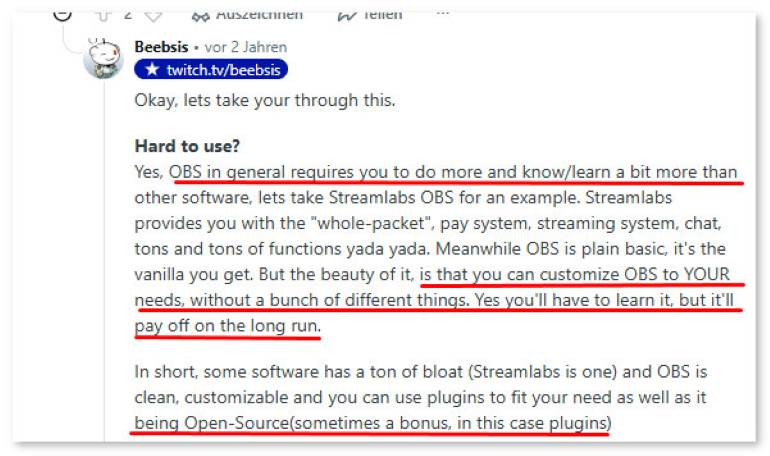
User Review
StreamYard
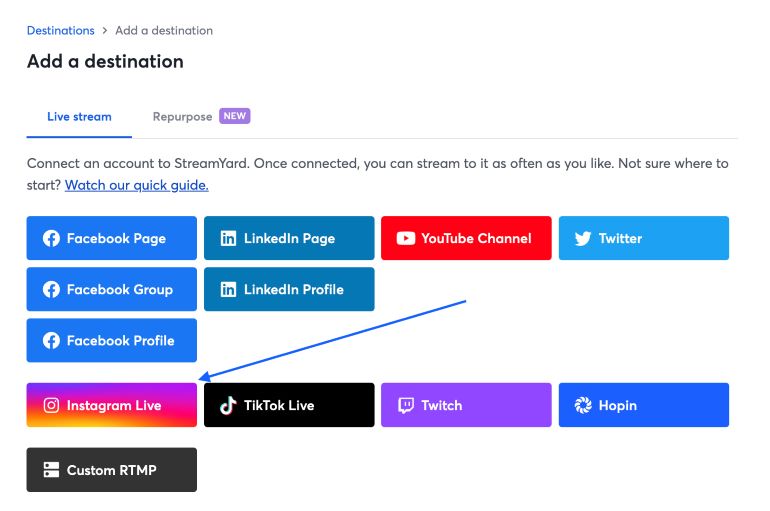
StreamYard allows users to start a live stream directly in the browser and simultaneously stream the same live broadcast to multiple platforms such as YouTube, Facebook, LinkedIn, and others for premium users. You can invite guests for interviews, share your screen, and display live comments. The microphone and screen-share audio can be controlled separately, making it easy to provide clear narration during presentations.
pros
- No software installation required; guests can join via a link.
- Supports HD recording of up to 10 hours.
- Quickly edit recordings into vertical short videos suitable for social media.
- Supports local multitrack recording at up to 4K UHD resolution and 48kHz WAV audio.
Cons
- Single-platform streaming with up to 6 on-camera participants.
- Adds a StreamYard watermark.
- Only supports Portrait mode for Instagram.
- Limited to 2-hour recording per month.
- Paid plans are too expensive and not suitable for daily use.
Testing Experience
With any tool like StreamYard, auto-start will not work for Instagram as it does for YouTube or Facebook. You need to hit the Go Live button on Instagram when the feed starts being received. You must click "Go live" on both StreamYard and Instagram for the stream to start correctly. A pity is that I can’t check comments in real-time in StreamYard – I must keep the stream window open on Instagram to see.
Loom
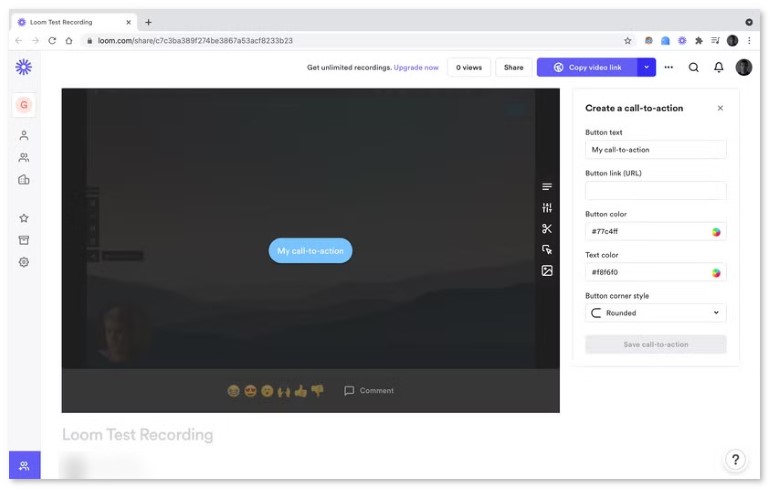
Loom allows you to start recording and sharing right away. You can hide the icons on your desktop and any cluttered windows before recording, thereby getting a clean video footage. The desktop interface also supports dictation and auto-scrolling text input tools, making it easier to deliver your presentation smoothly. After recording, it automatically uploads the video to the cloud, and generate a shareable link.
pros
- Capture Instagram Live with your webcam bubble.
- Basic auto-generated transcripts can be edited.
- Generates a link immediately after recording.
Cons
- Record a 720p video up to five minutes in the free version.
- Saving the raw MP4 file requires a paid plan.
- Simple built-in editor is not enough for fine polishing.
- The paid price is high and keep rising.
User review
I felt Loom is more like a team collaboration tool for asynchronous online communication. You only need to record and upload a prepared video to Instagram, you can interact with your audience through emoticons, comments, and insights into what the viewers are doing.
You May Like:
FoneLab Screen Recorder
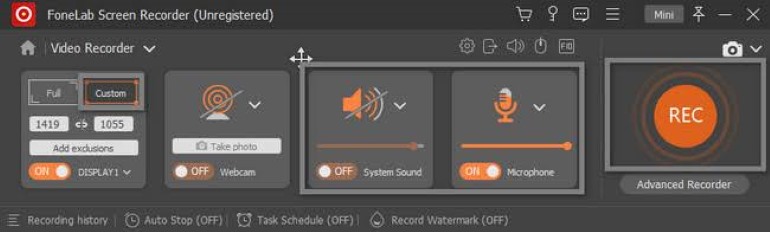
FoneLab Screen Recorder provides a straightforward way to save live videos on Instagram: You can mirror your phone onto the computer and record. It’s handy to adjust the volume of both system sound and microphone audio in real time. The software also includes annotation tools making you quickly add notes. For those who need to save Instagram live streams temporarily but don’t want to deal with complex operations, FoneLab is worth considering.
Feedback
Trustpilot users reported that the recorded video files are blocked by FoneLab. The files are stored in a special format and can only be played using FoneLab’s own player. It is also impossible to edit or publish these videos. Therefore, the developer suggests that before using them for important content, it would be advisable to use the free version first to confirm the export format and availability of the files, so as to avoid any restrictions caused by the paid option.
FAQs on Instagram Live Recording
Q1: What are the limitations on Instagram live streaming?
A: A live stream on Instagram can last up to 60 minutes. For Instagram live archives, you should make sure to turn on “Save to Camera Roll” before going live and store the video privately. But note that it will automatically be deleted after 30 days and check your phone storage in advance to avoid failed saves. We recommend reserving at least 2–4 GB of free space for a 60-minute live stream.
Q2: Will trigger notifications when recording an Instagram Live?
A: Instagram does NOT send out notifications to creators when someone records or captures their live stream. However, the live content is protected by copyright, so you’d better get permission from the host before capturing.
Q3: What is the best way to record Instagram Live?
A: Instagram’s native save feature only exports the raw video file. If you plan to edit, clip, or use your live footage later, a dedicated professional tool like VideoSolo is a better choice. It supports high-quality recording, flexible trimming, format conversion and more post-production features for your live recordings.
Conclusion
Capturing Instagram Live preserves precious live interactions, though Instagram’s native archive expires in 30 days and lacks editing functions. For most creators, VideoSolo is the top choice with high‑definition recording and built‑in editing. OBS suits technical users for free advanced customization, while StreamYard, Loom and FoneLab each have obvious drawbacks. Remember to respect copyright and get host permission before recording others’ livestreams, and select tools matching your budget and demands.
Capture screen activities, audio, webcam, gameplay, and mobile screens on Windows and Mac with high quality.

