



 Download VideoSolo Player For FREE!
Nova Video Player is a reliable media player on an open-source platform offering smooth playback and support for almost all kinds of videos. But it doesn't have the flexibility that power users may look for in dealing with their libraries of mixed audio and video files. If you are dreaming of having a more comprehensive media player experience with fewer format restrictions, then VideoSolo Player is the one to consider.
First of all, it was mainly about getting Nova Video Player to work with my steadily increasing collection of films, TV series, and local files in a convenient manner when I tried out the program. After playing around with its various features for a while, I felt it was pretty smooth and had a nice user interface, but that was not really the best solution for all situations. So, in my little review, I'm going to highlight its strengths and the weak areas, and ultimately it will help you decide if this is the one you should get.
Part 1. What is Nova Video Player?
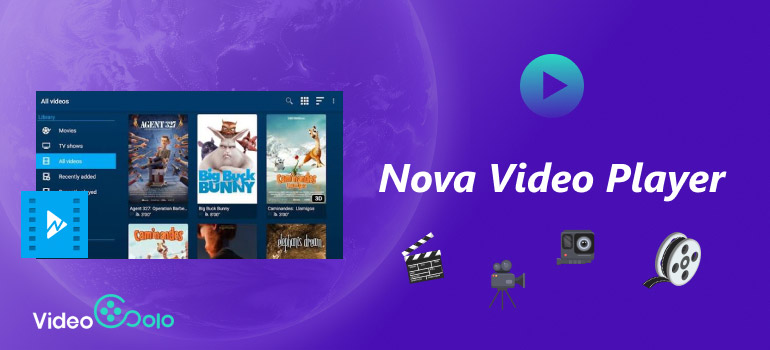
When I first tried Nova Video Player APK, I came to the conclusion that it's a free, open-source media player that works, in particular, for Android phones, tablets, and Android TV devices. The app is made to play local videos on your device or media coming from your home network. It's my favorite for automatically arranging movies and TV shows with posters and additional media info so that I can have an organized and clean-looking home library that is easy to navigate.
Core Strengths
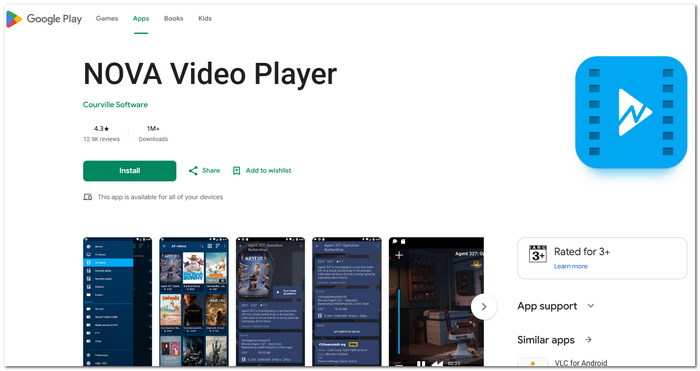
- • Completely free to use, open source, and without ads.
- • Covers most of the well-known video and audio formats.
- • It automatically organizes your movies and TV series with the right artwork and details.
- • You are connected to network storage via SMB, FTP, and UPnP support.
- • Designed more specifically for Android TV, providing a clean and user-friendly interface.
Critical Limitations
- • It is mainly a video playback application rather than a music organization tool.
- • It does not support DVD or Blu-ray playback.
- • The options for music playback are quite limited when compared to other multimedia programs.
- • Multitasking with media libraries might require some initial effort in setting up the advanced options.
Pricing Plan
There are quite a few reasons why I like Nova Video Player, but the fact that it's entirely free is something I value the most. Not only did I avoid buying a license or paying for an extra features package, but I haven't encountered any ads either. As open-source software, my only expense was a one-time download, with which I could play my collection straight away without further expenses.
Part 2. Nova Video Player In-depth Review
User Review
Users are impressed with Nova Video Player, and the features they love are a neat layout, great video quality, and that it's totally ad-Free. My experiments showed that it is quite a handy app for watching videos on your computer. But if you've been wondering how to get Nova Video Player for Windows, I'd like to point out that it is only compatible with Android and has no standalone Windows version.
My Experience
When I gave Nova Video Player a go, I did so with my stash of downloaded movies, TV shows, and even some music tracks. It was a snap for this player to pick up on my video files, and it readily arranged them in a visually pleasing way with posters and info for each one, which in turn made the whole library a breeze to explore. Never had a glitch in reproducing videos during the whole time I was testing it, but the music side of things ran quite short, actually, when I compared it to specially designed media players. So, in case you are someone who falls into the habit of watching video content and listening to music alternatively, you might very well end up being a bit confined with Nova Video Player's features.
Verdict
I think that overall Nova Video Player is a very good free app for Android users who mainly watch local videos. It is a very simple-to-operate app, with no advertisements and a great video player, so the main drawback is that the feature set might be a bit limited compared to other media players that offer much wider format support, better audio, and more balanced video.
Part 3. Premium Alternative: VideoSolo Player
When I used Nova Video Player, I thought about the ideal media player that I could use for music as well as videos without me having to switch from one app to another all the time. And that is when VideoSolo Player became the favorite choice. Other than video, it was a media player that also covered audio playback, video DVDs, and Blu-ray discs with good format support, which made it an excellent alternative for users with a mixed media collection who need only one media player.
 Features
- Reproduces almost every widely recognized audio and video format.
- Supports HD, FHD, 4K, DVD, and Blu-ray playback.
- Uses hardware acceleration to enhance performance and keep it running smoothly.
- Offers high-level settings for subtitles and audio tracks.
- Minimalistic and user interface-friendly design.
 pros
pros
- This software supports both audio and video.
- With compatibility, the program will work great with the latest media formats.
- The user gets smooth and quality playback and at the same time has a very easy-to-use interface to deal with.
 Cons
Cons
- If the user wants to have access to advanced features, the program's full version is needed.
How to Use VideoSolo Player
Step 1. Go to the website to download and install VideoSolo Player. Launch and sign in if licensed. If not, take advantage of the free trial.
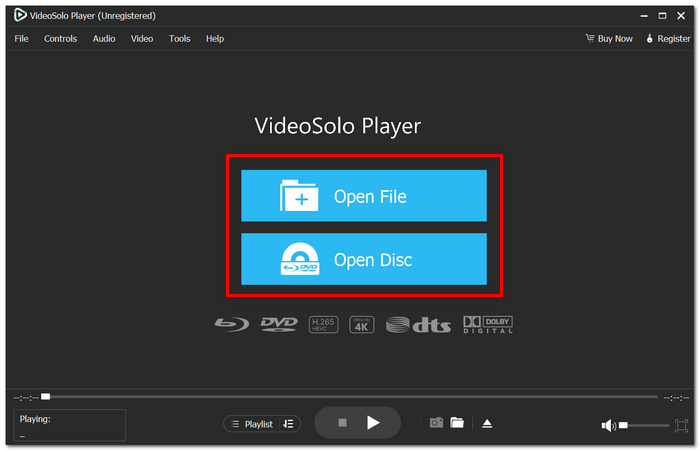
Step 2. Open your file by either clicking Open File to import any video or audio, or go for the Open Disc option when it's a DVD or Blu-ray.
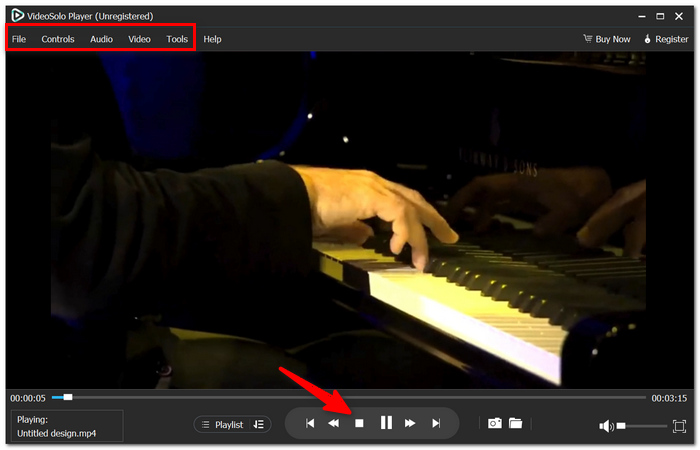
Step 3. Determine the content you want to play. With the help of playback controls, you can tweak subtitles, audio tracks, playback rate, speaker volume, or even change your screen size on the fly while enjoying your favorite media.
User Review
Throughout my tests, I saw that VideoSolo Player easily dealt with my varied media library, and there was no problem with compatibility at all. I added over 150 local audio and video files into the software, and they were loaded so quickly that the playback was almost stutter-free. Besides, it was very convenient for me not to have to use different players anymore since I could get hold of music, films, DVDs, and Blu-ray discs with the help of one piece of software only.
Part 4. Nova Video Player vs. VideoSolo Player
Nova Video Player vs. VideoSolo Player: Technical Comparison
| Feature | Nova Video Player | VideoSolo Player |
|---|---|---|
| Primary Purpose | Open-source player for local video playback | All-in-one media player for audio, video, DVD, and Blu-ray |
| Platform | Android phones, tablets, and Android TV | Windows and macOS |
| Media Support | Primarily videos with basic audio playback | Full support for both audio and video |
| Format Compatibility | Supports most common media formats | Supports virtually all popular media formats |
| DVD & Blu-ray Playback | ✗ Not supported | ✓ Supported |
| Media Library | Automatically organizes movies and TV shows | Manages both music and video libraries |
| Playback Quality | Smooth local video playback | High-quality playback with hardware acceleration |
| Best For | Users who mainly watch local videos on Android | Users who want one player for all their media files |
| Pricing | Free and open-source | Free trial with premium version |
After analyzing both tools carefully, I believe that Nova Video Player is your perfect free option if you mostly stick to watching local videos on Android. Then again, if you have a wide media collection, which may consist of music, movies, and Blu-ray videos, VideoSolo Player is the best choice to play MP4 (or other formats) in Android. This product is able to combine everything into a single program with broader format compatibility.
Part 5. FAQs about Nova Video Player
Q: Why doesn't Nova Video Player recognize my files?
A: There are different reasons why this problem is likely occurring. Your files might be corrupt, stored in the wrong location, or simply haven't been scanned yet. Scanning the media library again should normally solve the problem.
Q: Is it possible to personalize subtitle settings during video playback?
A: Definitely, through Nova Video Player, you can customize subtitle preferences like changing the timing to match the speaker's voice, choosing a language, and even picking colors and style that will make subtitling much more enjoyable.
Q: Is it possible to arrange my videos the way I like them?
A: Absolutely. To my personal taste, one can easily arrange the contents of the library by title, date, or other available ways of sorting to locate the desired video faster.
Conclusion
Deciding which media player to use ultimately hinges on figuring out what features you need. Once you are made aware of all the pros and cons of Nova Video Player APK, you will be able to assess accurately if this player fits exactly your playback needs or if you would be better off going with a media player whose versatility would suit your entire media collection better.
More Readings
Play your videos/music in 100+ formats and region-free DVDs/Blu-rays with 4K and Dolby Atmos experiences.

