



 Download Screen Recorder For FREE!
Windows Sound Recorder is fine for quick microphone memos but is lacking if you want to record high-quality system audio. VideoSolo Screen Recorder is a more flexible desktop program that makes recording system audio and microphone much easier.
Sometimes you may want to capture something on your PC: A voice memo, a meeting, an online course, or even the sound your PC is making. For these situations, you want a reliable Windows sound recorder. Different programs approach this task differently, so after trying out six, we recommend the best Windows sound recorders and tell you what you should pay, or if they're free, based on how well they record sound.
How We Test
We tested each recorder for sound quality, recording functionality, features, and overall user experience. We also reviewed the functionality of each recorder for microphone and system sound recording to determine how each one performed in those areas.
Quick Comparison of the Best Windows Sound Recorders
| Tool | System Audio Recording | Microphone Noise Reduction | Output Audio Formats | Ease of Use | Best Scenario |
|---|---|---|---|---|---|
| VideoSolo Screen Recorder | Yes | Yes | MP3, AAC, M4A, WAV, WMA | ⭐⭐⭐⭐⭐ | High-quality system audio + microphone recording |
| Audacity | Yes | Yes | MP3, WAV, OGG, FLAC, M4A | ⭐⭐⭐ | Advanced audio recording and editing |
| EaseUS RecExperts | Yes | Yes | MP3, AAC, WAV, OGG | ⭐⭐⭐⭐⭐ | Quick screen and audio recording |
| Ocenaudio | Yes | Yes | WAV, MP3, FLAC, OGG | ⭐⭐⭐⭐ | Lightweight audio editing and recording |
| WavePad | Yes | Yes | WAV, MP3, FLAC, OGG, AAC | ⭐⭐⭐⭐ | Recording with basic-to-advanced editing |
| Microsoft Sound Recorder | No | No | M4A | ⭐⭐⭐⭐⭐ | Simple microphone voice recordings |
*System audio recording with some tools may require additional Windows audio routing or configuration.
Our pick: VideoSolo Screen Recorder is a great choice if you're looking for a simple method to record system audio and microphone input without having to handle complex audio-routing configurations.
Part 1. Built-in Microsoft Sound Recorder (Windows 11/10)
If all you want is a quick and easy voice recording method, then Microsoft Windows has a built-in application called Sound Recorder, formerly known as Voice Recorder. To find this, click on the Start menu and type in "Sound Recorder". For users searching for a simple sound recorder Windows 10/11 solution, this is a good place to begin.
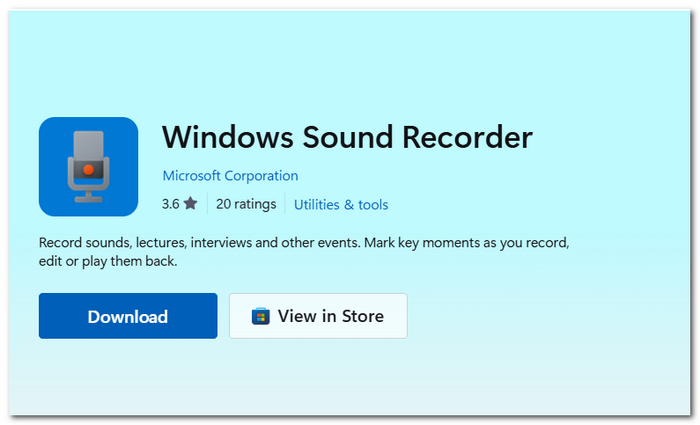
Basic Features
- • The controls are simple, so it is possible to begin, pause, and finish a recording without having to access a menu system.
- • Allows you to select which connected microphone you wish to record from.
- • Simple editing: Remove unwanted parts online directly from the recording.
Limitations
- • The app is unable to capture sounds played through Windows desktop apps, web browsers, or videos.
- • A number of output formats are available, but still not as many as in dedicated recorders.
- • It cannot cancel out real-world ambient noise when recording.
When it comes to basic voice notes, that will do. However, if you want more versatile recording, a specialized tool such as VideoSolo Screen Recorder is the better choice.
Part 2. Top 5 Windows Sound Recorder Software (Tested)
1. VideoSolo Screen Recorder – Best for Easy System Audio Capture
Rating: 5/5
Best for: Recording system audio, microphone input, or both without complex configuration.
VideoSolo Screen Recorder is a versatile screen and sound recorder for Windows that you can use for general audio recording. Its specialized Audio Recorder mode allows you to record system sound, microphone input, or both, without dealing with dreaded PAAPI routing.
How to Record Sound on Windows using VideoSolo Screen Recorder
Here’s how to record sound on Windows. VideoSolo Screen Recorder keeps the process simple:
Stage 1. Install and launch VideoSolo Screen Recorder by clicking the download link.
Step 2. Choose Audio Recorder and switch on System Sound, Microphone, or both.
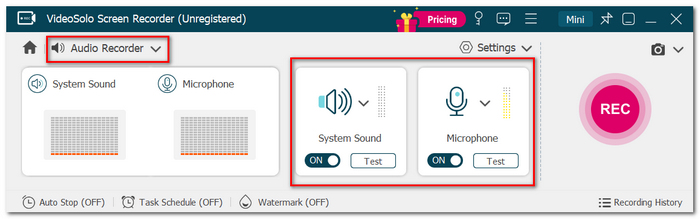
Step 3. Set the output volume and turn on the available microphone enhancement features.
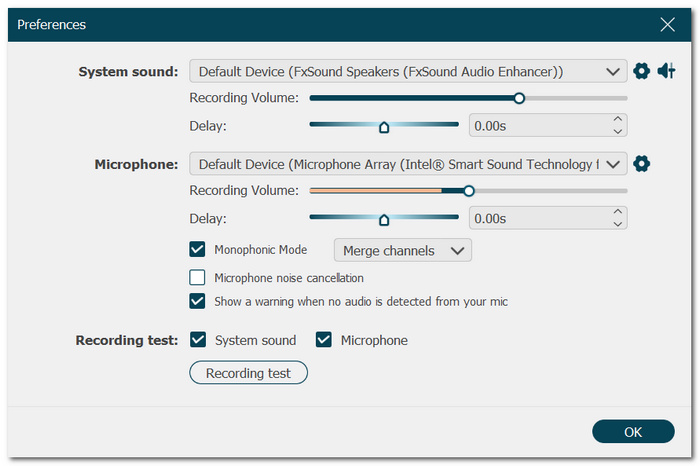
Step 4. Select the output file type. Hit the REC button and play the audio you wish to record.
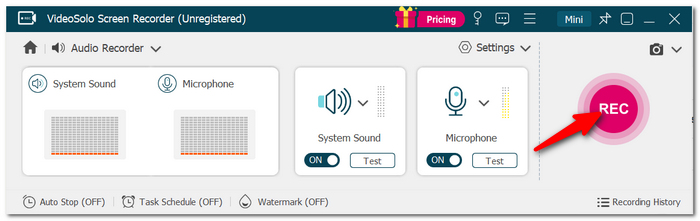
Step 5. Click Stop, listen to the background recording, and save it.
 pros
- No complex wizardry or audio routing is required.
- Record system sound, microphone sound or both.
- There are some useful tools for enhancing microphone recording.
 Cons
- Certain functionality needs a license at a cost.
- You may not need all its additional recording features if you only need to make basic voice memos.
Testing Experience
VideoSolo Screen Recorder was easy to operate during testing. The dedicated Audio Recorder tab shortcut was very convenient for selecting the audio source, tweaking the parameters, and hitting the record button immediately without navigating Windows audio device settings. It would be most handy if you often need to grab the system sound instead of recording your voice on computer.
2. Audacity – Best for Advanced Audio Editing
Rating: 4/5
Best for: It may have the most editing features of any free recorder. The interface is a little cluttered but possible to work with.
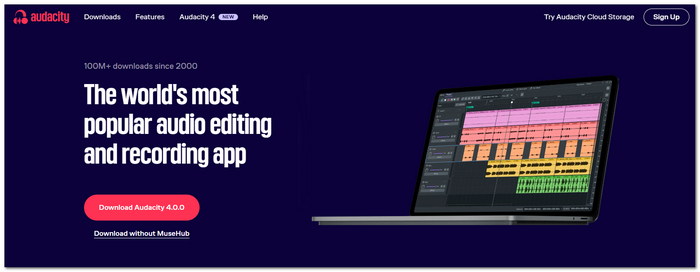
Audacity is a free, open-source editing and audio recording software that offers you more power than a simple Windows sound recorder program and has the additional advantage that you can then edit or clean up recordings afterwards.
pros
- You don't need to have a subscription.
- Your recordings can be cut, edited, looped, and effects can be added.
- For users who prefer having more control.
Cons
- The interface can be confusing in the beginning.
- You may need to enable/record computer sound. This is dependent on your Windows configuration.
User Review
If you are looking for something more than just hit record, save the file and sit back, then Audacity is a good option. I was pleased with the level of control I had once I understood the layout of the software, though newbies might take a while to find their way around the menus.
3. EaseUS RecExperts – Best for Simple Screen and Audio Recording
Rating: 4/5
Best for: Anyone who wants an extremely simple program for capturing the screen plus system audio and microphone input together.
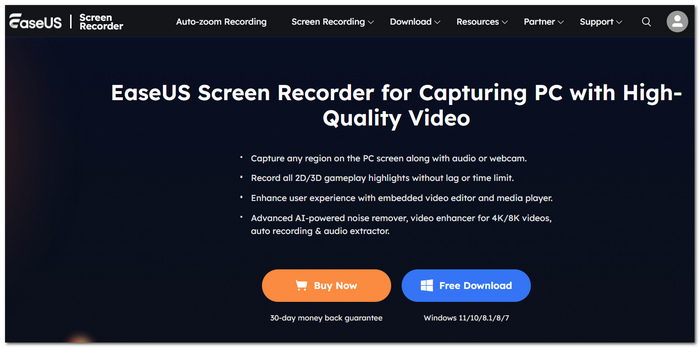
EaseUS RecExperts is a screen recording software with an integrated sound recording function. Apart from being sound recording software for Windows, it also records the screen at the same time. It can record system sound or microphone sound, or record them together.
pros
- It is straightforward to access and work with the primary recording controls.
- Have the option to record your screen, system sound, microphone, or a mix of everything.
- Suitable for tutorials, webcasts, online meetings, and any other recordings that depend on video and audio.
Cons
- Certain features are limited.
- Users who solely require an audio recorder could find it has more features than they need.
User Review
EaseUS RecExperts offers simplicity. Mainly, you're frequently swapping between screen and audio recording. Its controls are clear, so you'll be able to get a recording rolling fairly easily without too much configuration. I'd suggest it more for people who want to always capture both video and audio versus one who just wants a dedicated audio-only recording.
4. Ocenaudio – Best for Lightweight Recording & Editing
Rating: 3.5/5
Best for: Those who want something straightforward to edit audio where they will not be wasting all of their CPU.
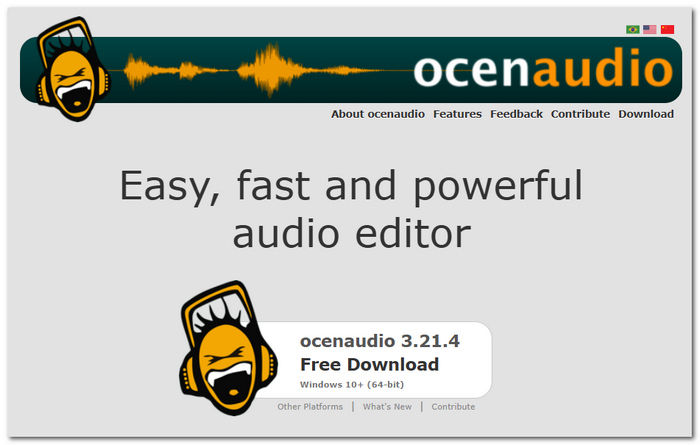
Ocenaudio is a minimal recording and editing program. It's fairly simple to use, and the UI is nice if this is exactly what you need. A Windows sound recorder app that allows you to record and get to editing.
pros
- Runs very comfortably. Feels not too slow.
- The controls are straightforward and self-explanatory, with no complicated options that require 2x or 3x clicking to reach.
- Allows you to audition effects.
Cons
- You don't get many editing tools with it.
- Better designed for simple recording tasks than more sophisticated recording systems.
User Review
Ocenaudio is a good middle-ground if you don't require a DVR that is too confusing. It launches very quickly, seems very user-friendly, and takes care of recording and editing tasks with minimal hassle. I'd use it for relatively short editing/recording jobs, rather than more complex, time-consuming ones.
5. WavePad – Best for Quick Recording and Editing
Rating: 3.5/5
Best for: Those seeking a simple recorder with a few editing features.
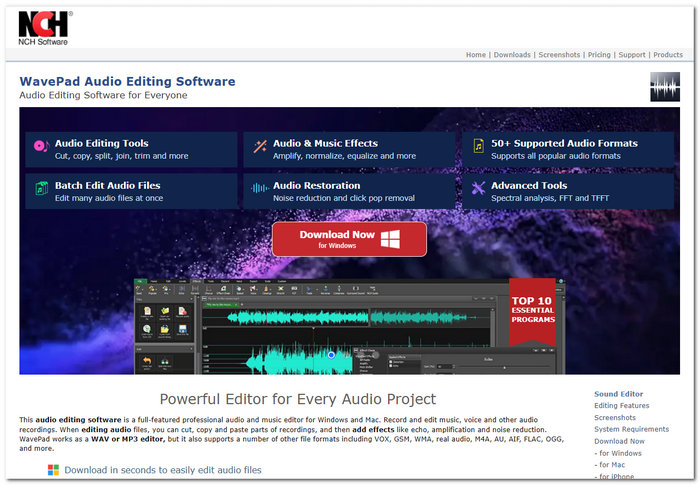
WavePad is an audio recording and editing program that handles the common tasks of recording voice, cutting clips, and using audio effects. It serves as a Windows sound recorder if you also want to do some editing without going into something more sophisticated.
pros
- All the main recording controls are easy to access.
- Offers features for editing and mixing recorded sound.
- You can trim, cut, and do some basic tweaking without having to use another app.
Cons
- Some tools are only accessible in the paid version.
- Better for recording and editing audio in a more conventional sense.
User Review
WavePad seems good enough for my day-to-day recording projects. I appreciate that the recording and editing are in one application, which makes things more streamlined. I probably wouldn't use it if I were just interested in recording my Windows audio. I'd get a Windows recorder.
Part 3. Troubleshooting: Windows Audio Recording Issues
So even a good recorder can have audio issues now and then. Here are some common issues and a few things to look for.
No Sound in the Recording
First, ensure that you're using the right microphone or system sound source. Confirm that your volume isn't muted and that Windows is giving permission to the recording program to use the microphone. If you are recording the system sound, do the same for the playback device.
Loud Hum or Static in Voice Recordings
Background noise may be caused by a number of factors, including the microphone, connections, electronic devices, or the environment in general. Reduce this by placing the microphone further away from other devices and reducing the input level. If available, turn on noise reduction using your recording program.
“Device in Use” or Sample Rate Errors
Generally, this occurs if another program is already playing the sound (e.g., the ASP program), or if the sample rate used by the recorder and by Windows differs. Exit any applications that might be using the microphone and set the sample rate of the recorder and the Windows sound options both to the same value (e.g., 44.1 or 48 kHz).
Part 4. FAQs on Windows Sound Recorder
Are my recordings affected if I delete Sound Recorder?
Microsoft explains that you will delete recordings within Sound Recorder if you decide to do it may be wise to keep files written inside the document online elsewhere.
Can I mark important moments while recording?
On Windows 11, Sound Recorder lets you add marks while recording or listening, making it easier to jump back to important points later.
Is it possible to have system audio and microphone audio recorded simultaneously on different tracks?
The built-in Sound Recorder cannot record multi-track. If you require multiple tracks for your microphone and computer sound, you will require software with more sophisticated recording controls.
Conclusion
The top Windows recorder varies depending on what kind of recording you want. If you just want to record some speech notes, the Windows built-in recorder does it. However, if you want to record what is playing through your speakers and capture your vocal input, you will need a more advanced screen and sound recorder for Windows like VideoSolo Screen Recorder.
More Readings
Capture screen activities, audio, webcam, gameplay, and mobile screens on Windows and Mac with high quality.

